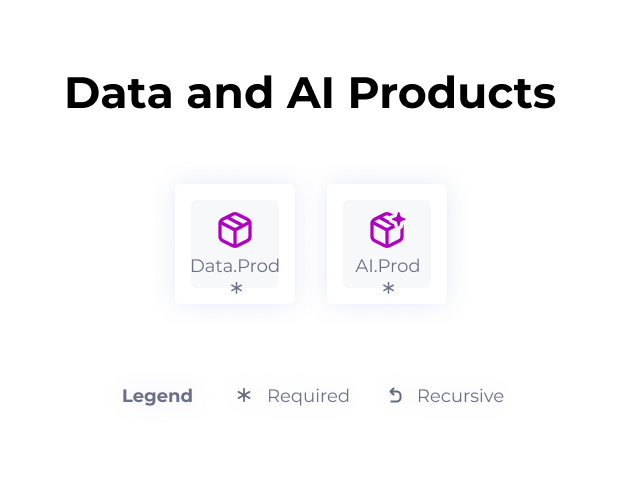
The Products module contain 2 types of object:
- Data products
- AI products
Their definitions:
- Data products: this is at least one customer-oriented and governed data object solving a use case.
- AI products: this is at least one customer-oriented and governed Artificial Intelligence object solving a use case.
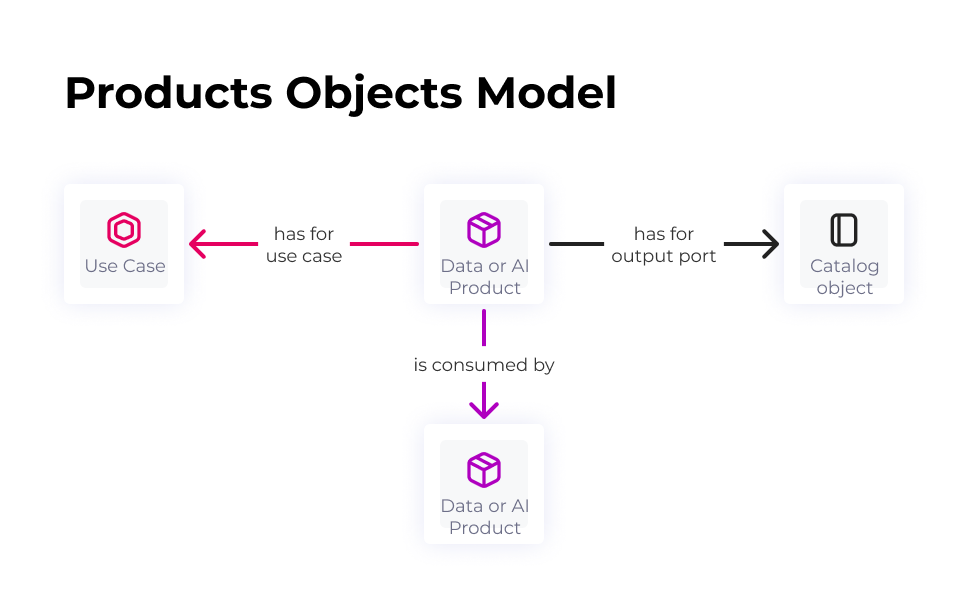
Links between objects:
- has for Use Case: Data and AI Products can have a Use Case as their Use Case.
- has for output port: Data and AI Products may have one or more objects in the catalogue as their output port.
- is consumed by: Data and AI Products may be consumed by other Data and AI Products.
- is subject to: Data and AI Products may be subject to Policies, Rules or Monitors.
- has for Domain: Like any DataGalaxy object, Data and AI Products can have a Domain.
- is linked to: Like any DataGalaxy object, Data and AI Products can be linked to another object.
Metamodel of the Products module:
Attributes of Data Products & AI Products:
Published to Marketplace (boolean, false by default)
Only published Data and AI Products are visible in the Marketplace, i.e. the publisher attribute "Published in the Marketplace" must be set to True:

They are standard attributes in DataGalaxy. They are included in Data Products & AI Products default screens.
In addition these attributes will be used for the Marketplace card(not configurable)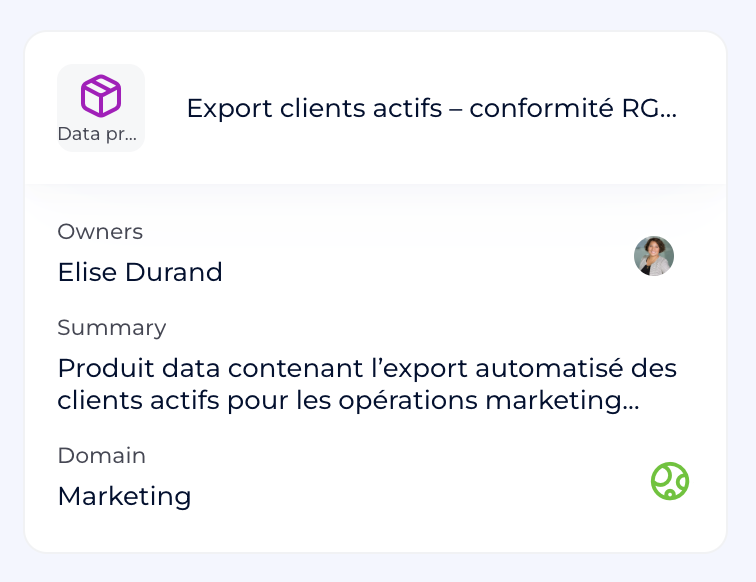
Output ports section
Objects of the catalog which have a link "is output port of" (reverse of "has for output port") are listed in the Output ports section. Objects appear as cards.
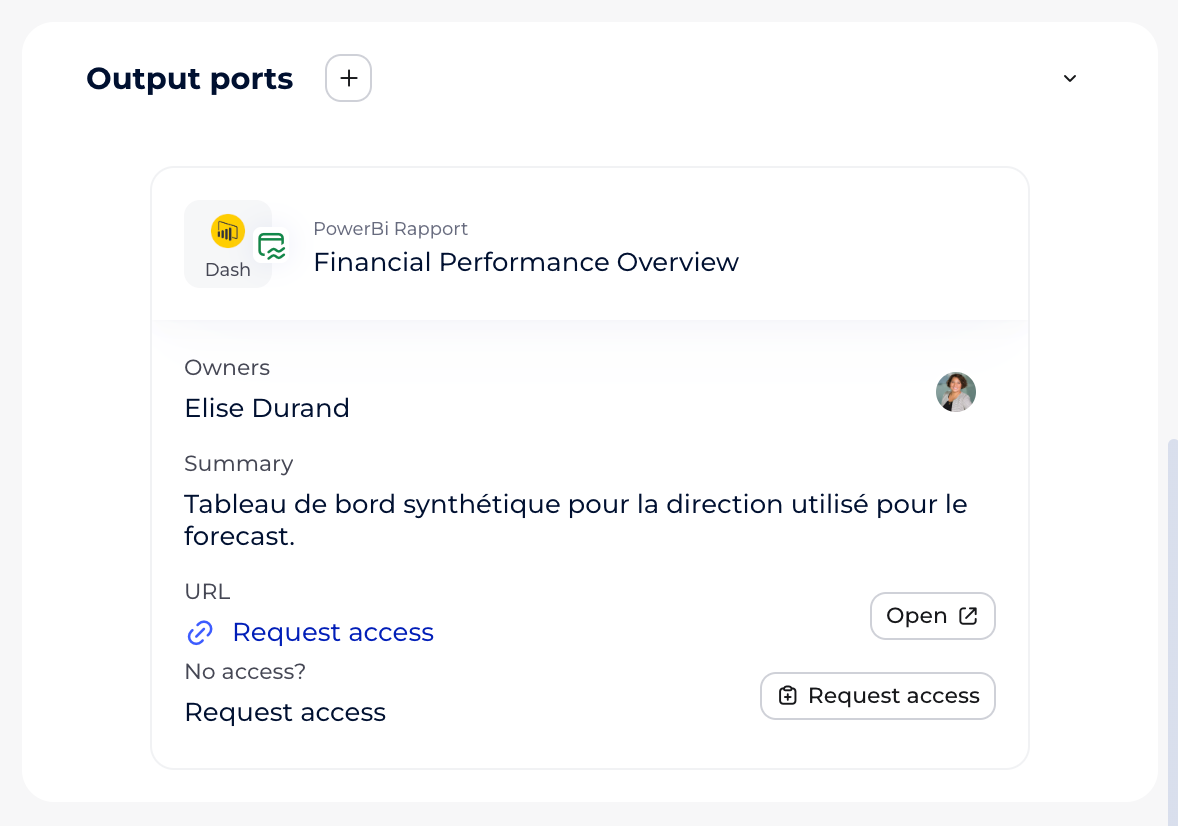
Output port cards contain (not configurable):
- label
- owner
- summary
- URL (default attribute named URL)
If URL attribute is filled then the users will see:- "Open" CTA redirecting to the target URL
- in case you don't have access to the target URL you can request access by clicking on "Request access" CTA which will open a Task creation modal prefilled with:
- Title : "Grant access to the label of the object"
- Assigned to : the owner of the object
- Type : Grant new access
- Text: "Could you grant access to label of the object"
- These fields are customizable by the requested.
- You can click on "Create" to create the Request access tasks.
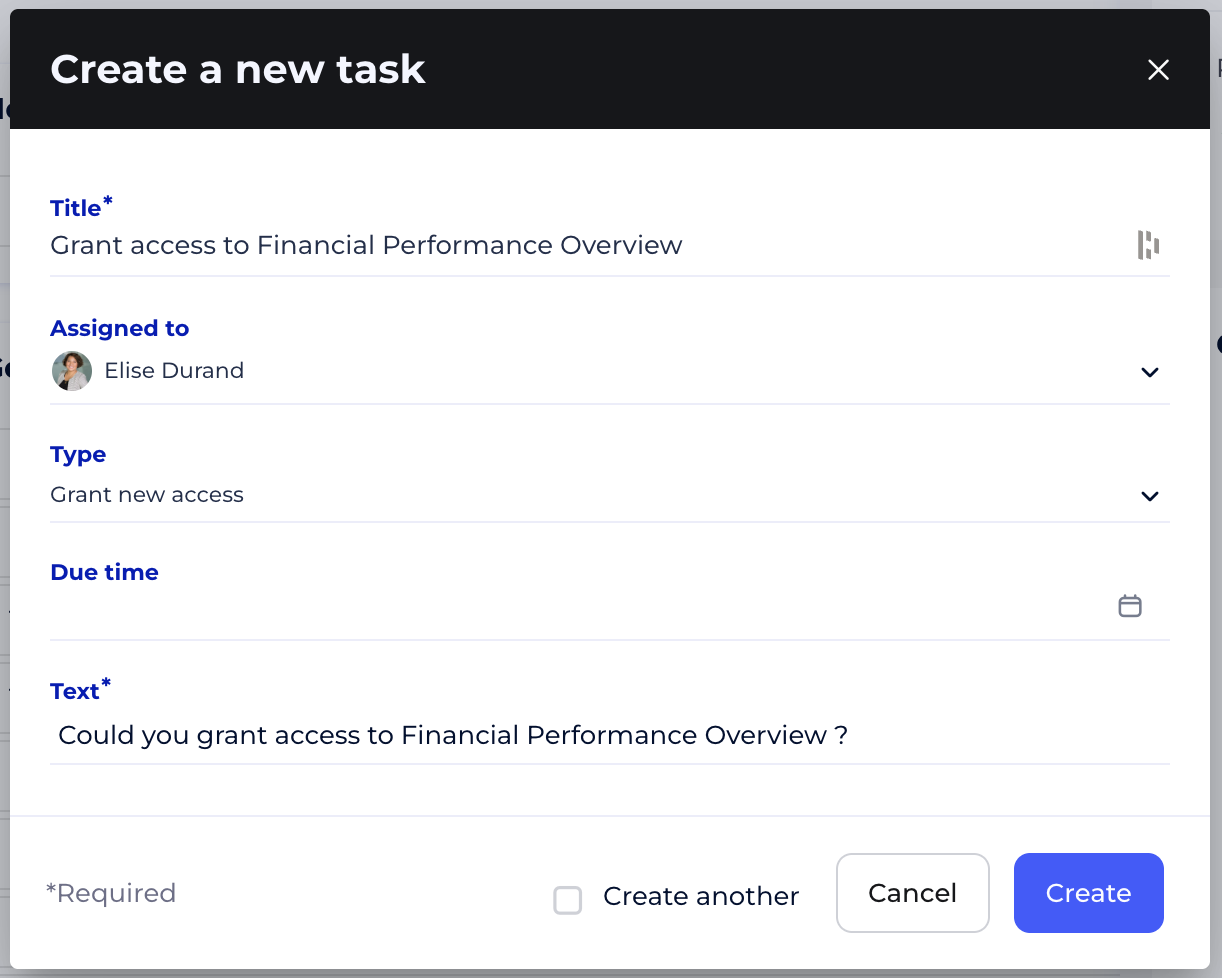
- Request access tasks will be visible, via the utility panel when you are on the card of an object.
Via the tasks section. This section is accessible from the side navigation bar and allows you to gather all the tasks of which you are the creator or the assigned manager, in a table.
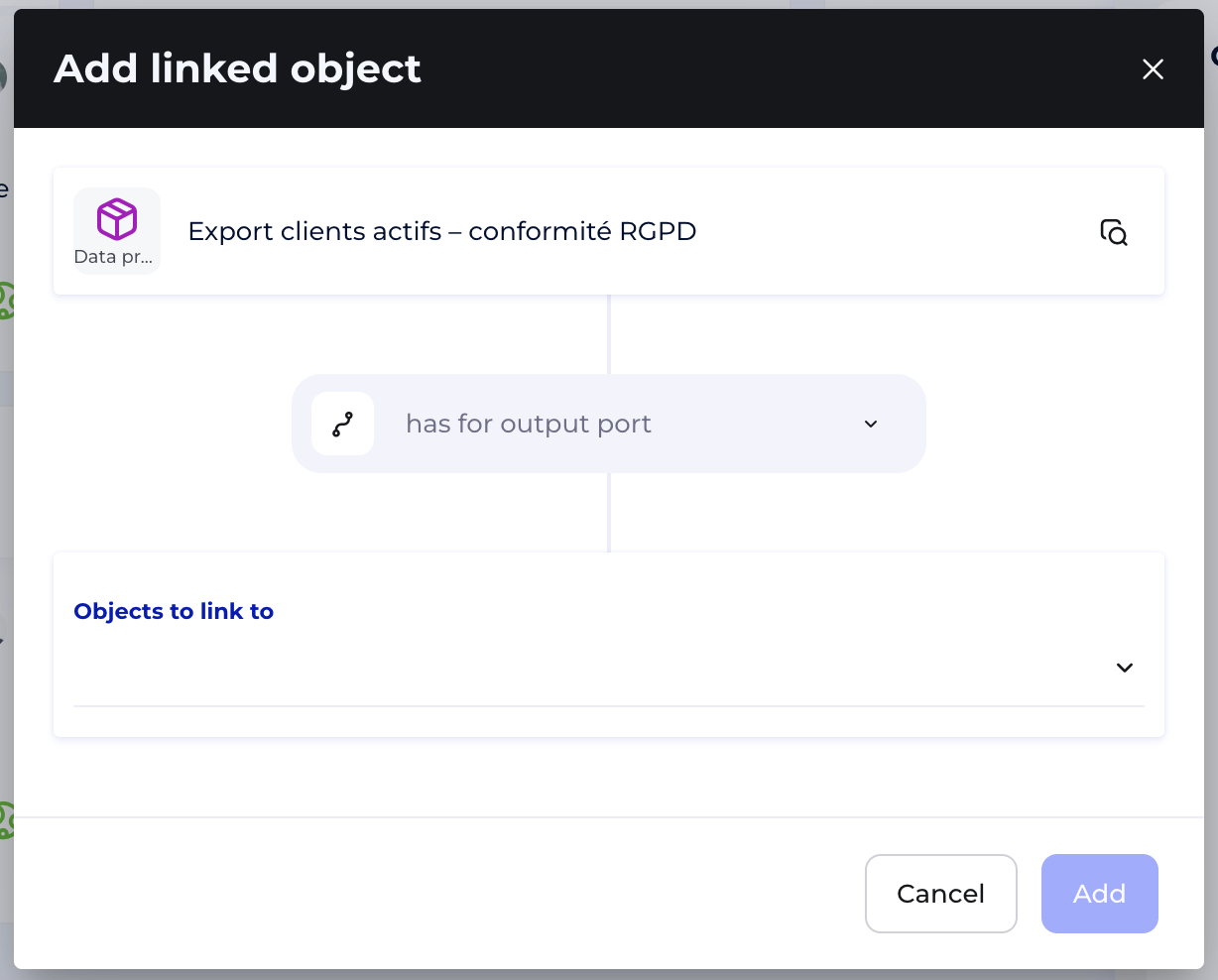
Adding an output port from the Output port section.
You can click on the "+" next to the section title then the "Add linked object" modal will open. More details here.