
You can create Data Processing Items in the Data processing Unit.
- Go to the Data processing Unit.
- Click on the data processing of your choice.
- Click on the tab Mapping.
- Click on the button "New DataProcessing Item".
- You can edit its name, description, and type (bottom of the screen).
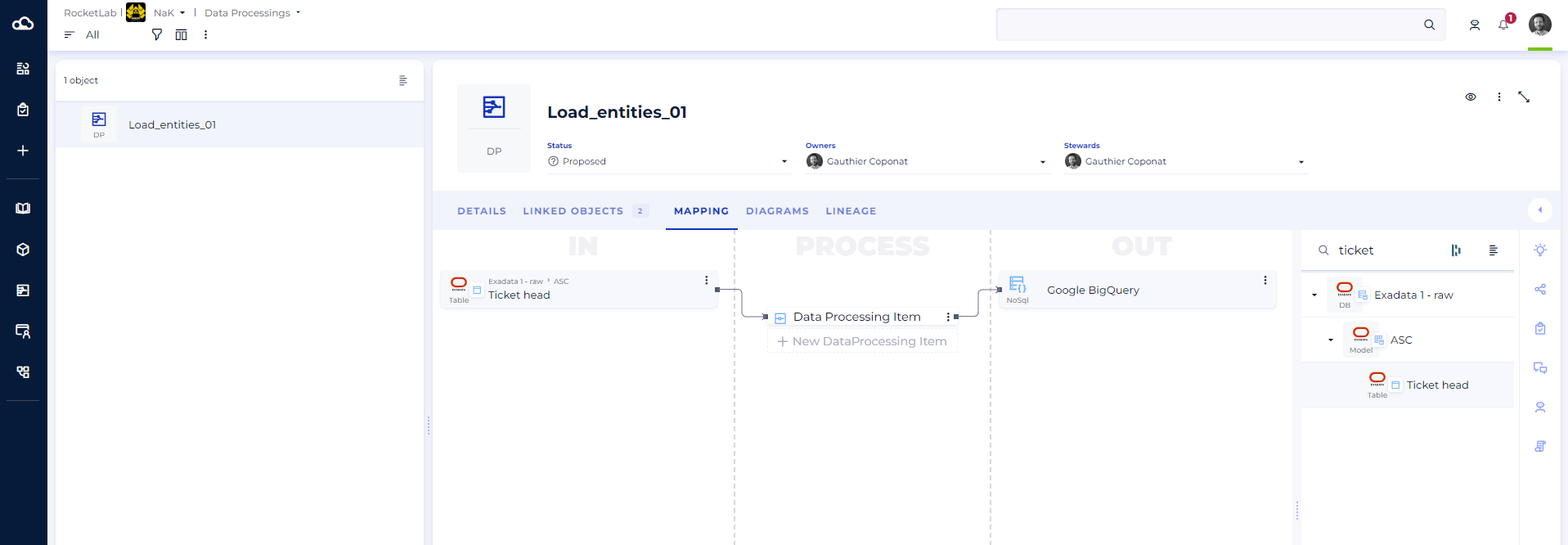
Note: You can create different types of data processing Items:
- Aggregate: groups several data values into a single summary value (e.g., sum, average, count).
- Analytical calculation: applies an advanced calculation function to a dataset, often used for statistical analysis or window functions.
- Concatenation: combines several values or data fields into a single string of characters.
- Constant/Variable: introduces a fixed value (constant) or a configurable value (variable) into the processing.
- Conversion: transforms a piece of data from one type or format to another (e.g., text to date, integer to decimal).
- Copy: duplicates data from a source to a destination without any transformation.
- Filter: selects a subset of data based on one or more defined conditions.
- Formula: applies a custom expression or calculation to one or more input data values.
- Outer join: combines data from two distinct sources, keeping records even when there is no match (depending on the type of outer join used).
- Inner join: combines data from two distinct sources, keeping only records that have a matching value in both.
- Lookup: searches for and retrieves a value from another table or reference source based on a key.
- Custom: covers any specific type of transformation that doesn't fall into one of the predefined categories.
- Substring: extracts a portion of a string of characters based on a given position or condition.