How to put objects in or out of data processing?
In the Data processing Unit, you can map objects in input or output:
- Go to the Data Processing Unit.
- Click on the Data Processing of your choice.
- Click on the tab Mapping.
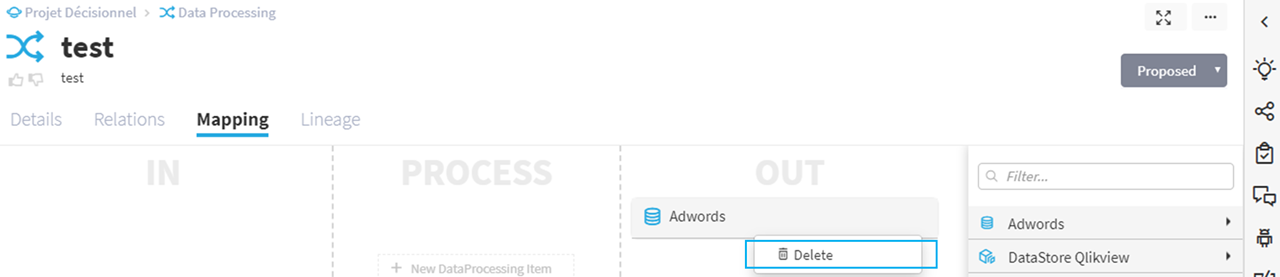
- Objects list from sources are available in the right panel, you can drag and drop objects in input or output.
Delete a link from the mapping
You have the option to delete a link between an input (or output) object and a processing unit:
- Access the Processing module.
- Access Mapping.
- Right-click on the link you want to delete.