
This article explains how to import data using DataGalaxy Online connector.
What is the purpose of DataGalaxy Online Connector?
The Online Connector securely imports metadata from your source systems directly into DataGalaxy platform. To do so, you'll find several available technologies identified by the "Online" keyword on the import solution selection screen: 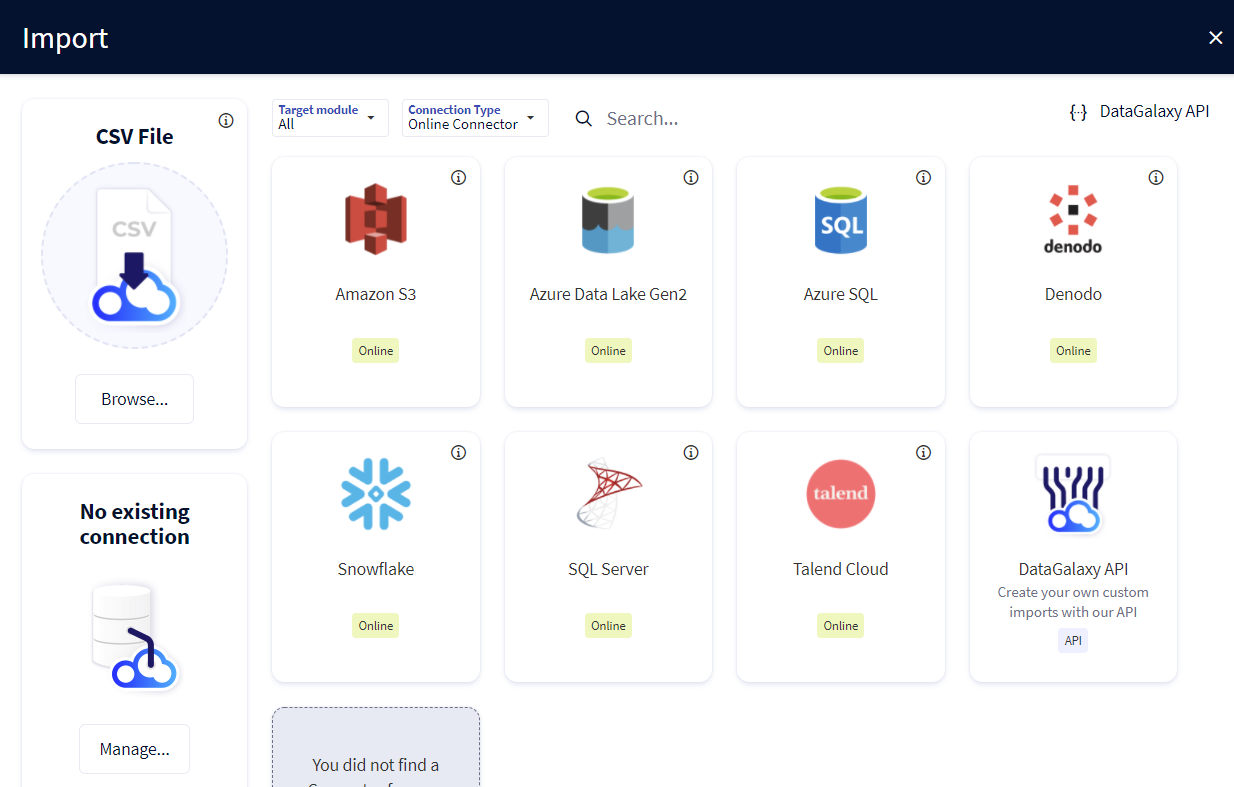
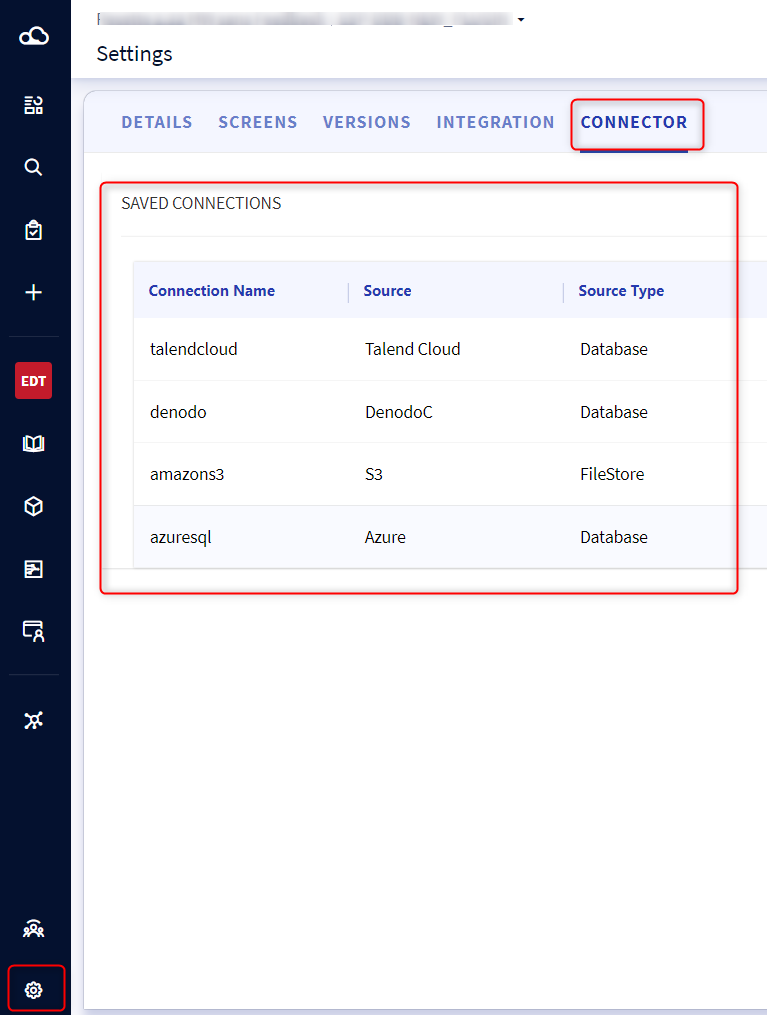
You just have to fill in the connection form to launch an import. Connection is then saved in order to execute it on demand. All saved connections are available in the Connector tab of the Settings:
How does it work?
The Online Connector securely imports metadata from your information system.
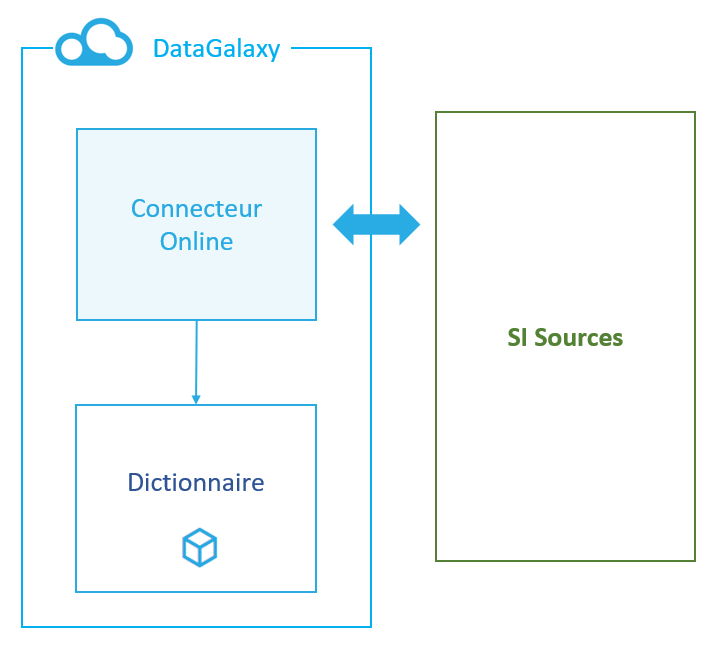
Its ecosystem works as follows:
- DataGalaxy's platform enables creating connections to your source systems in order to import their metadata into the DataGalaxy modules.
- Online Connector server will receive import requests from the platform and query your source systems using the connection informations provided. The retrieved metadata are then imported via API to the platform
In order to ensure that the data import is carried out in a secure way, the Online connector uses :
- an API token in order to communicate with DataGalaxy's API. It can be either a personal token or an integration token (see this article to know more about API tokens)
- a digital vault to securely store the source connection passwords
As data sources are sensitive points of your IT system, they are not always accessible from the platform. It may be necessary to configure network accesses in order to make communication possible.
The secrets of your sources are securely stored in a digital vault for runtime purposes, allowing the connections to run in background on a schedule. This is the only place where we keep your sources' secrets. Especially, those secrets are not part of our backups. It means that in case of an outage or operation requiring to restore your online connections, you will have to reconfigure each of your secrets to make the connections work again.
⚠️ Personal and Integration tokens used in the online connector can expire or be refreshed. Once a token has been refreshed from the administration module, you'll have to edit each connection which use this token to be sure it's updated in the connection itself.
Who can use it?
You must have administrative rights at the workspace level in order to use this feature.
This feature cannot create, modify or delete records in your databases. Its usage is basic and without any risk for the data inside your databases, nor for the databases themselves.
Nevertheless, it should be used in collaboration with technical users and administrators of the data sources to be integrated. Indeed, it requires connection information that only an administrator will have.
How do I activate the Online Connector feature?
If the Online Connector is not active on your DataGalaxy platform, we invite you to contact your account manager to request its activation.
FAQ
How do I know the IP address of the Online connector in order to setup IP filtering?
You can open a request to the support team who will be able to give you the IP address of your Online connector.
We do not guarantee the stability of your Online connector's IP address. Actually, it could only change in case of a big infrastructure outage, which is very unlikely. If after setting up your IP filtering, your Online connection suddenly doesn't work anymore, you can ask the support team for the new IP.
I didn't touch anything to my connection but it's failing with an error on the DataGalaxy token, what's wrong?
Likely the token used in the connection has been refreshed or has expired. Refreshed token are not updated automatically in the connections, and connections scheduled in background can fail after a refresh. After refreshing the token, just open the connection and go through the wizard to select the right token, test and launch the connector: the new token will be saved in the connection.