
The news widget allows you to animate the governance within your company, by writing and sharing articles with all users having access to a workspace.
1 - Who can access the articles?
All users who have access to a workspace can consult the news articles of this space from the home page.
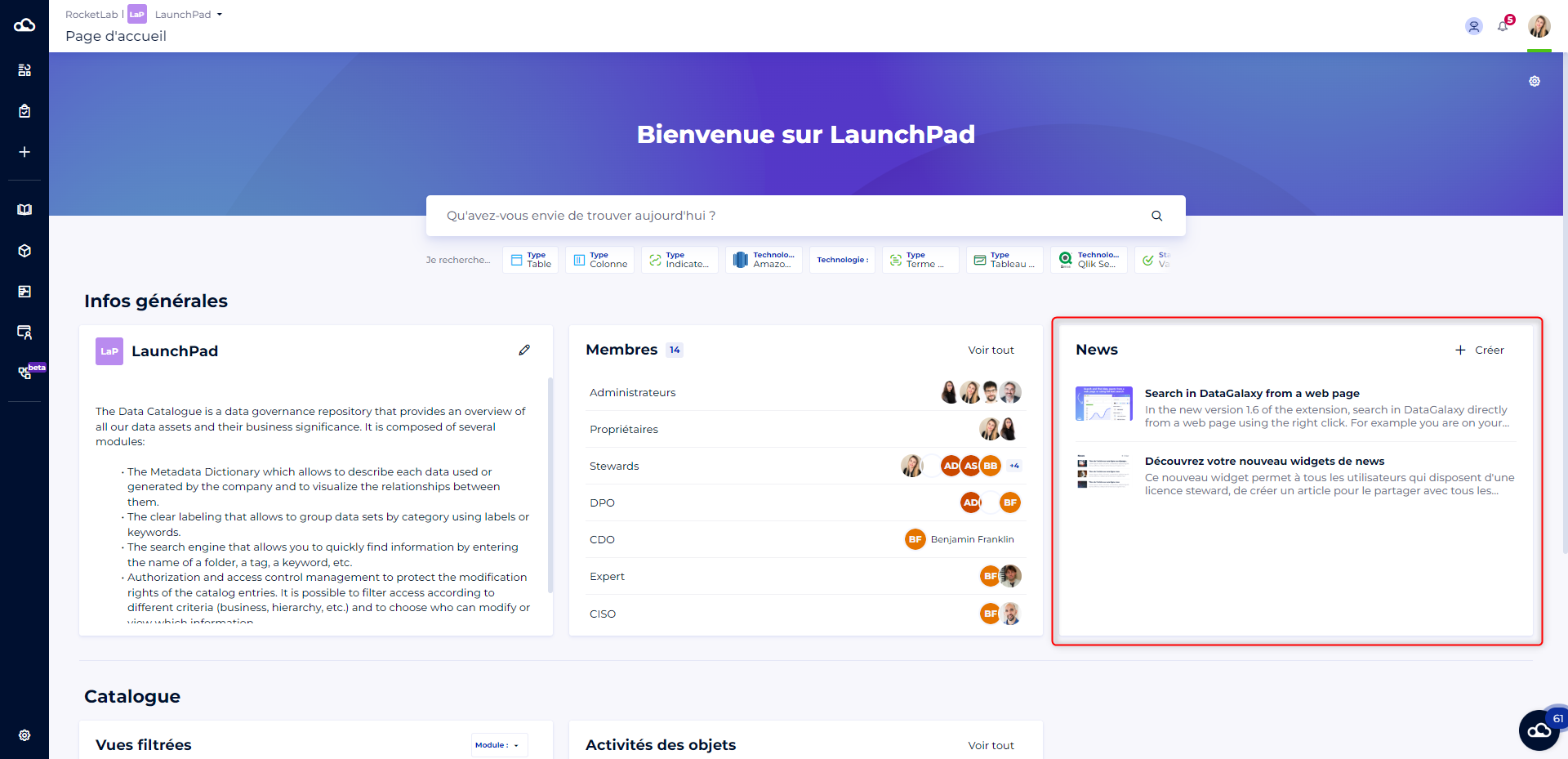
Articles are specific to a workspace, and are therefore not visible from other spaces.
2 - How to create an article?
Only users who have a steward license can create articles.
To create an article you must:
- Click on the Create button at the top right of the widget on the home page
- Enter a title and a description (mandatory)
- Add an image (optional)
- Click on the Create button
3 - How to modify an article?
Only the user who created the article can modify it.
The workspace administrators can also modify all the articles in the workspace.
To modify an article you must:
- Click on an article on the home page
- Click on the Update button
- Change the title, description, or image
- Click on the Update button
4 - How to delete an article?
Only the user who created the article can delete it.
The workspace administrators can also delete all the articles in the workspace.
Be careful, this action is irreversible.
To delete an article you must:
- Click on an article in the home page
- Click on the Update button
- Click on the Delete button
- Fill in the title of the article in the confirmation mode
- Click on the Delete button