
This article concerns a feature that is currently in beta mode. We would like to inform you that it may present known bugs and limitations. Please consult the list at the end of this article. DataGalaxy will make the feature available in final version to its clients (the "General Availability") with the corresponding subscription.
Introduction to campaigns
A data governance initiative requires the respect of operating rules and involves key players in order to ensure that objects are correctly defined and contextualized. The goal is to obtain elements that can be understood and exploited by users as quickly as possible. DataGalaxy can make these rules explicit directly within the application, to help you achieve your goals.
More concretely, the campaigns module lets you track the execution of workflows on a set of objects declared in DataGalaxy. A campaign is based on :
- Selection of a workflow previously configured in DataGalaxy (see below)
- Selection of a set of objects on which to apply the workflow
Once started, a campaign enables you to track the progress of the objects concerned, and simplifies interactions by notifying the actors involved in each phase.
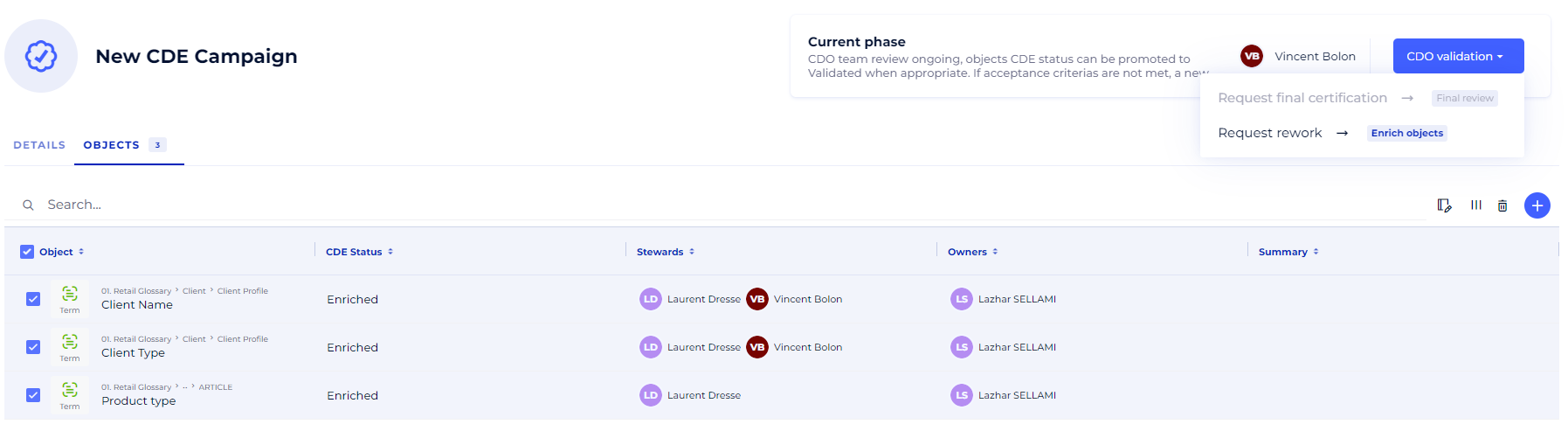
You can track and manage your campaigns from this new module, accessible from the application's sidebar. Note that a campaign applies to a workspace.
Example of a campaign based on a critical data certification workflow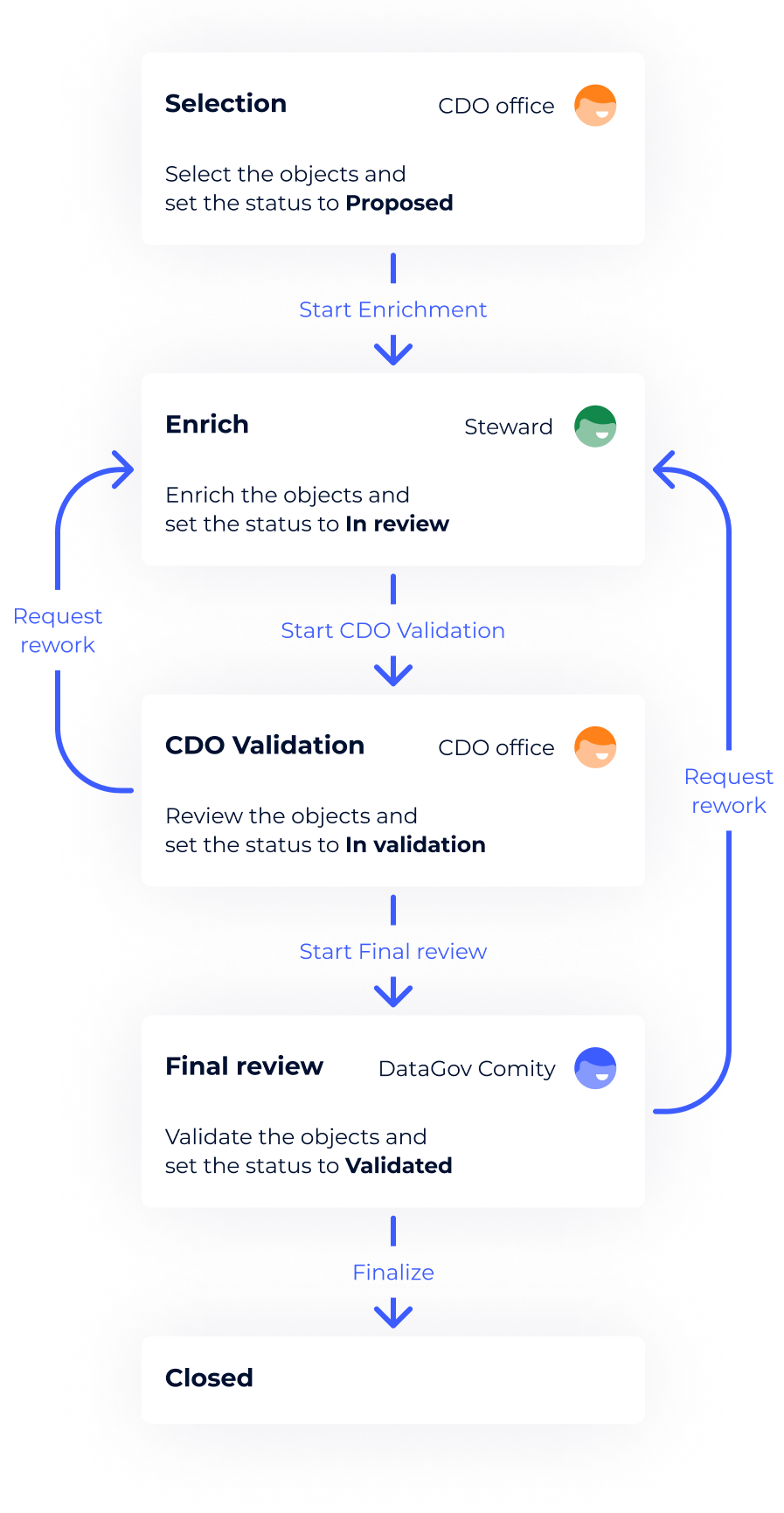
In this example, the process is as follows:
- the Chief Data Office (CDO) team determines the perimeter of items to be certified and starts the campaign,
- data stewards complete the information for each object,
- the CDO team validates the modifications made,
- a final check is carried out by the company's Data Governance Committee,
- once the entire process has been completed, the objects participating in the campaign can be considered "certified".
The scope of application of campaigns is vast: they may concern certification, quality, legal constraints, sensitive data, etc. The concepts of campaigns and workflows have been designed to adapt to your needs.
Workflows
A workflow is declared at the workspace level. It describes the operating rules of a process, and is defined by :
- An object attribute that can be controlled to activate transitions. In many cases, this attribute will be a status allowing you to monitor the progress of the campaign at the object level
- Campaign phases, to monitor overall progress
- Transitions describing the sequence of phases supported, and the conditions required to activate them
- Assignees (groups, roles or users) responsible for carrying out tasks during a phase
Workflows must be created using private API routes, which are introduced to you when you activate the feature on your environment.