
This article explains how the User Management Logging feature works. It is designed to enhance security and ensure full traceability of administrative actions.
With this feature, all critical operations related to user management are automatically logged, providing continuous and complete visibility into all performed actions.
Scope of Logging
The system automatically records all significant user management actions in real time.
These logs are essential for maintaining security, traceability, and accountability in the administration of the platform. They are retained for 12 months.
Logged Actions
New User Creation
Each time a new user is created, the system logs:
- The username
- The name of the admin who created the user
- The date and time of the action
User Account Deletion
When a user is deleted, the following details are logged :
- The name of the admin who performed the deletion
- "Deleted user"
- The date and time of the action
User License Modification
Each license change is logged with:
- The name of the affected user
- The name of the admin who made the change
- The previous license type
- The new license type
- The date and time of the action
Admin Rights Modification
Any changes to admin access rights in the Client Space (CS admin) are also logged :
- The name of the user whose rights were modified
- The name of the admin who granted or removed the rights
- The date and time of the action
Trigger channels for logging
All actions are logged regardless of how they are performed :
- User Interface (UI): Any action taken manually via the graphical interface
- API: Any action triggered through API calls
- File Import: Any action resulting from importing a file (e.g., CSV)
Where to view these logs
User management logs are accessible to Client Space administrators from the "Users" tab.
Admins can click on the button located in the top-right corner of the screen to open a panel displaying all available logs.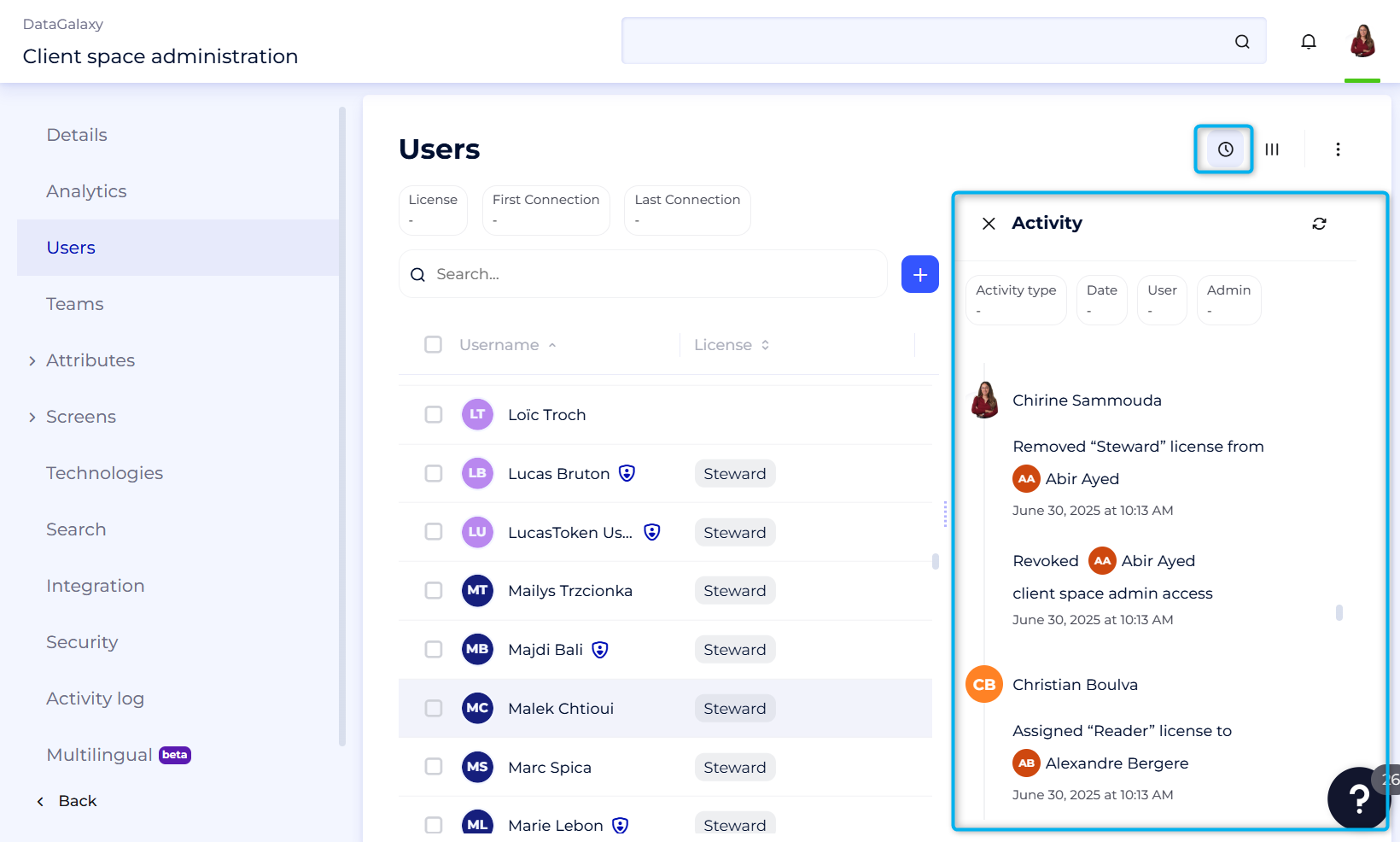
To simplify log review, we provide a comprehensive set of filters that allow administrators to efficiently navigate and analyze logged activity.
Available filters include:
Activity Type:
- User creation
- User deletion
- User license update
- Admin rights update
Date: Narrow the search by selecting a specific date range for precise tracking.
Affected User: Filter by the user on whom the action was performed.
Admin: Identify the administrator who performed the action.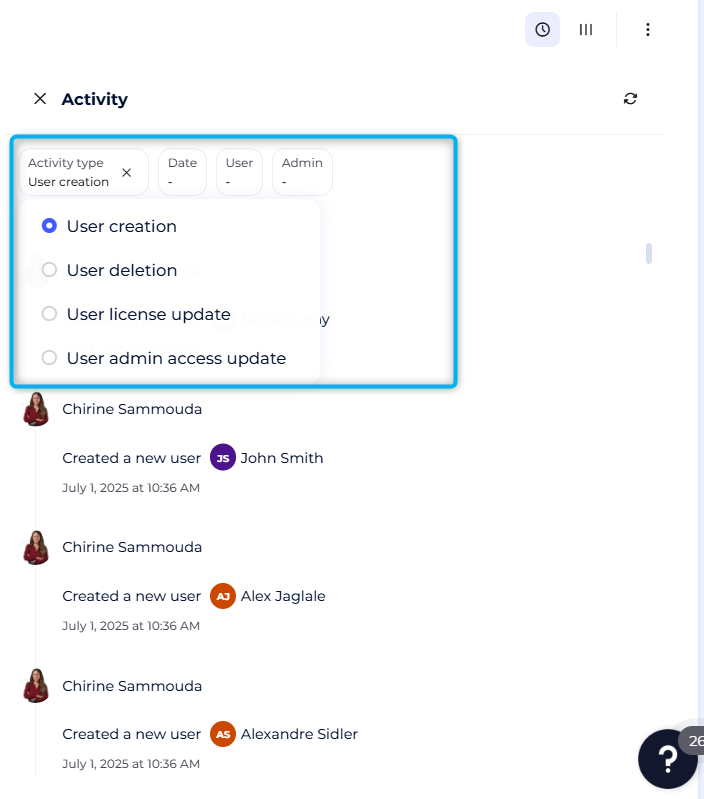
In compliance with GDPR requirements, actions performed by deleted users remain visible in the activity logs to ensure traceability. However, their identity is no longer displayed; they simply appear under the label “Deleted User.”