What is the Datamap?
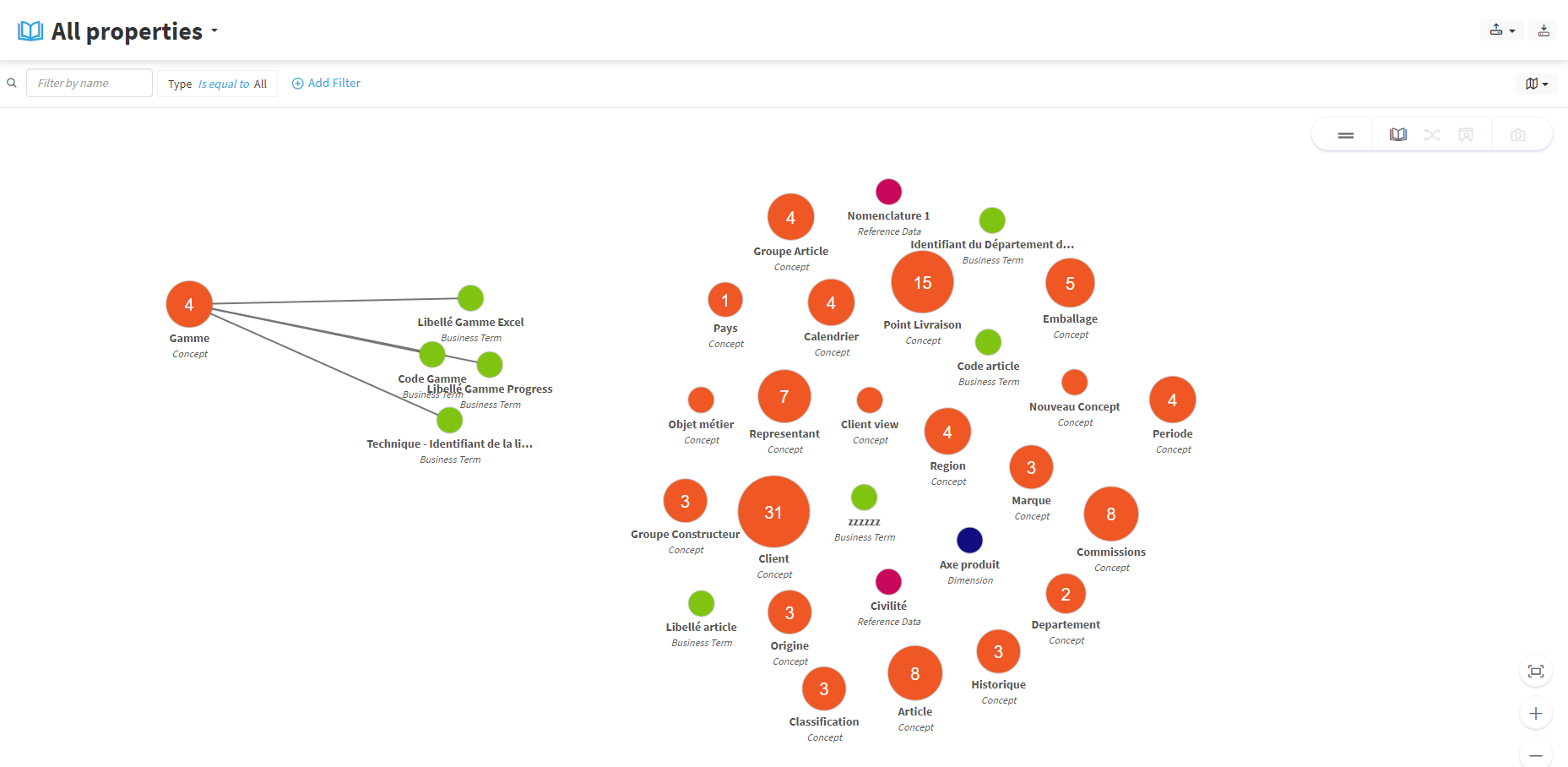
The Datamap is a feature offered by DataGalaxy to view all the data in the Glossary module in a hierarchical way.
All the objects in the Glossary are listed on the Datamap, which gives you an overview of your data.
To better understand the notion of an object, you can consult this article.
The objects are represented as colored bubbles:
- Orange concepts in orange,
- Business terms and indicators in green,
- Dimensions in blue,
- Magenta nomenclatures.
Each bubble is indicated the number of objects linked to it.
Thus, this representation allows you to quickly visualize all the types of objects present in the Glossary and how they are linked to each other.
How to use the Datamap feature?
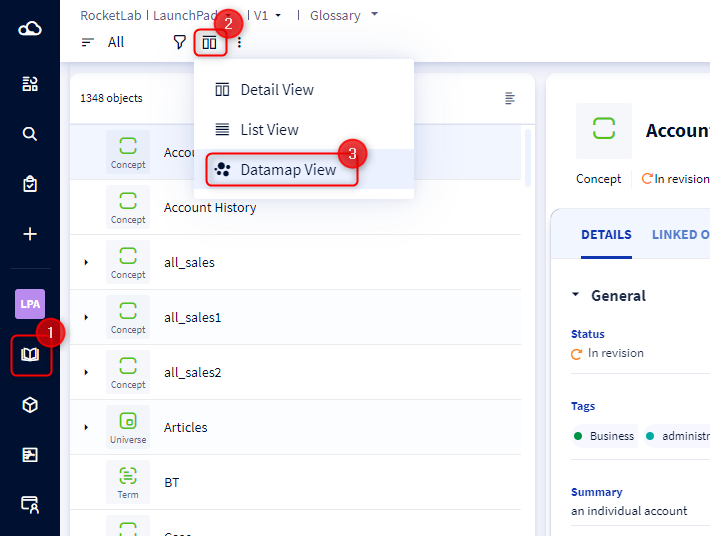
- Go to the Glossary module.
- On the form of an object, click on the "change view" icon.
- Select "Datamap View".
- Click on the Bubbles to open the objects related to it.
- Drag the bubbles to move them.