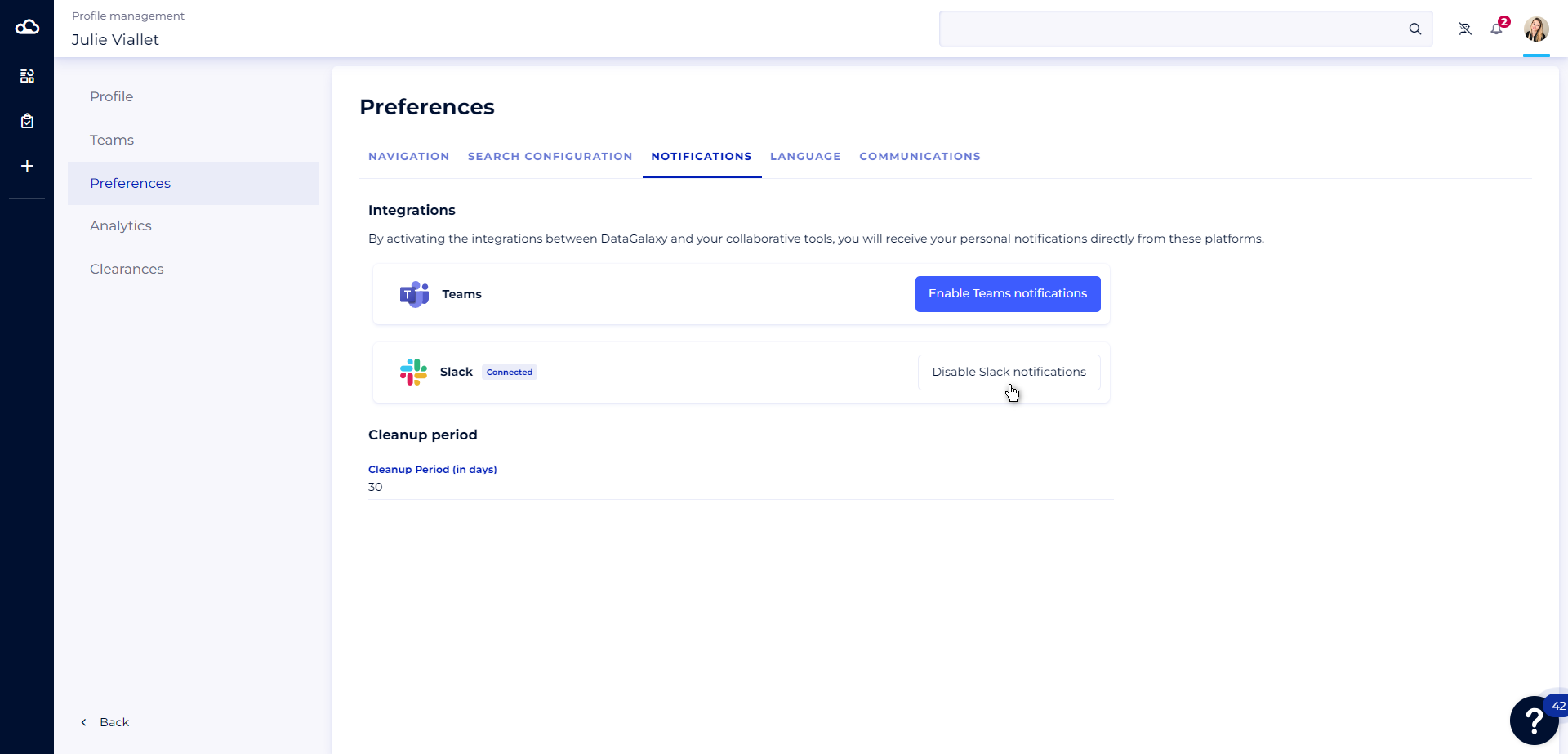
You don't use DataGalaxy on a daily basis, but you'd like to stay informed when a user mentions you, or when your watched objects are modified?
Then don't wait any longer, and activate the integration between DataGalaxy and Slack right now.
This integration enables you to receive all your personal DataGalaxy notifications, directly in Slack.
Connecting DataGalaxy and Slack from administration
To receive your notifications in Slack, a clientspace administrator must first connect your Slack account to DataGalaxy.
To do so, the administrator must:
- Access the Integration section of the administration panel
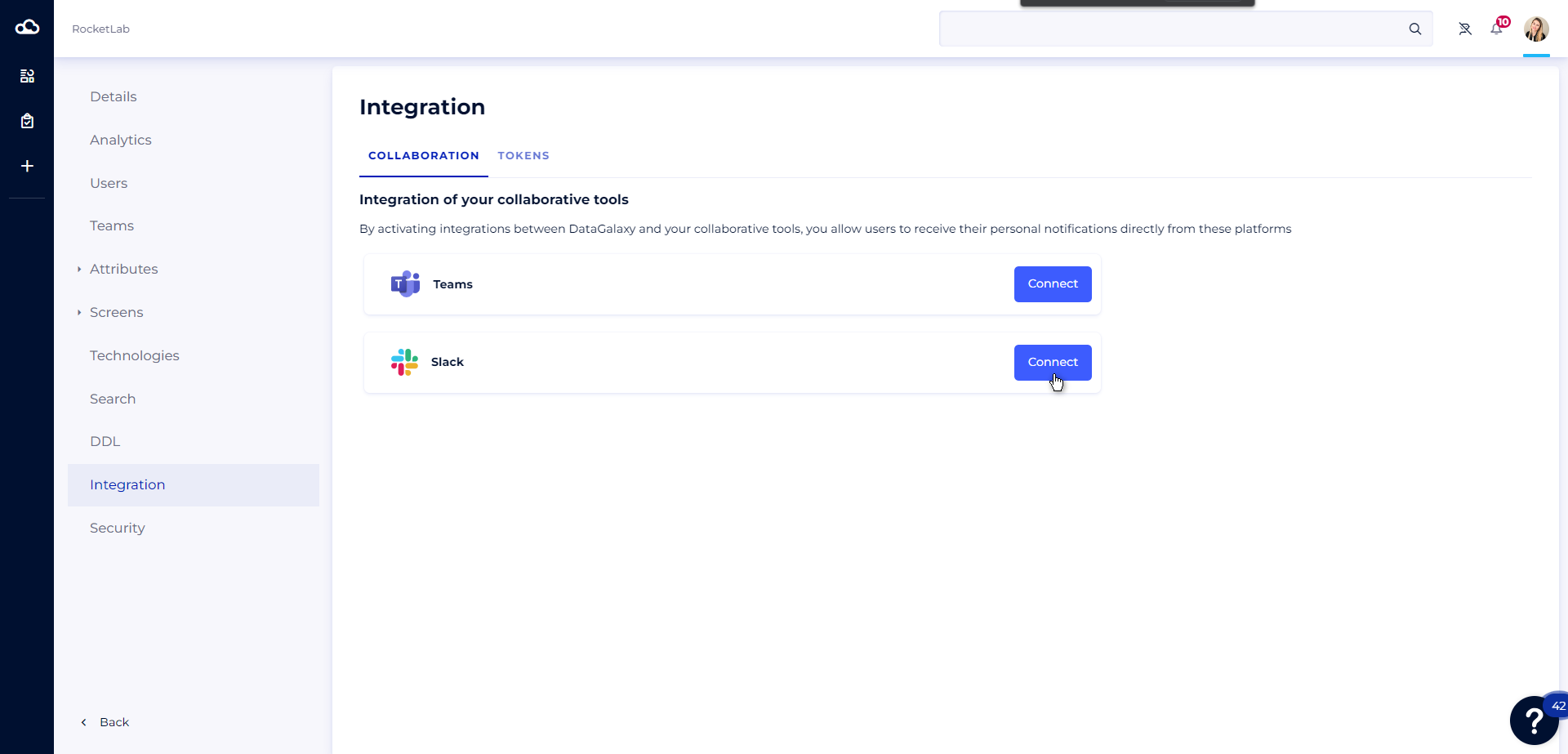
- Click on the Connect button in the Slack tool
- You will be redirected to a web page where you must authorize access to your Slack space
The administrator can deactivate the Slack integration at any time by clicking on the Deactivate button. Please note that this will disable notifications in Slack for all users who have already activated this integration.
Activate my personal notifications in Slack
Once the integration has been completed on the administrator side, each user will receive an InApp notification indicating that they can now receive their personal DataGalaxy notifications in Slack, and can choose whether or not to activate them.
Then you have 2 options for finalizing notification activation:
1 - From the integration activation notification
To activate your personal notifications in Slack from the integration activation notification, you need to:
- Open the Notifications panel
- Find the integration activation notification
- Click on the Enable Slack notifications button
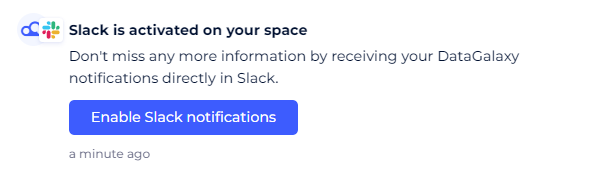
- You will be redirected to a web page where you must authorize access to your Slack space
2 - From your profile
To activate your personal notifications in Slack from your profile, you need to :
- Click on the icon at the top right of the screen
- Click on the Profile and Preferences section
- Go to the Preferences section
- Go to the Notifications tab
- Click on the Enable Slack notifications button
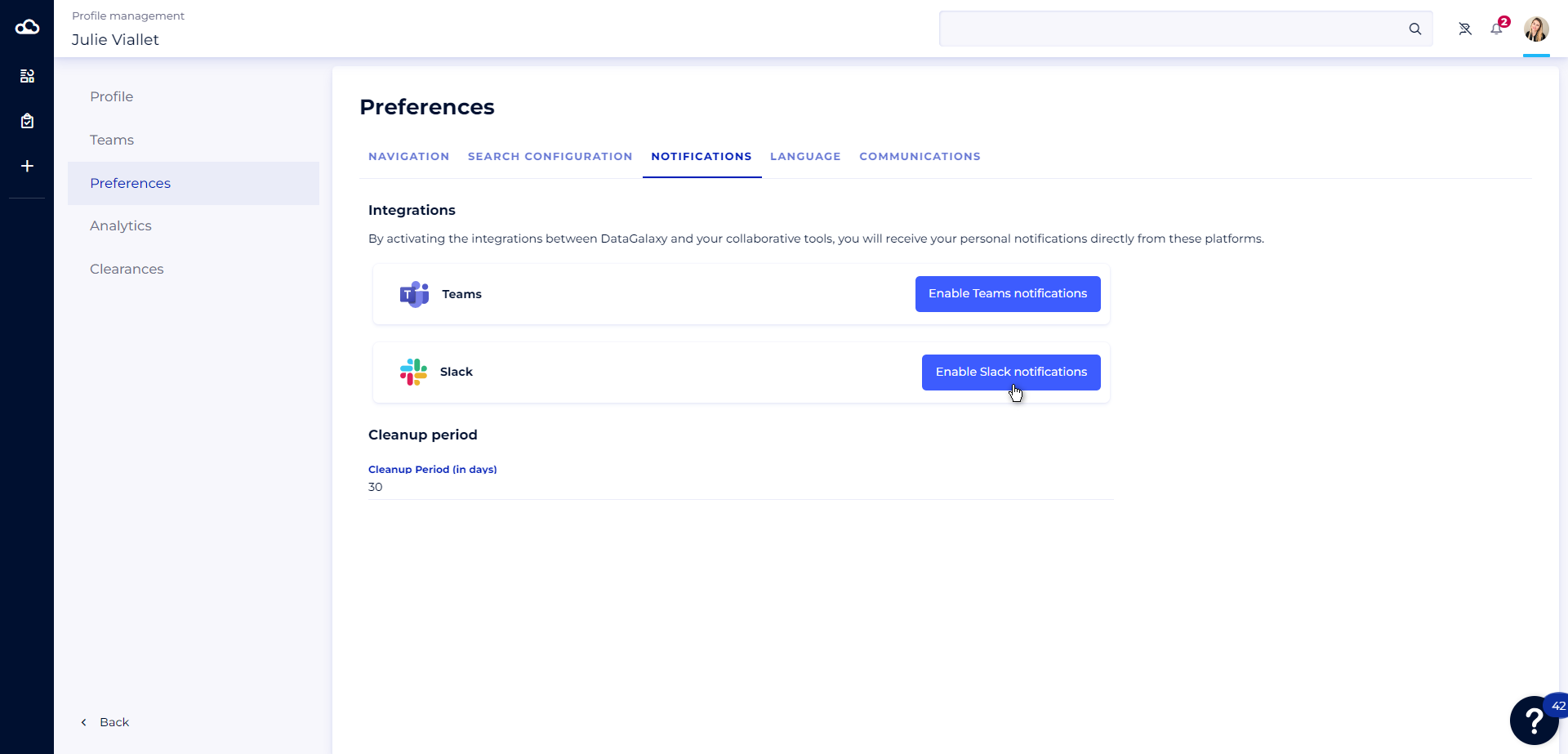
- You will be redirected to a web page where you must authorize access to your Slack space
NB: If the integration has not been done on the administrator side, you can send a request to the clientspace administrators asking them to activate the integration.
Deactivate my personal notifications in Slack
If you no longer wish to receive your personal DataGalaxy notifications in Slack, you can deactivate this option from your profile.
To do this:
- Click on the icon at the top right of the screen
- Click on the Profile and Preferences section
- Go to the Preferences section
- Go to the Notifications tab
- Click on the Disabled Slack notifications button