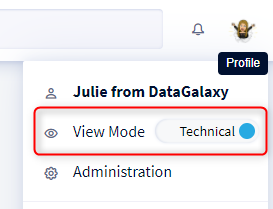
The purpose of this article is to show you how to use the "Toggle mode" feature.
What is the Toggle mode?
The "Toggle mode" feature allows you to switch from a "Functional" to a "Technical" vision in one click. From one mode to another you will only display either the functional name or the technical name. The purpose of this function is to facilitate the different profiles
- The appropriation of the platform
- Understanding the different data
Which fields can display the two visions?
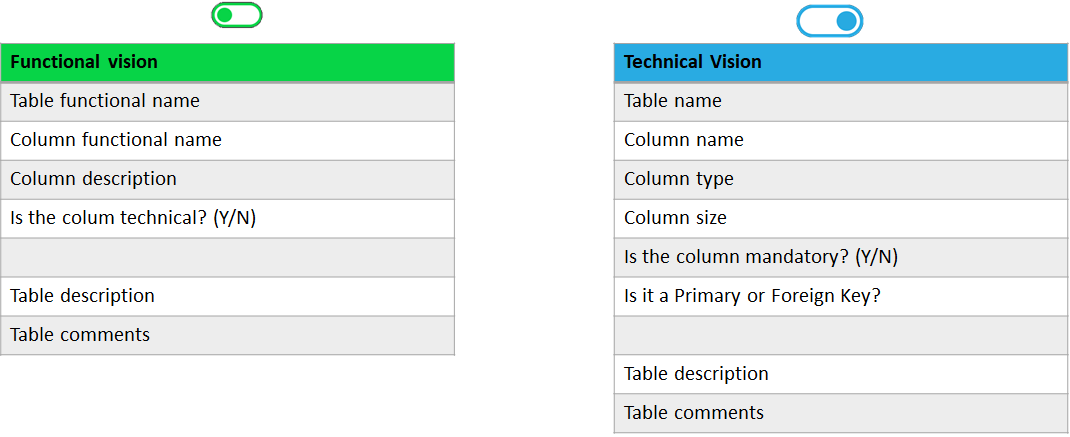
Nevertheless, this mode really makes sense with the following uses:
- the diagram
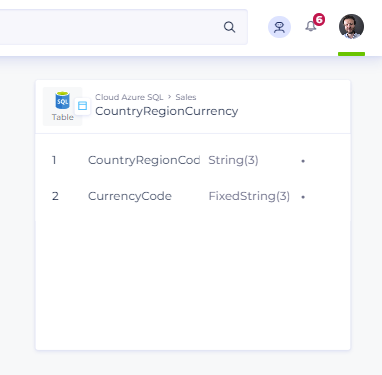
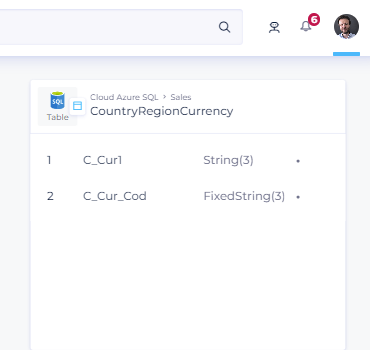
- the results of a search via the main search engine
- the object path
- the names of the objects in the dictionary (table and columns) in:
- the Detailed view
- the mapping of the Treatment module
- the Usage links of the Usages module
- the results of an Impact Assessment
Where can it be used?
The toggle is available under the profile drop-down menu in the upper right-hand corner