
This article explains how to create, edit, and delete a workspace for multi-workspace clients. To understand the articulation between the different workspaces, see the article: DataGalaxy's Main Concepts
Create a workspace
You need a DataSteward license to create a workspace. lll
To create a workspace you have to:
- Access the space management page available from the All workspaces button in the breadcrumb
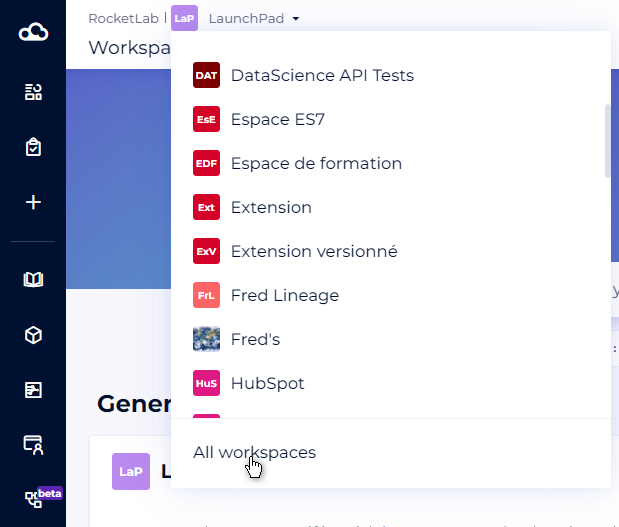
- Click on New workspace
- In the new window, you have to fill in :
- The name of the space
- Space description (optional)
- The default owner: This user must have a DataSteward license and will be used on all new objects created
- The default steward: This user must have a DataSteward license and will be used on all new objects created
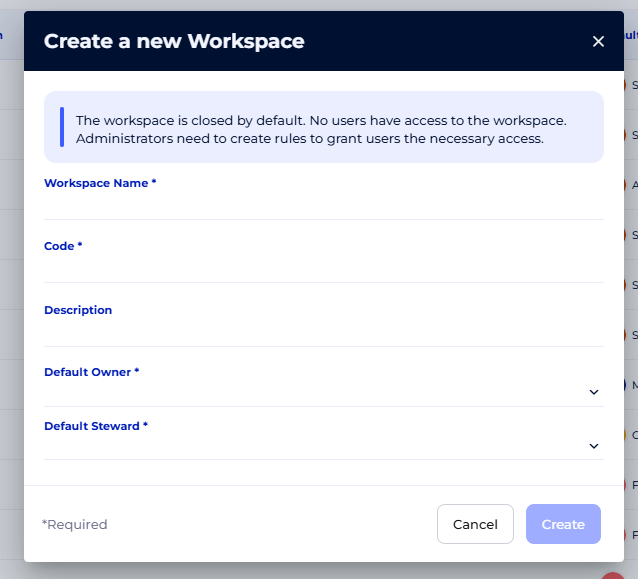
5. You arrive on the dashboard of your new space
By default, the newly created workspace is closed: only its creator, who is also the administrator, has access to it. To allow other users to access the workspace, the administrator must set specific access rules.
For more information on managing user access rights, please refer to this article: Manage user at a workspace level
Update a workspace
If you are a workspace administrator, you have the option of updating this workspace.
To update a workspace, you have to:
- Access the space management page available from the All workspaces button in the breadcrumb
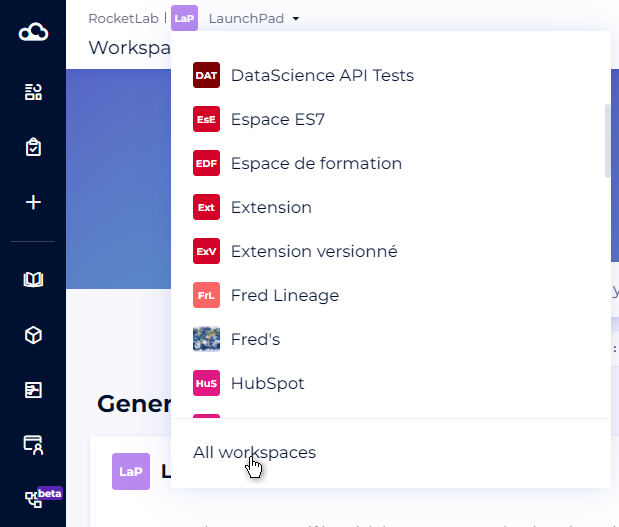
- Click on the pencil, which will open the editing modal

- You can change the name, description, and access mode of the workspace
To edit the default owner and steward, please see this article: [How to] Manage official roles
Delete a workspace
If you are a workspace administrator, you have the option of deleting this workspace.
When you are positioned on the workspace you want to delete you must:
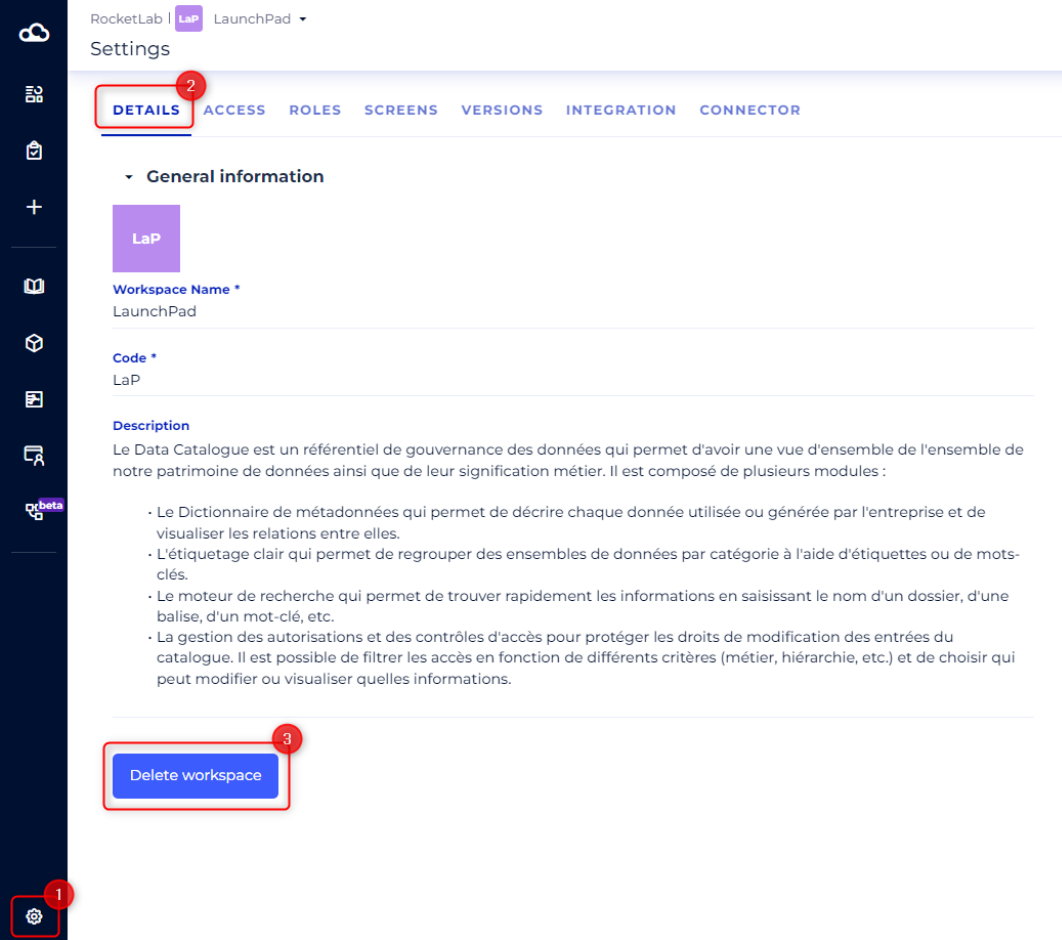
- Access the Settings section located at the bottom of the side navigation bar
- Position yourself on the Details tab
- Click on the Delete workspace button
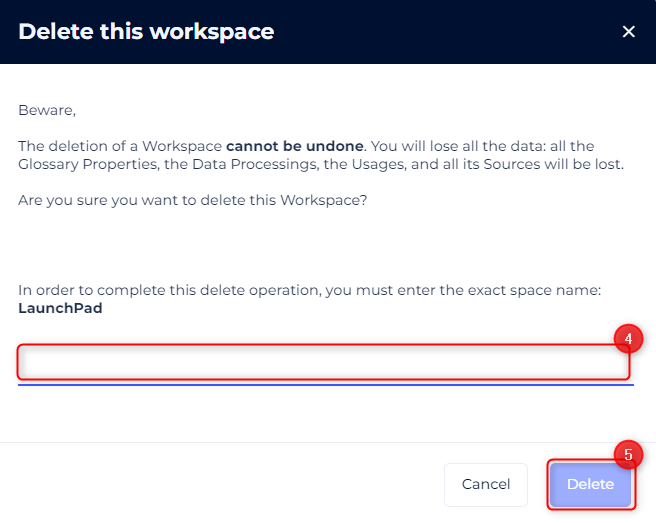
- In the space deletion confirmation modality : confirm the exact name of the workspace
- Click on Delete
Note: All project versions will be deleted.