
A workspace is configurable by all the administrators of this space.
For the steps to create/delete a workspace, please refer to this article: Manage the workspaces.
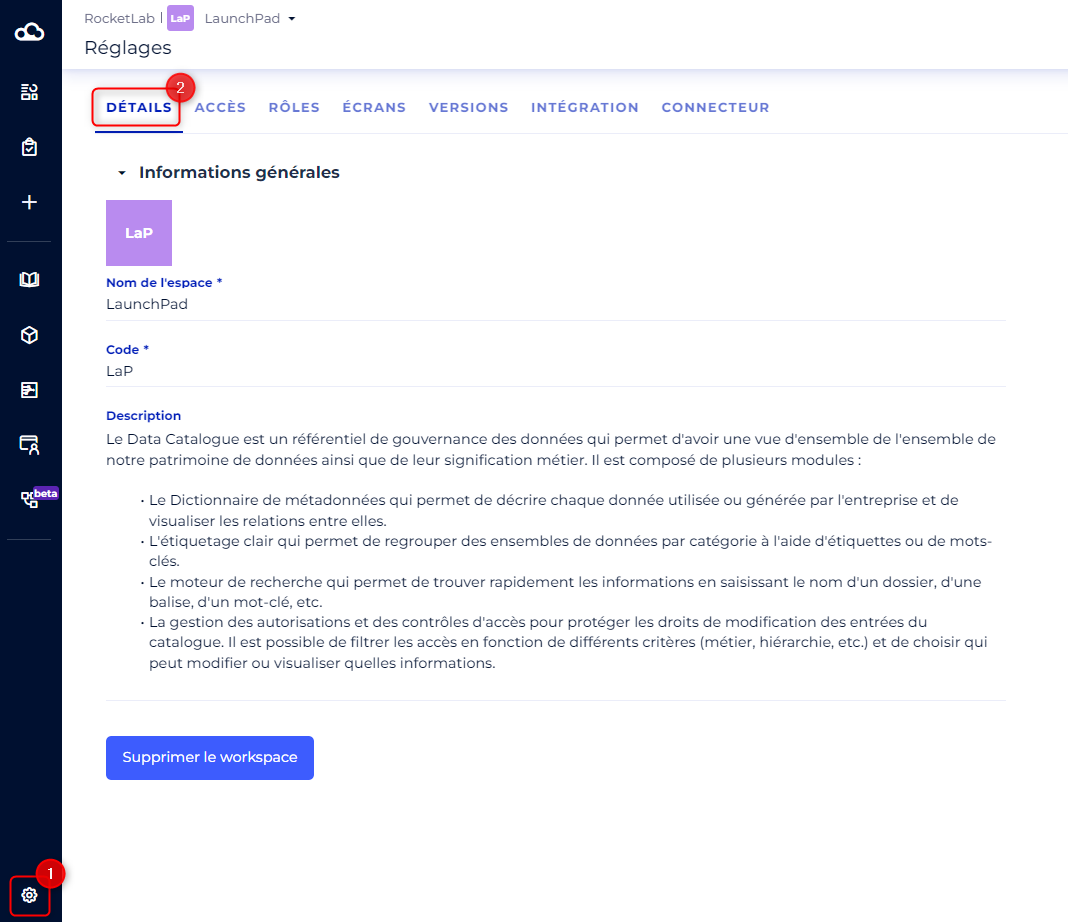
General information can be edited from the workspace settings:
- Go to the Settings section in the side navigation bar
- Go to the Details tab
- Edit the fields of your choice:
- The workspace icon
- The workspace name (required)
- The workspace code, is composed of 3 characters maximum and must be a unique identifier in the clientspace (optional)
- The workspace description (optional)
To customize the screens of a workspace, please refer to this article: [How to] Customize the workspace screens
To configure user access rights to the workspace, see this article: [How to] Manage users at the workspace level