The purpose of this article is to explain how to create and delete uses.
To understand the module concept, you can consult this article.
Create uses
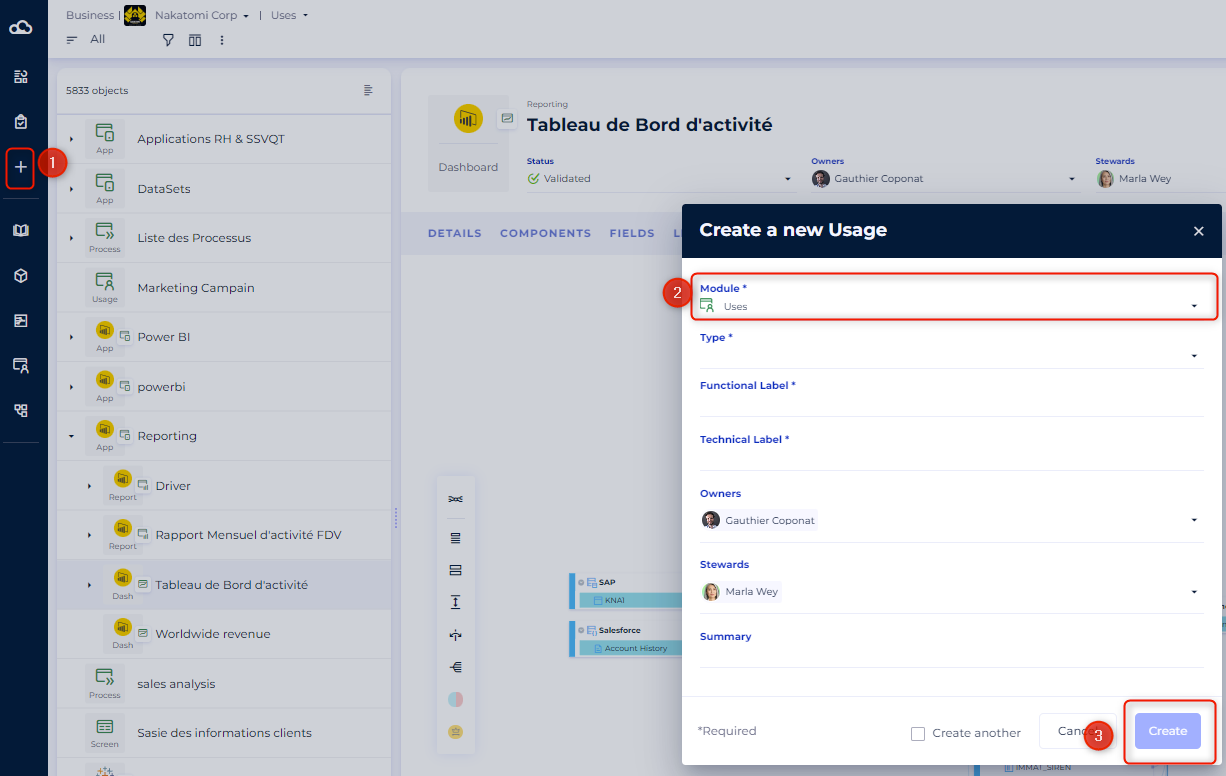
You can create uses associated with a project. Uses creation is possible on the project dashboard and Uses module homepage.
- Open the project of your choice.
- Click on the button "Add" in the taskbar on the left.
- Choose the Uses Module.
- Select:
- The type,
- The name,
- The summary.
Delete uses
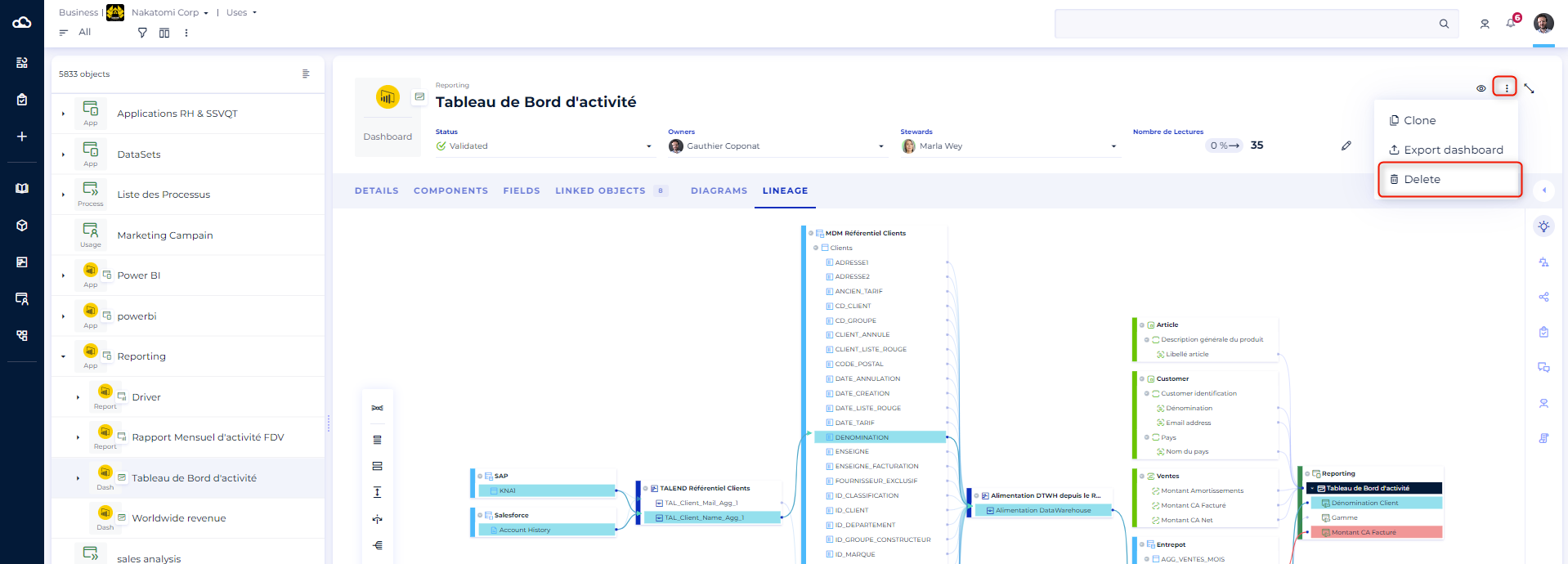
You can delete a single usage (detail view) or several uses (list view).
- Open Uses Module.
- Click on the usage you want to delete.
- Click on the button "Delete".
To delete several uses:
- Switch to List view.
- Select Uses you want to delete.
- Click on "Delete selected items".
- Click on "Yes" to submit.