
This article explains how to import data using Desktop connector.
What is the purpose of DataGalaxy Desktop Connector?
The Desktop connector securely imports metadata from your source systems directly into your computer by downloading it. To do so, you'll find several available technologies identified by the "Desktop" keyword on the import solution selection screen: 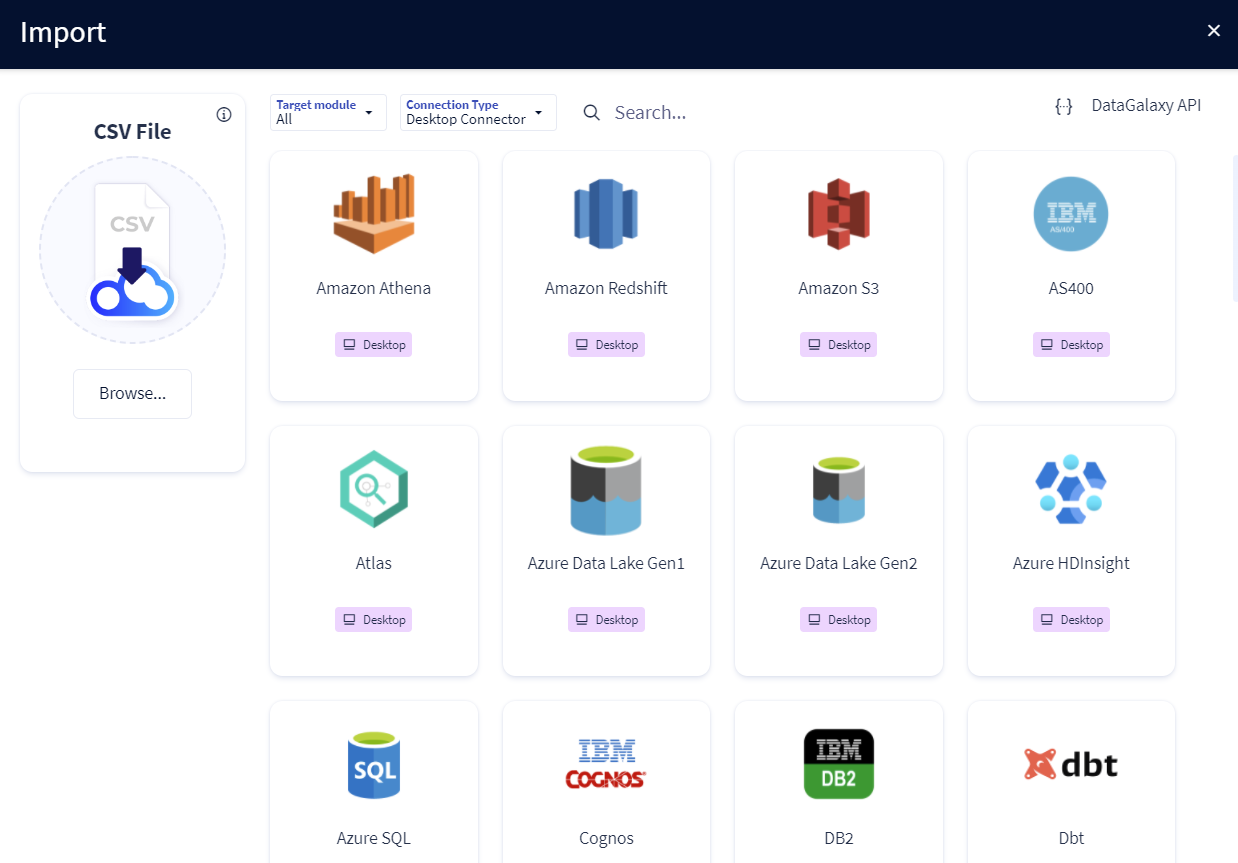
The Desktop connector allows to:
- Automatically upload database meta-data, flow management tool (ETL, ESB...) and reporting: It then works via API.
- Generate the meta-data exports of your tools using CSV formatted files. They will then have to be integrated into the platform.
It will allow the user to focus on what is important: connecting and understanding the different points of view on the data.
Who can use it?
The tool cannot create, modify or delete records in your databases, flow management or reporting tool. Its use is therefore simple and does not present any risks for the data contained in your databases.
Nevertheless, it should be reserved for users with a technical background in collaboration with the administrators of these tools. Indeed, it requires information that only the administrator has.
How does it work?
The Desktop Connector allows you to retrieve information from you IT system without any security risk.
It is composed of 2 components:
- The connector is the "master" application, which allows you to export your metadata. After downloading it from our portal, this application will not include any plugin or technology, you will need to download and install additional plugins in order to use the connector
- Plugins : every supported technology will be available as a plugin, which needs to be downloaded and installed separately. Installation process is easy : you just need to copy the downloaded .jar file in the /lib folder of the connector. The new plugin will be available the next time you'll start the connector
A wide range of technologies are supported, full list is available within the application (see this article)
Executing the connector will allow you to :
- Generate descriptive CSV files about :
- databases (tables, columns, PK, FK...)
- data processing (name, description of target data sources)
- reports and data sources (name, ranking, etc.)
- Update data directly via API.
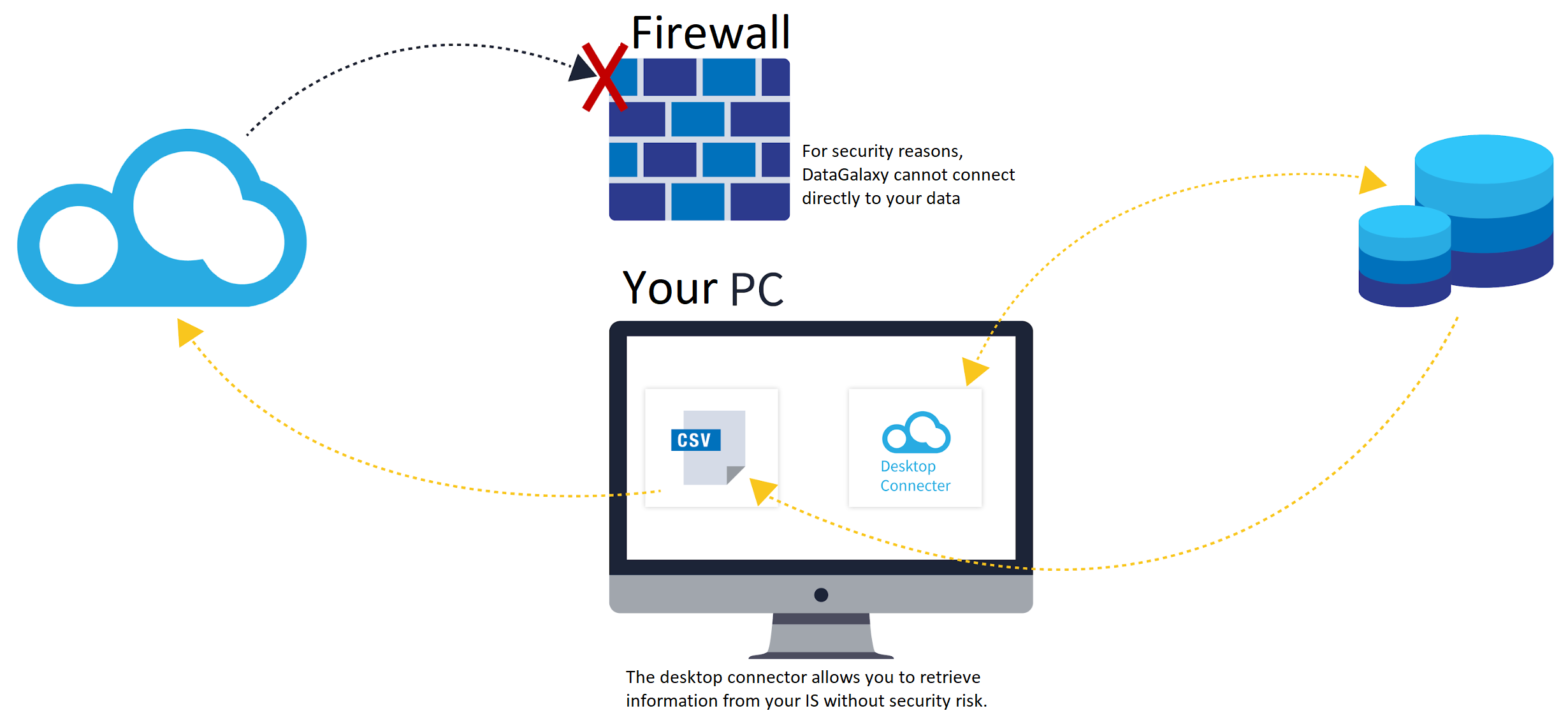
We invite you to visit the connector operating mode article to get a better understanding on how to use it, and import data in a DataGalaxy's module.
How to recover the connector?
The connector can be retrieved directly from the DataGalaxy application (see this article)
Connector's release note
| Date | Version | DataGalaxy release | Java Version | Description |
| 18/08/2026 | 6.1.3 | v3.399.0 | 6.1.3 | Core optimization in the filtering, cleansing, logging and processes of the metadata sent to Datagalaxy |
| 16/07/2026 | 5.18.5 | v3.379.0 | 17 | Fixed imported links by CSV, updated internal dependencies |
| 02/07/2026 | 5.17.1 | v3.370.0 | 17 | Fixed a bug where the CSV plugin could not import data processing or glossary links |
| 18/06/2026 | 5.16.1 | v3.358.0 | 17 | The Databricks plugin was unintentionally bundled with the CLI in version "5.16.0". The plugin is no longer bundled with the CLI. |
| 16/06/2026 | 5.16.0 | v3.356.0 | 17 | - Provided JRE is now the latest available on Adoptium API - Logs configuration updated: no more missing logs in CLI and JUL logs now available - Updated internal dependencies |
| 23/03/2026 | 5.15.9 | v3.332.0 | 17 | Updated internal dependencies |
| 03/03/2026 | 5.15.6 | v3.313.3 | 17 | Updated internal dependencies |
| 02/12/2025 | 5.15.3 | v3.285.3 | 17 | Updated internal dependencies |
| 20/11/2025 | 5.15.2 | v3.281.4 | 17 | - Import links are now sent to DataGalaxy in batches - Updated internal dependencies |
| 03/11/2025 | 5.15.1 | v3.273.2 | 17 | Updated internal dependencies |
| 23/10/2025 | 5.14.1 | v3.270.2 | 17 | Updated internal dependencies |
| 20/10/2025 | 5.14.0 | v3.268.2 | 17 | When running on Windows, the Desktop now uses the Windows truststore rather than the JRE one for SSL checks |
| 13/10/2025 | 5.13.2 | v3.267.2 | 17 | Updated internal dependencies |
| 23/06/2025 | 5.7.1 | v3.188.1 | 17 | - Fixed a bug related to CSV generation - Updated internal dependencies |
| 18/06/2025 | 5.6.5 | v3.183.2 | 17 | Enhanced security with DG API by enforcing SSL certificate checks |
| 20/05/2025 | 5.5.13 | v3.171.0 | 17 | - Activated the possibility of using URN imports for everybody - Disabled CSV imports in URN mode - Bugfixes |
| 09/04/2025 | 5.5.5 | v3.155.1 | 17 | Optimized how data is handled in URN mode |
| 05/03/2025 | 5.4.8 | v3.143.0 | 17 | Fixed a bug that made high volume imports crash |
| 27/02/2025 | 5.4.7 | v3.140.1 | 17 | Fixed a bug where links were not being imported correctly |
| 29/11/2024 | 5.3.5 | v3.103.1 | 17 | Fixed a bug that caused an issue for failing connection test |
| 29/11/2024 | 5.3.4 | v3.102.1 | 17 | Updated internal dependencies |
| 27/11/2024 | 5.3.3 | v3.101.0 | 17 | - Fixed an issue where the Snowflake plugin was in the /lib folder by default - Fixed an issue related to nested excpetions |
| 22/11/2024 | 5.3.1 | v3.100.0 | 17 | New feature: Push DataGalaxy Tags to external technologies |
| 15/11/2024 | 5.2.14 | v3.98.1 | 17 | Fixed Null Pointer Exception issue when splitting a bulk tree |
| 08/11/2024 | 5.2.13 | v3.95.1 | 17 | Fixed a bug related to the management of bulk tree splitting |
| 23/10/2024 | 5.2.12 | v3.88.1 | 17 | Fixed a bug related to the UI text |
| 15/09/2024 | 5.2.11 | v3.76.0 | 17 | Addition of a check on the existence of PKs before creation of FKs |
| 13/09/2024 | 5.2.10 | v3.74.0 | 17 | Fixed a bug related to orphaned objects handling |
| 06/09/2024 | 5.2.9 | v3.72.1 | 17 | - Fixed an issue where an error message was not shown when the provided DG token or DG URL was incorrect - Log network traffic |
| 30/08/2024 | 5.2.7 | v3.70.2 | 17 | Fixed translation issue |
| 28/08/2024 | 5.2.6 | v3.69.1 | 17 | - Logger update - Fixed timeout issue |
| 23/08/2024 | 5.2.3 | v3.69.0 | 17 | - Updated the description of the CLI option "orphaned-objects-handling" - Updated the logger to show more information when using verbose mode |
| 21/08/2024 | 5.2.2 | v3.68.0 | 17 | Logger update to get extra information in verbose mode |
| 21/08/2024 | 5.2.1 | v3.68.0 | 17 | Logger update to get extra information in verbose mode |
| 21/08/2024 | 5.2.0 | v3.68.0 | 17 | Addition of the orphaned objects handling feature to the data processing module |
| 14/08/2024 | 5.1.0 | v3.67.0 | 17 | Addition of the orphaned objects handling feature to the usage module |
| 06/08/2024 | 5.0.5 | v3.65.0 | 17 | Bugfix related to the orders of primary keys in custom queries for the generic JDBC connector |
| 30/07/2024 | 5.0.4 | v3.63.0 | 17 | Added the capability of managing orders of primary keys in custom queries for the generic JDBC connector |
| 23/07/2024 | 5.0.3 | v3.61.0 | 17 | Fixed a bug related to PKs and FKs |
| 23/07/2024 | 5.0.2 | v3.61.0 | 17 | CVE fixes |
| 02/07/2024 | 5.0.1 | v3.55.0 | 17 | Fixed the scripts to launch the application |
| 02/07/2024 | 5.0.0 | v3.55.0 | 17 | Migrated from java 11 to java 17 + CVE fixes |
| 07/06/2024 | 4.10.0 | v3.50.0 | 11 | Addition of data quality features (flagged) |