To obtain access, please contact your account manager.
Self-service analytics enables business users to explore data and gain insights independently, without heavily relying on IT or data engineering teams.
At DataGalaxy, we empower our users with Self-Service Analytics, to enable seamless access to platform usage data and facilitate informed decision-making.
Overview
We provide access to data about usage of data catalog and the best practices of their analysis. This feature is tailored to help Clientspace Admins and Workspace Admins monitor platform usage, track key metrics, and evaluate data governance initiatives effectively.
We establish a token-based access for integration with DeltaSharing ensures secure and straightforward access to analytics data via tokens, available for Clientspace Admins and Workspace Admins.
How to access your data
1. Navigate to the Settings menu for Workspace Admins or the Account/Administration menu for Clientspace Admins.
2. Generate the token (Set up connection button).
3. Copy your token to your tool or to the separate file (depends on the connection needed).
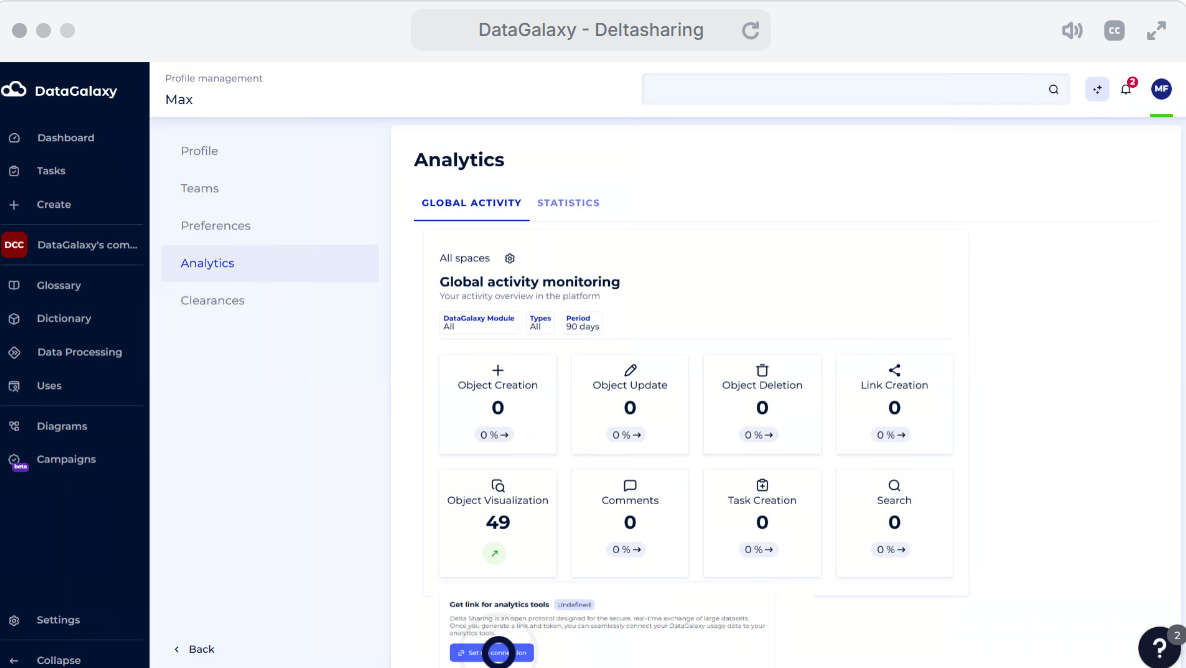
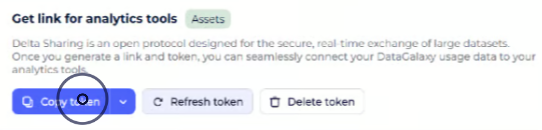
4. If you suspect that your token was compromised, please:
- re-generate the token by pushing the button "Refresh"
- delete your token by pushing the button "Delete"
How to use the access token
Your access token consists of the following info:
| Field | Description |
shareCredentialsVersion (Integer) | Specifies the version of the Delta Sharing protocol. Currently, the value should be |
endpoint (String) | The URL to access your data. |
bearerToken (String) | The token for authenticating requests. This is issued by the data provider and should be kept private and secure. |
| expiresON(Timestamp) | Currently, we do not assume having a short-term expiration date. But this maybe changed in future for the security purposes. |
Example of the access token:
{"shareCredentialsVersion": 1,
"bearerToken": "nlpw4j4k3LWXfs1fmNBwwaGv435No409k93xAQeW4LuM5xUiD-rOPq3kK6Djki45",
"endpoint": "https://francecentral.azuredatabricks.net/api/2.0/delta-sharing/metastores/38j78340-f90k-423l-d409-15a989f99ee33",
"expiresOn": "9999-12-31T23:59:59.999Z" }
Different analytical systems require different level of details: providing bearerToken and endpoint should be enough for the most of the cases.
To set up your data connection, you will need to provide these details to your favorite analytics tool. Then, the updates, will be done automatically.
Please, see the following examples:
- Empovering your Data Governance: from accessing a dataset to your tailored metrics in PowerBI
- How to access your platform usage data from Python: step-by-step instruction
Available data
We are working on providing more and more data to ensure that our users can build the metrics needed for their informed decision-making.
See the list of currently available data.
How to proceed with data analysis
If you have the analytics system that is already set, you can connect your data and calculate/vizualise the KPIs needed.
If you need to set up the analytics system first, we would recommend you to follow the best practices of data catalogs users.
We provide the templates for the most populat Business Intelligence tools.
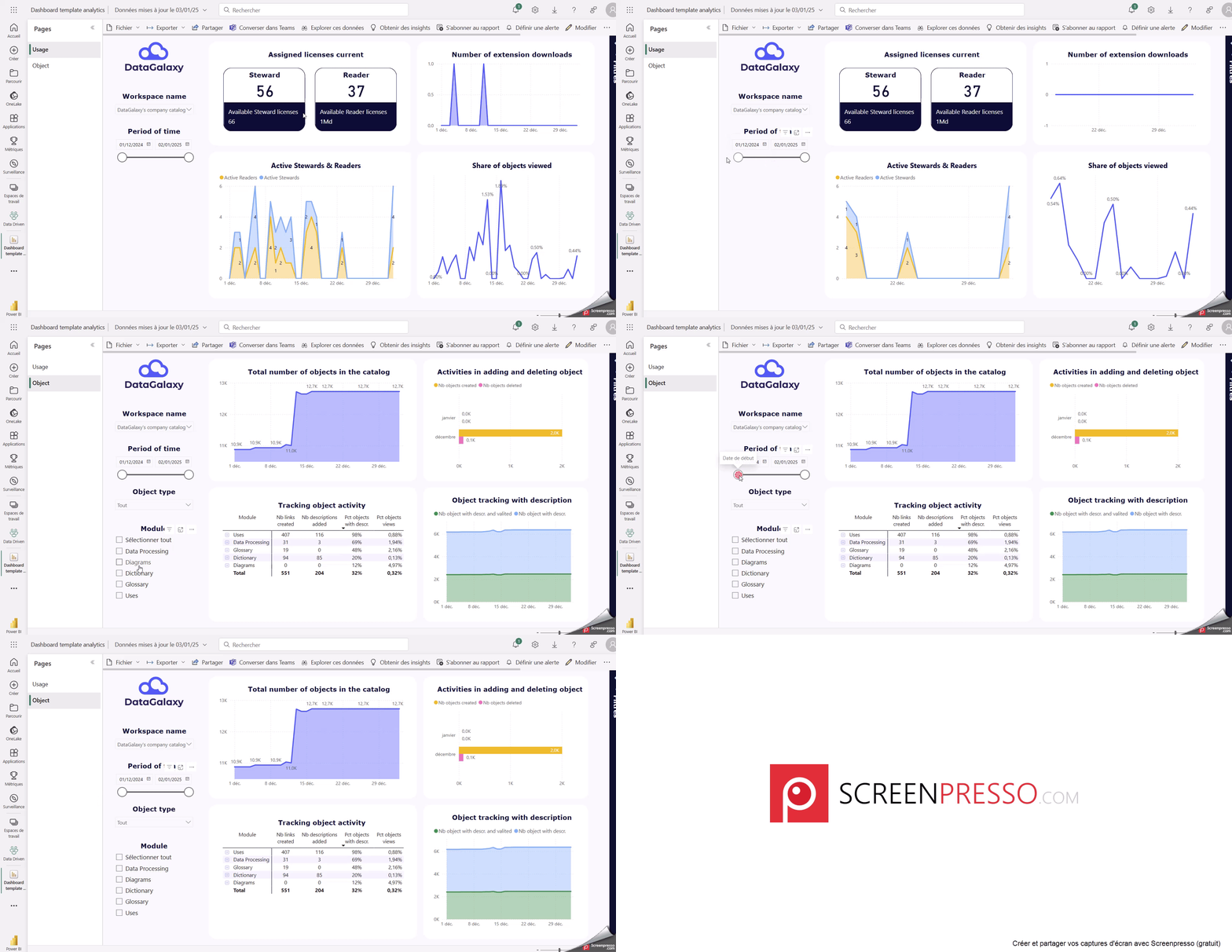
You can download the PowerBI templates for the dashboards at the bottom of this page (files are attached)
About DeltaSharing open protocol
Download the PowerBI template