
The purpose of this article is to explain how to set up automatic user logout.
Who can manage session expiry?
To manage session expiry, you should be client space administrator. To check if you have these rights, go to your profile and click on the drop-down menu, "Administration" option should be present. If not, you are not an administrator.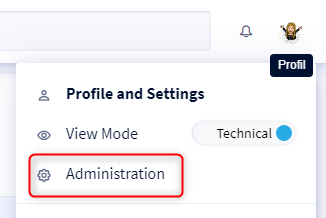
To learn more about the administrator profile in DataGalaxy, please read this article.
How to manage sessions expiry?
Session expiry is managed at the clientspace level: it impacts all users of the clientspace.
Administrators who would like to set up automatic logout should:
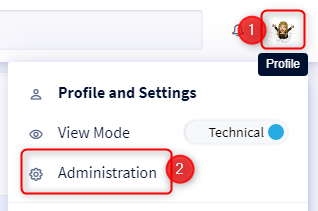
- Click on the icon at the top right of the screen
- Select Administration in the drop-down menu
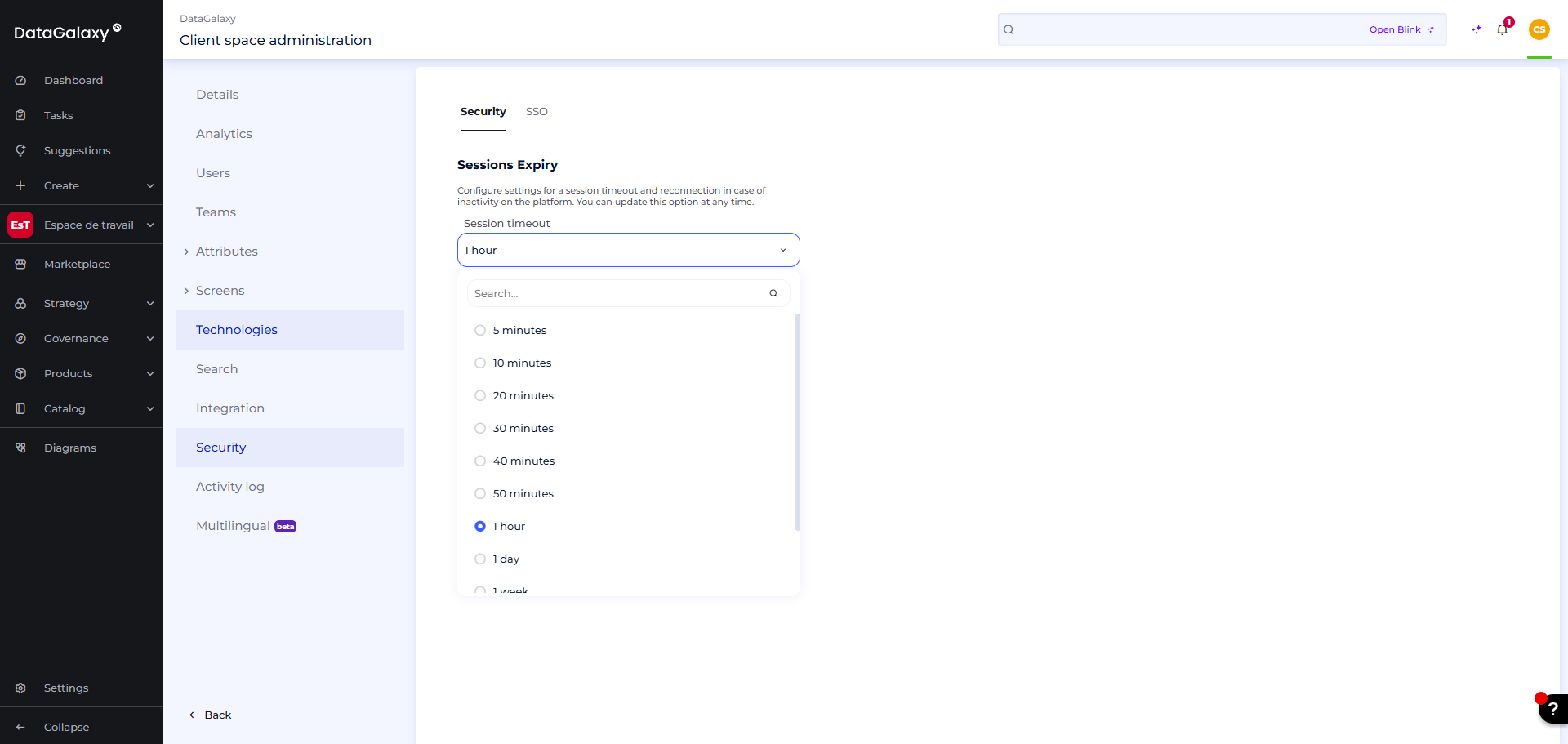
- Go to the Security section
- Open the drop-down menu and choose from :
- 5 minutes
- 10 minutes
- 20 minutes
- 30 minutes
- 40 minutes
- 50 minutes
- 1 hour
- 1 day
- 1 week
- 1 month
- 1 year
How does the session expiry work?
When the duration of inactivity exceeds the time set in the administration, users will be automatically disconnected from the platform and will see the following modal appear: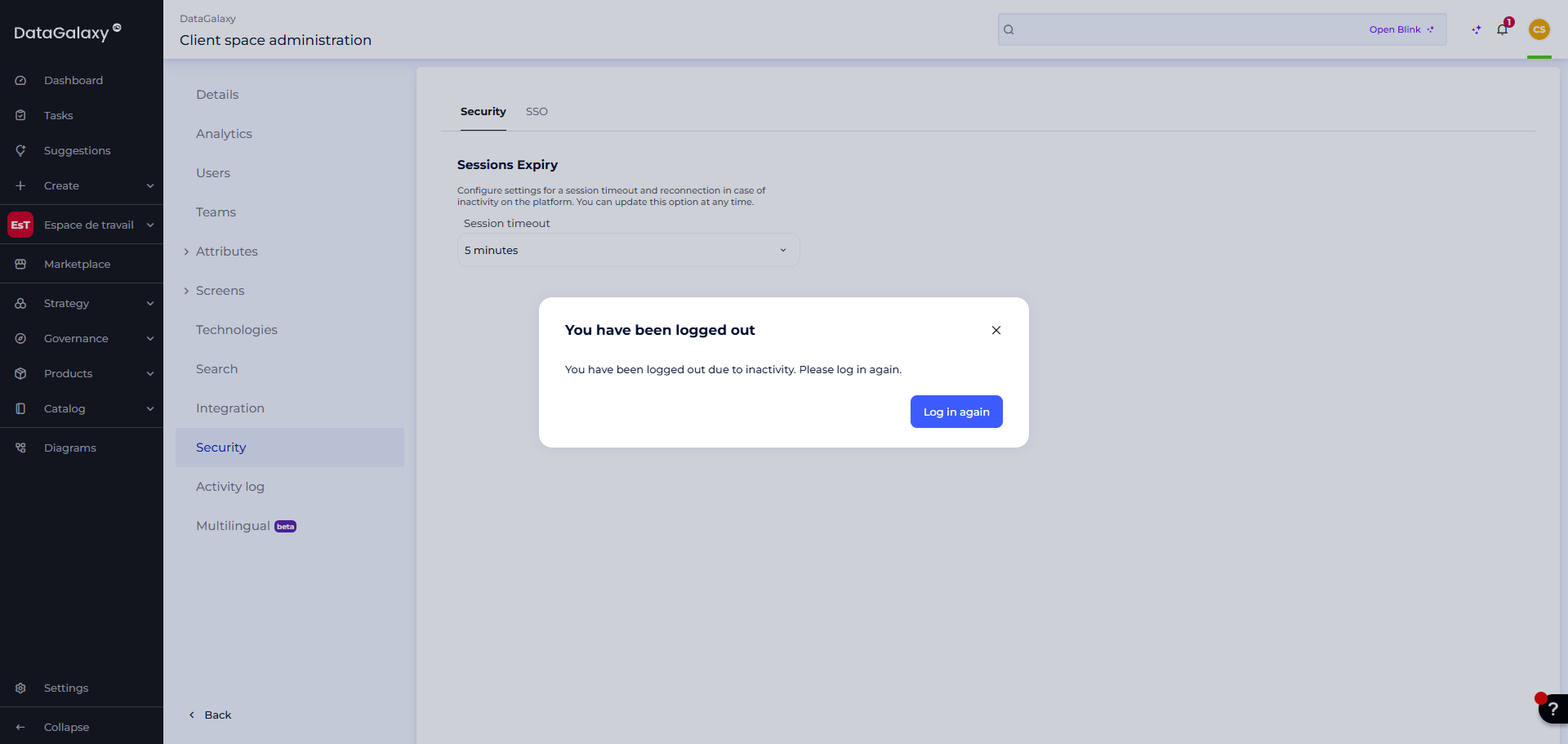
When users log back in, they will be automatically redirected to the last page they were on before logging out.