
Setting up DataGalaxy authentication delegated to your corporate directory (also known as an Identity Provider) requires configuration from your customer account administration. Please refer to the article Self-service SSO to follow the steps for this configuration.
DataGalaxy acts as the Service Provider (SP), and your directory acts as the Identity Provider (IdP).
DataGalaxy currently supports the following two protocols: SAMLv2 and OIDC.
SAMLv2 Procedure
The steps for setup are as follows:
- Initialize a SAML "DataGalaxy" application on your IdP(corporate directory) using the following information:
- EntityID:
https://$INSTANCE$.datagalaxy.com/Saml2 - ACS URL:
https://$INSTANCE$.datagalaxy.com/auth/realms/$REALM_ID$/broker/saml/endpoint - Logout URL:
https://$INSTANCE$.datagalaxy.com/auth/realms/$REALM_ID$/broker/saml/endpoint
- EntityID:
- Replace the variables with the following values:
- $INSTANCE$: The value of your instance, found in your access URL before
.datagalaxy.com. - $REALM_ID$: The GUID found in your DataGalaxy login page URL after
/Realm/.
Here is an example :
- $INSTANCE$: The value of your instance, found in your access URL before
- Configure three specific claims
- in the DataGalaxy enterprise application you created on your directory:
IdP Attribute Type of Value Claim Value Expected by DataGalaxy Email URI http://schemas.xmlsoap.org/ws/2005/05/identity/claims/emailaddressFirstName URI http://schemas.xmlsoap.org/ws/2005/05/identity/claims/givennameLastName URI http://schemas.xmlsoap.org/ws/2005/05/identity/claims/surname - You retrieve the SAMLv2 configuration metadata XML file to enter it in the configuration modal, in the field: "Identity Provider Federation Metadata XML"
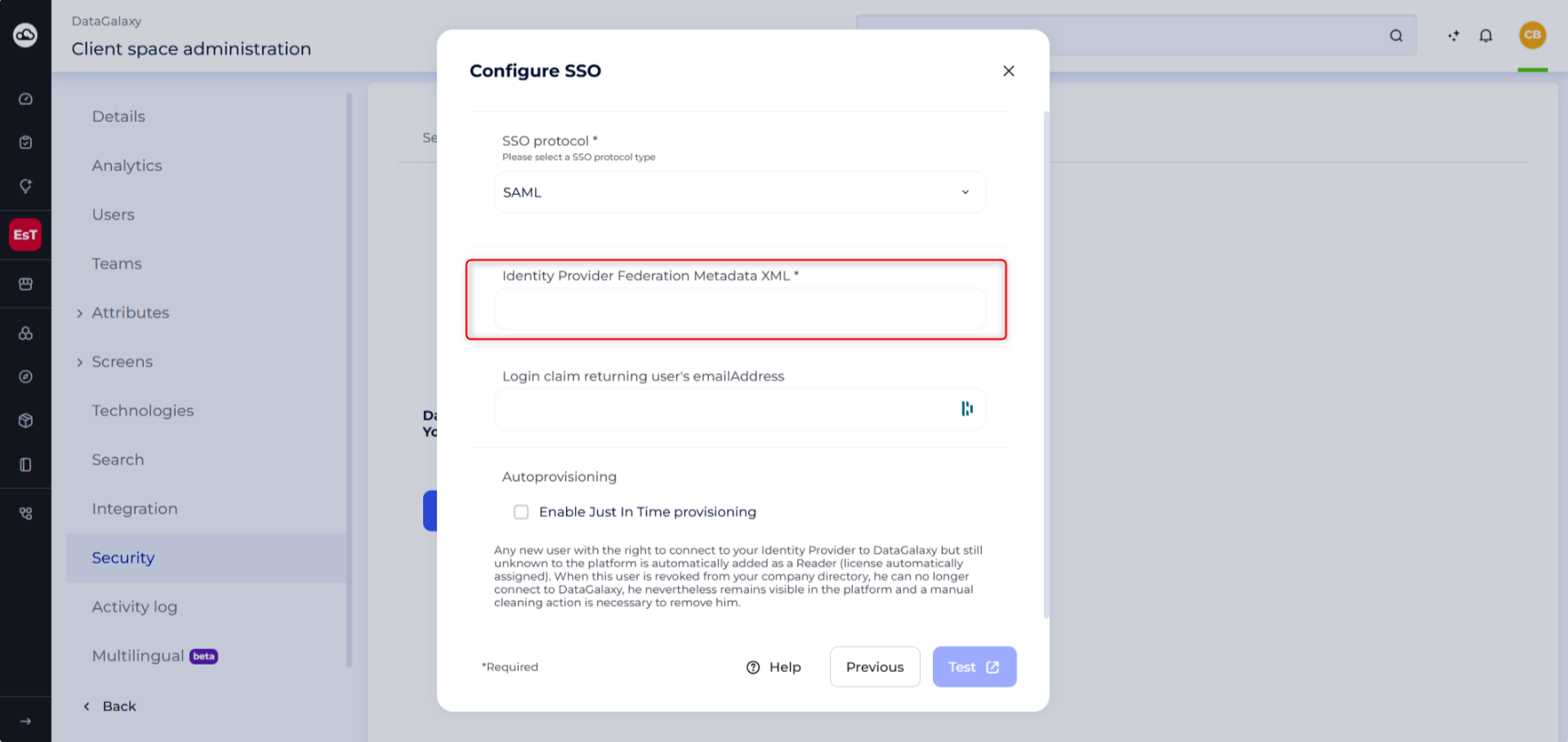
Please refer to the article SSO Self Service to follow the next steps of this configuration.
Note: The mode of first connection initiated by the IdP (IdP-Initiated First) is not supported.
OIDC Procedure
The steps for setup are as follows:
- Initialize an OIDC "DataGalaxy" application on your IdP(corporate directory) using the following information:
- Redirect URI:
https://$INSTANCE$.datagalaxy.com/auth/realms/$REALM_ID$/broker/oidc/endpoint
- Redirect URI:
- Replace the variables with the following values:
- $INSTANCE$: The value of your instance, found in your access URL before
.datagalaxy.com. - $REALM_ID$: The GUID found in your DataGalaxy login page URL after
/Realm/.
- $INSTANCE$: The value of your instance, found in your access URL before
- Configure three specific claims in the DataGalaxy enterprise application you created on your directory:
IdP Attribute Type of Value Claim Value Expected by DataGalaxy Email URI emailFirstName URI given_nameLastName URI family_name - Enable the desired users on this new enterprise application.
- You retrieve the following information to enter it in the configuration modal:
- ClientID
- ClientSecret
- DiscoveryUrl
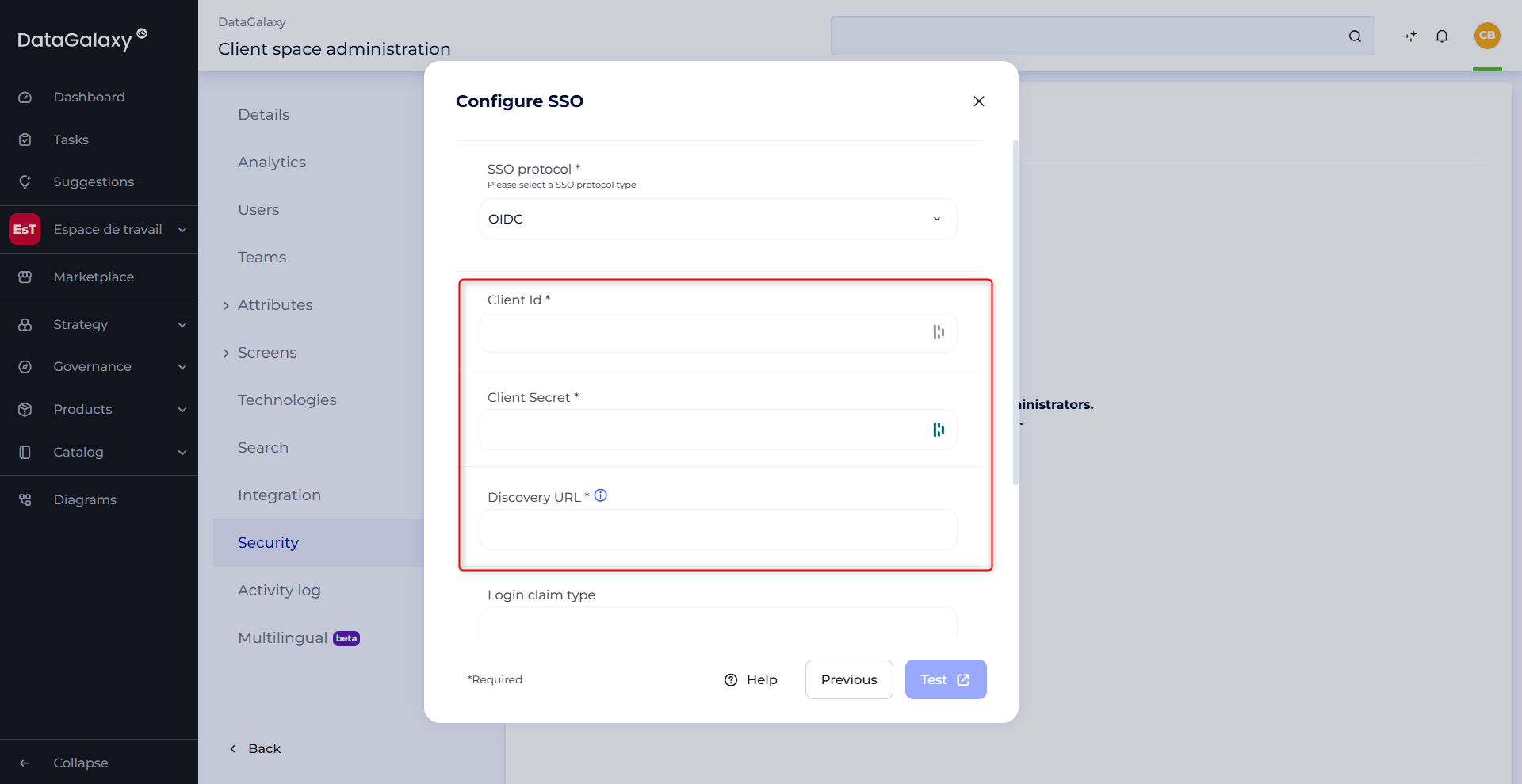
PS : “email” should be used as the value for the “login claim type” but it's not mandatory.
Please refer to the article SSO Self Service to follow the next steps of this configuration.
Auto-Provisioning Option
DataGalaxy supports two auto-provisioning modes:
- JIT (Just In Time) - Custom DataGalaxy:
- Any new user authorized to connect via their IdP but not yet known to the platform is automatically added as a Reader (license automatically assigned).
- When this user is revoked from the company directory, they can no longer log in to DataGalaxy but will remain visible on the platform until manually deleted.
- This option is managed by DataGalaxy and can be activated upon your request.
- SCIM Standard Protocol Synchronization:
- A regular synchronization is performed between the authorized user group(s) and DataGalaxy users.
- Upon the first synchronization, all authorized users in the directory will be added to the platform, with subsequent modifications regularly updated.
- This configuration is completed on your end, requiring the following attributes:
- SCIM API URL for your DataGalaxy space:
https://$INSTANCE$.api.datagalaxy.com/v2/scim
Where $INSTANCE$ is the value of your instance found in your access URL before.datagalaxy.com. - Secret Token: Integration token value, which you must generate in your DataGalaxy admin space with admin privileges (refer to the DataGalaxy API and integration token documentation).
- SCIM API URL for your DataGalaxy space: