
MCP Server: Semantic Search Updates
Changed
- No more automatic query rephrasing.
semantic_searchpreviously generated two extra phrasings behind the scenes on every call, adding a hidden model call and extra latency. It no longer does this. For better recall, submit a few phrasings yourself — a synonym, or the spelled-out vs. abbreviated form of a term — rather than relying on the server to vary your query. - Clearer signal when a workspace isn't indexed. Instead of silently returning zero results,
semantic_searchnow tells you when indexing hasn't happened. If none of your accessible workspaces are indexed, the call returns an explicit error. If only some aren't, and your search comes back empty, the response now names which workspaces were skipped — so an empty page is never mistaken for "nothing matches."
Fixed
- One bad record no longer breaks the whole call. A malformed record in the search index used to fail the entire request. Now that record is skipped and the rest of your results still come back.
- Steadier performance under load. Result enrichment now runs with bounded concurrency, reducing slow or inconsistent responses when the catalog service is busy.
Automated Matching Between Power BI Reports and Your Catalog
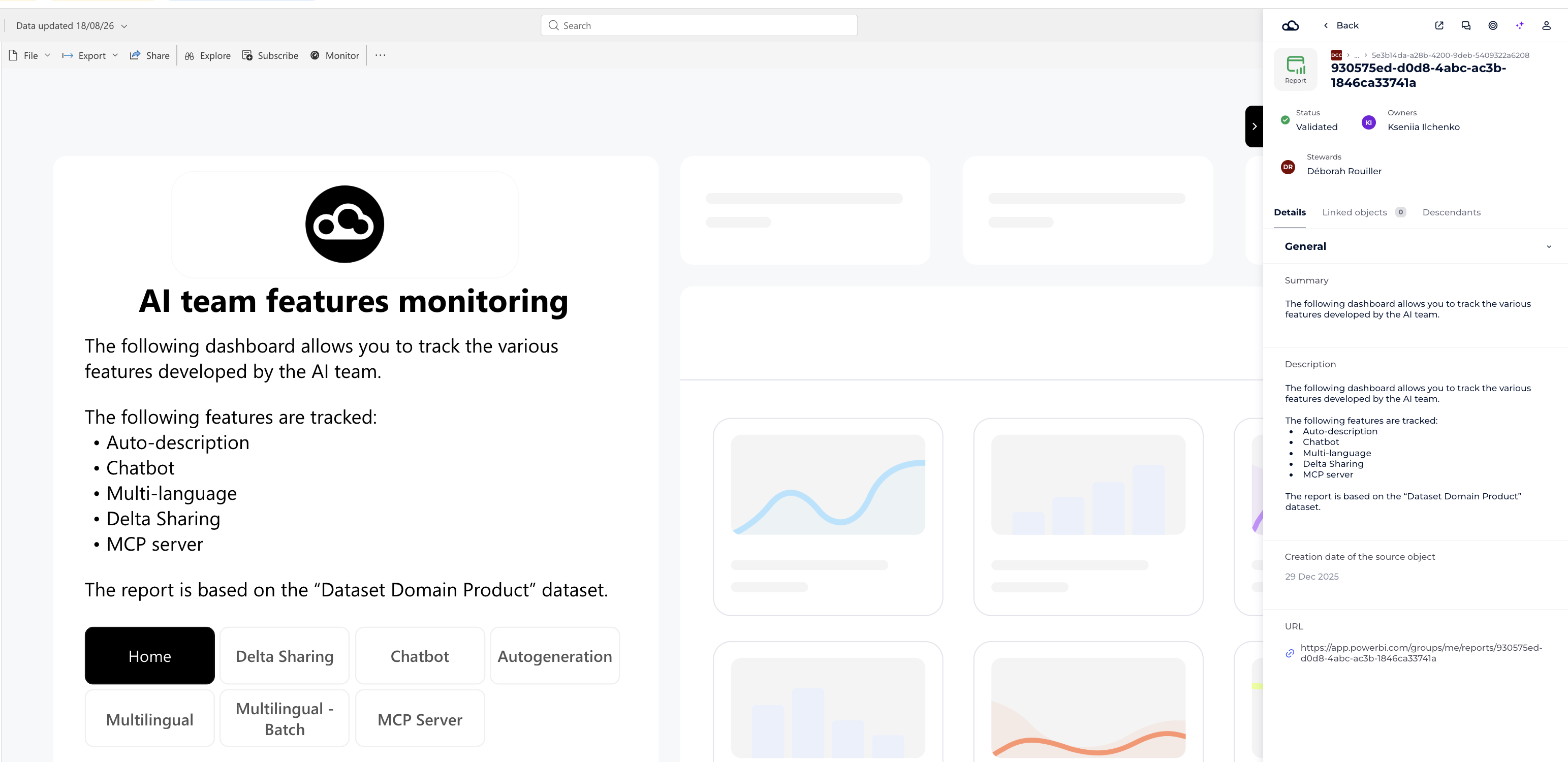
No more searching for the right catalog object every time you open a Power BI report. The DataGalaxy extension now automatically detects and surfaces the matching object for you when it is possible.
- Exact match? The corresponding catalog object opens directly in the extension.
- Multiple matches? A search results list appears so you can quickly pick the right one.
- Want to compare? Click the target icon to pin an object in place and browse other reports without losing it.
A short banner walks you through the feature - dismiss it once, or turn it off.
DataGalaxy MCP Server - Product Update
We've shipped a set of updates to the DataGalaxy MCP server focused on clearer field information, more reliable search and updates, and a cleaner overall toolset. Here's what's new, changed, and fixed.
NEW
get_object_attributes: See exactly what fields a catalog object supports — whether each is editable, and for fields with a fixed set of options, exactly which values are valid. Previously there was no way to distinguish "this field is empty" from "this object doesn't have this field." That gap is now closed.get_objectnow supports field coverage: Pass an optional flag andget_objectwill also return which fields the object supports and which are currently empty — the same info asget_object_attributes, folded into your existing object lookups. Off by default, so nothing changes unless you ask for it.
CHANGED
update_objectnow takes a single flat list of fields to change — e.g.{"status": "Validated", "Business Domain": "Finance"}— using the same field namesget_objectshows you, regardless of whether it's a standard or custom field. This replaces the old split between standard and custom field formats. Action required: any integration callingupdate_objectdirectly needs to be updated to this new format.Search scope is now explicit:
search_objectsandsemantic_searchtakeworkspace_idandversion_idparameters instead of relying on connection-level settings. Omit both to search across every workspace you have access to in a single call.search_objectsno longer acceptsincluded_attributes: this parameter's valid values varied by workspace and were undiscoverable, making mistakes easy and hard to debug. Search now returns a fixed, documented set of fields — useget_objectorget_object_attributeswhen you need more.Four legacy tools retired:
get_object_details,get_ancestors,get_linked_objects, andget_object_fieldsare gone, replaced byget_object(full object overview) andget_object_relations(paging through links, children, fields, or ancestors).get_object_tagsis also retired — tag info is now included onget_object.natural_language_searchremoved: it translated free-form questions into search filters with a limited vocabulary, silently falling back to unfiltered, low-precision search for anything outside it.search_objectsandsemantic_searchare the more reliable path forward.
FIXED
- Updates to fields not actually available on a given object could silently "succeed" without saving anything. This is now caught before the update is sent, with a clear error naming the fields that are actually available.
- Viewing an object's full parent hierarchy could wrongly report "not found" for anything other than a top-level object.
- Object type labels are now consistent across all tools, fixing inconsistencies that could affect how category or child-item info was displayed.
- Internal error messages no longer leak through — you'll always get a clean, generic error instead.
- Large result pages are now summarized accurately, so reported counts always match what's actually shown.
Note for Blink users: Since Blink is also built on this MCP server, these changes — combined with earlier fixes — carry over directly to Blink, improving the accuracy and reliability of its answers as well.
Rich text formatting now preserved on export and import
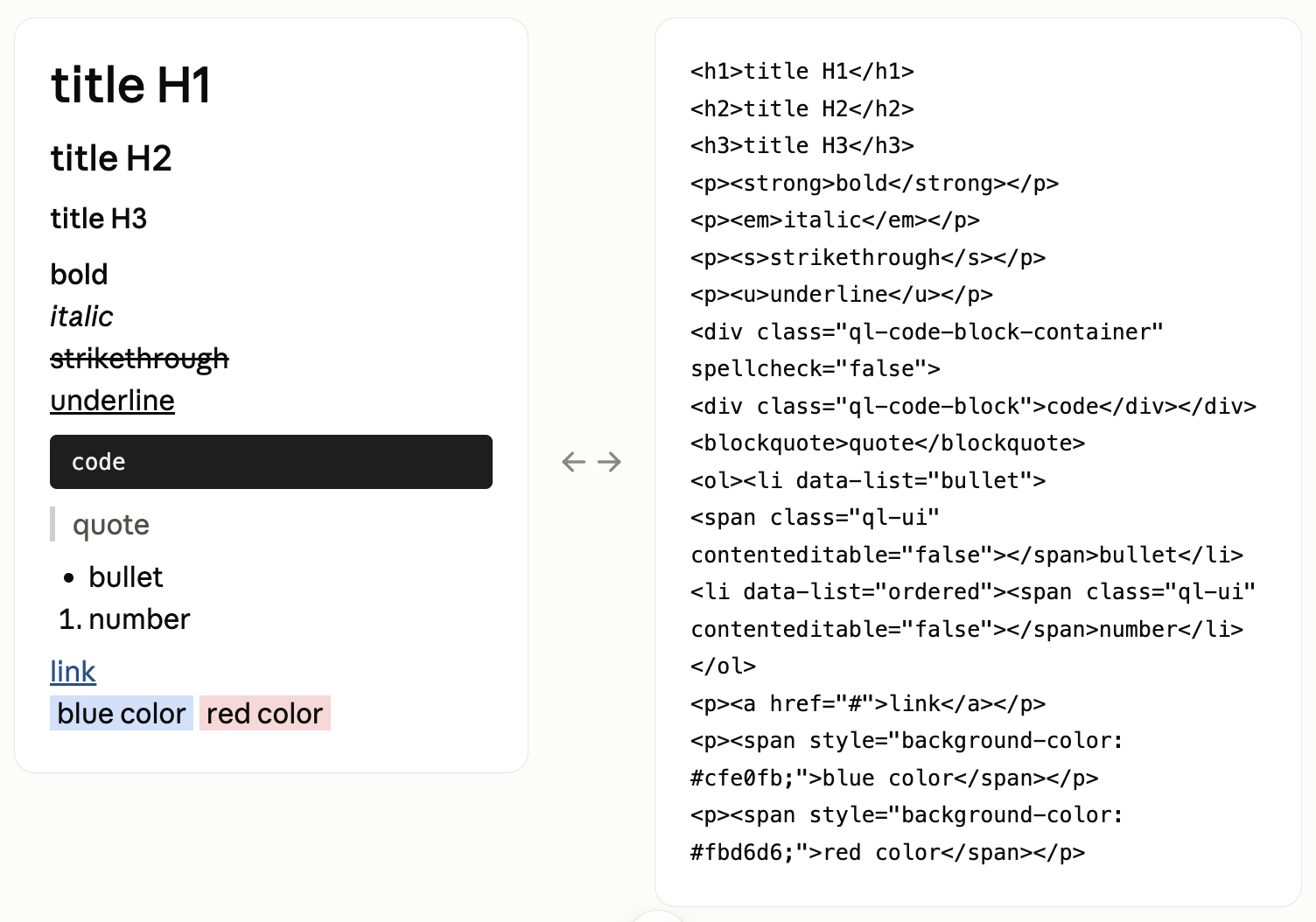
Previously, exporting text fields with rich content (bold, italics, lists, links, etc.) converted everything to plain text — so formatting was lost as soon as you re-imported the CSV.
That's now fixed. Text fields with rich formatting export as HTML, so all formatting is preserved when the file is re-imported into the catalog.
You can now export, edit externally, and re-import without losing your work.
Rich text support in the API is coming next.
Please check with your account manager regarding the rollout plan.