
The purpose of this article is to introduce you to the objects available in the DataGalaxy platform.
To understand cross-module relationships, see this article: The DataGalaxy metamodel.
Every DataGalaxy object belongs to one module.
There are two types of objects:
- Business objects. They are found in the Glossary module and in the Uses module.
- Technical objects. The are found in the Dictionary module and in the Data Processing module.
Each object has a path, which constitutes the object unique identifier. A path is an ancestors hierarchy. This path appears in imports.
The path allows to understand an object's context and to classify it in relation to other objects.
There are two ways to connect an object to its parent:
- Throughout the creation of the object, by filling the field "parent" (when the object can have one).
- Via shortcut attributes in the object card.
Glossary module objets
This module manages properties and relations between those properties. The Glossary helps create a knowledge base all users can access, whether they are from the business or from a technical IT department.
The Glossary module has the following 11 objects which help you to:
- Document your data,
- Classify your data,
- Add dimensions to your data.
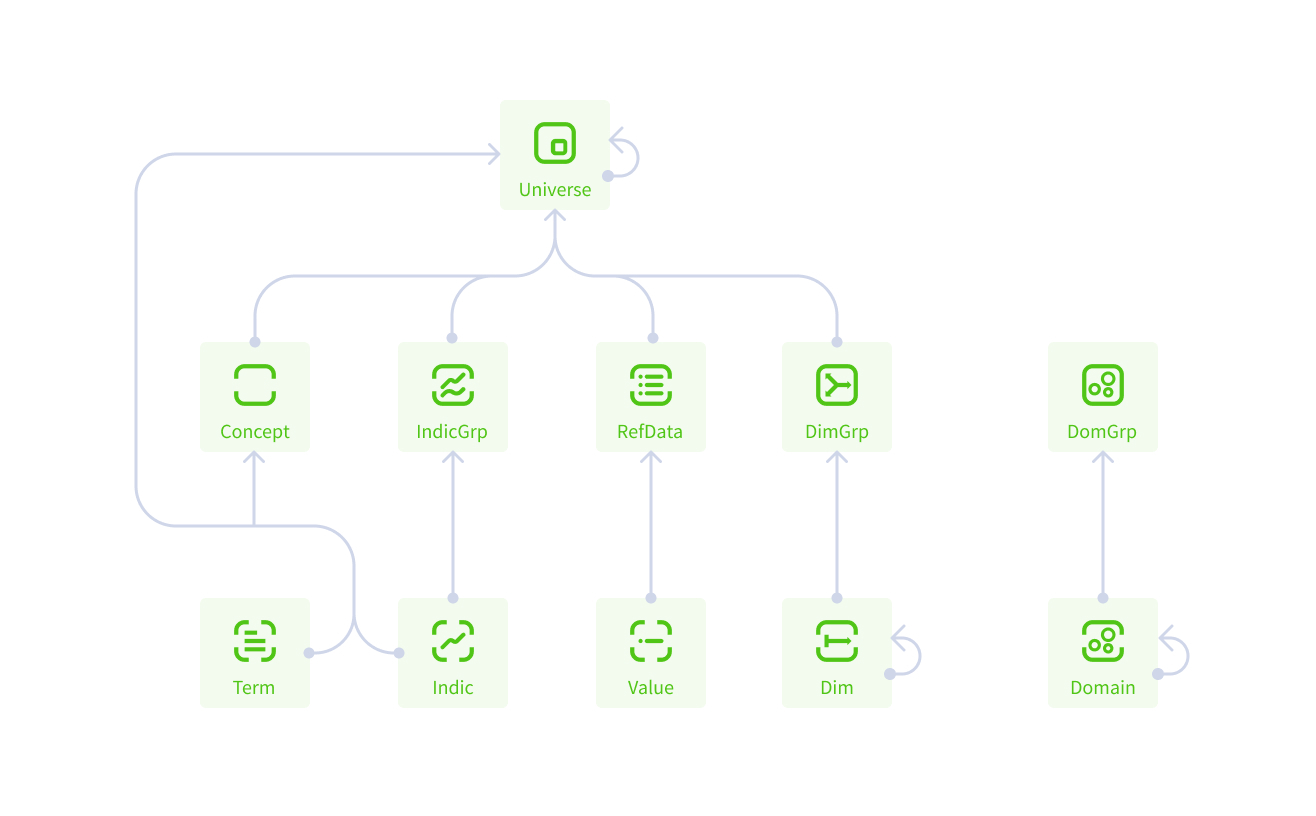
For more explanations on the role of each of these objects and their relationship, read this article.
Uses module objects
The purpose of the objects in the Usage Module is to explain the source of the data and to analyze the impact of modifying one data on the other data.
The Uses module has the following 11 objects:
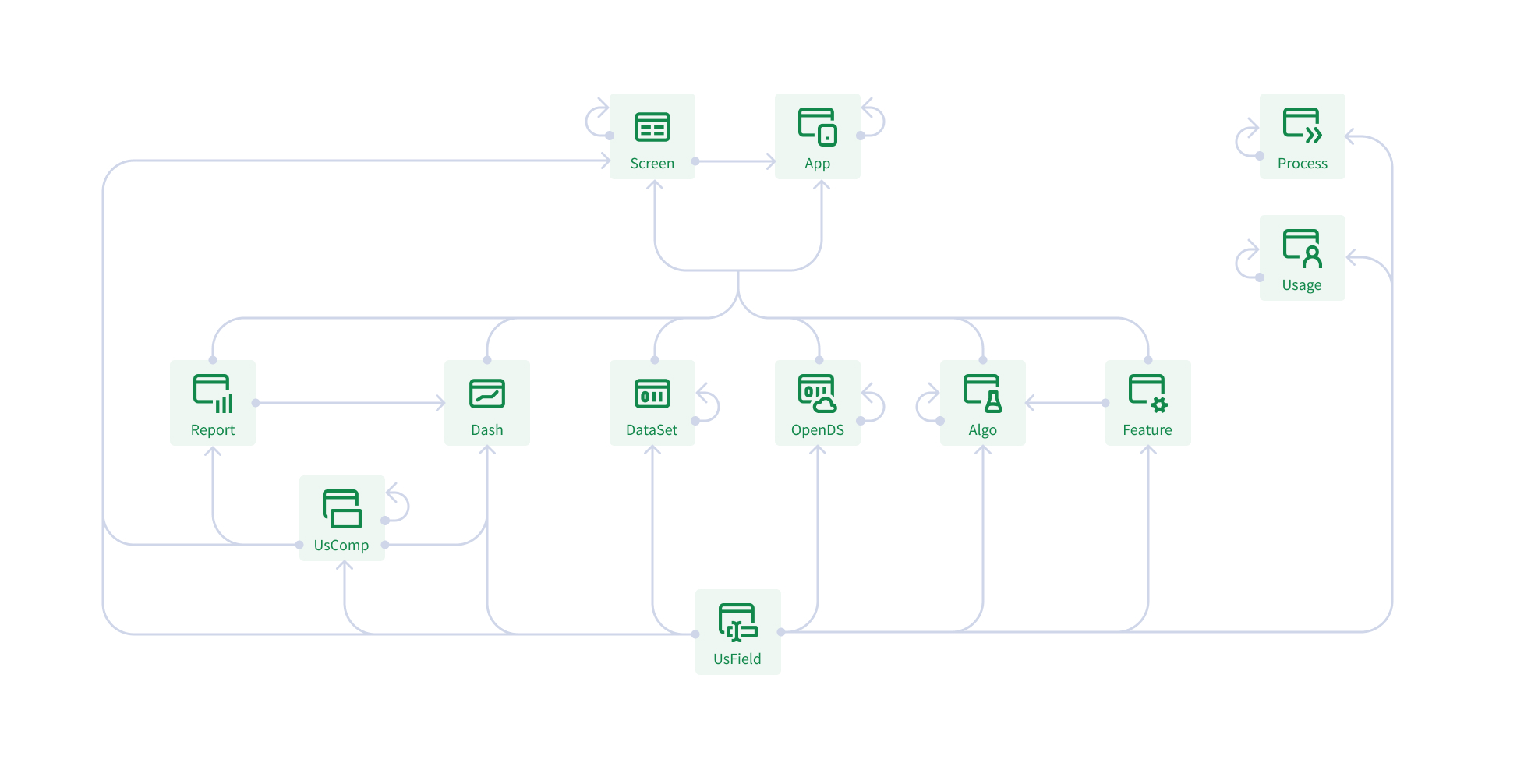
For more explanations on the role of each of these objects and their relationship, read this article.
The dictionary module objects
This module is a shared visualization of your data sources, whether they're structured or not, in an ergonomic, simple and collaborative environment.
The dictionary module has the following 14 objects that are organized into 4 different data sources:
- Databases,
- Filestore,
- No SQL bases,
- Tagbase sources.
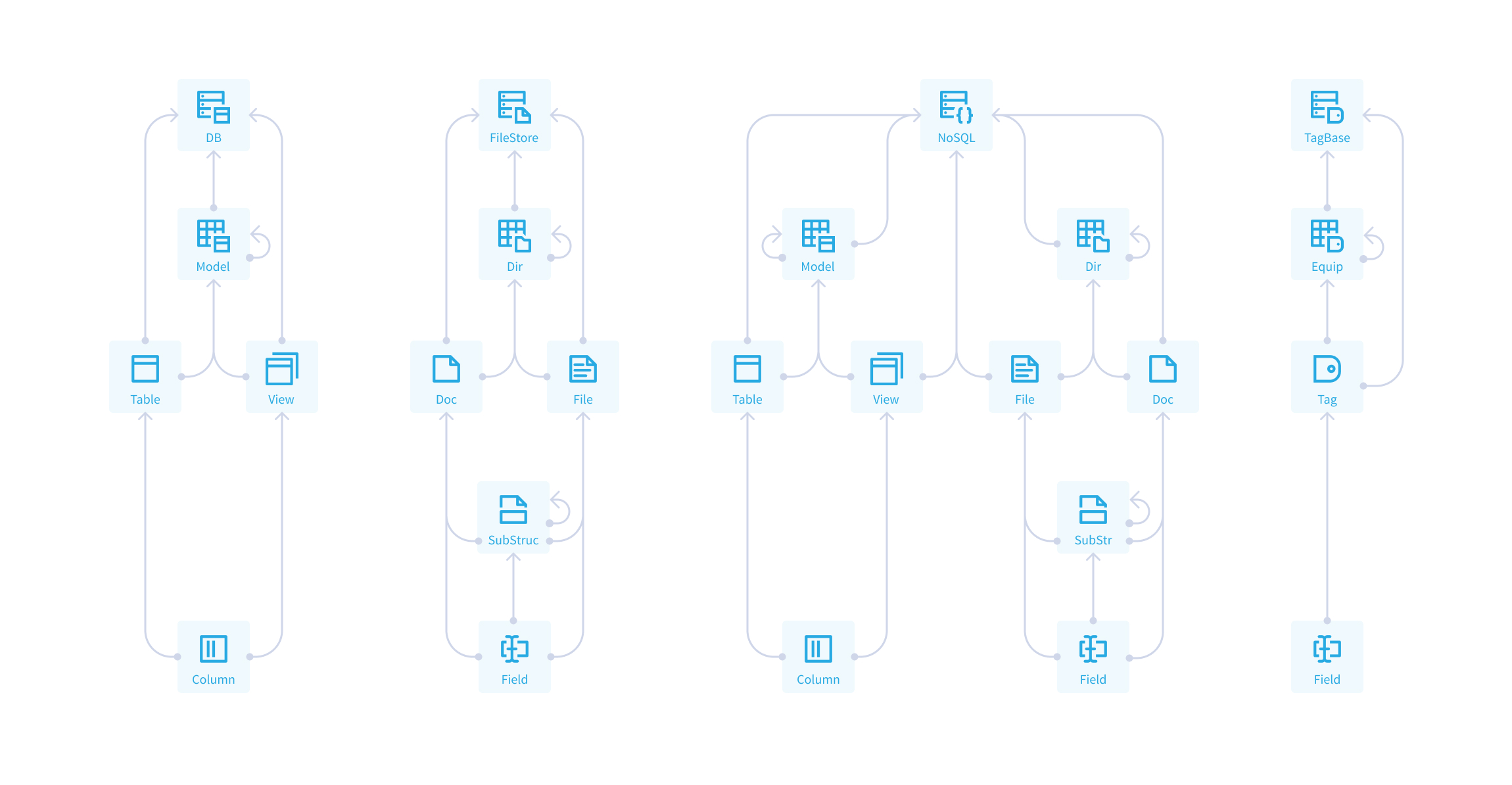
For more explanations on the role of each of these objects and their relationship, read this article.
The objects in the Data Processing module
The Data Processing module describes the data flux between columns whether inside the same database or different databases of the same workspace.
The Data Processing module has the following 3 objects:
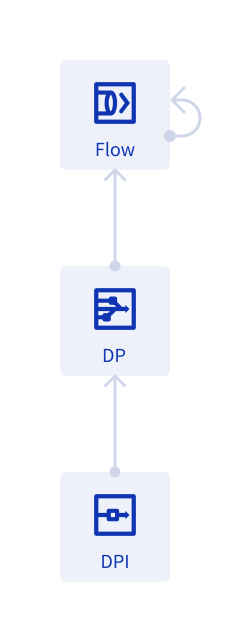
For more explanations on the role of each of these objects and their relationship, read The data processing objects in detail
Strategy module objects
Available as an option — contact your account manager to activate it.
Strategy module objects allow you to define the company's strategic objectives and initiatives, as well as the associated use cases.
The module has the following three objects:
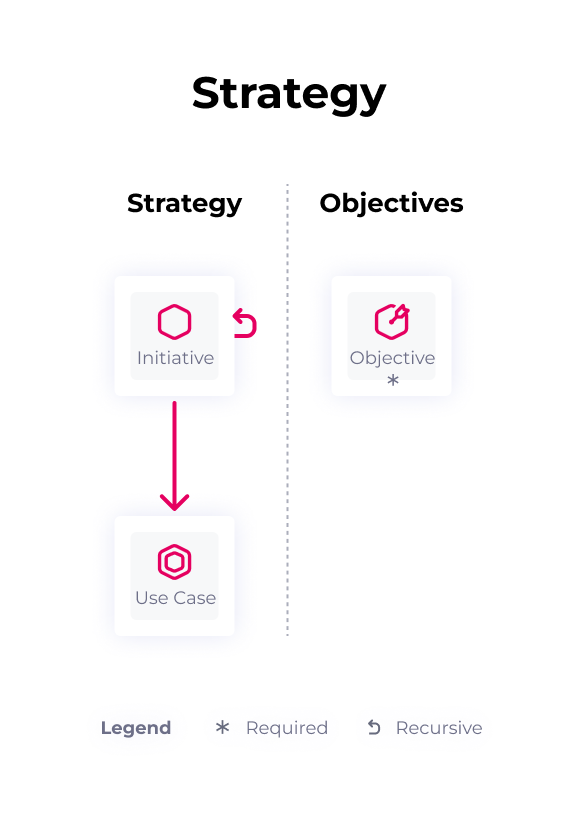
For more explanations on the role of each of these objects and their relationship, read Strategy objects in detail
Governance module objects
Available as an option — contact your account manager to activate it.
The governance module objects allow you to define governance policies, their implementation rules, and the monitors that monitor policy enforcement.
The module has the following six objects:
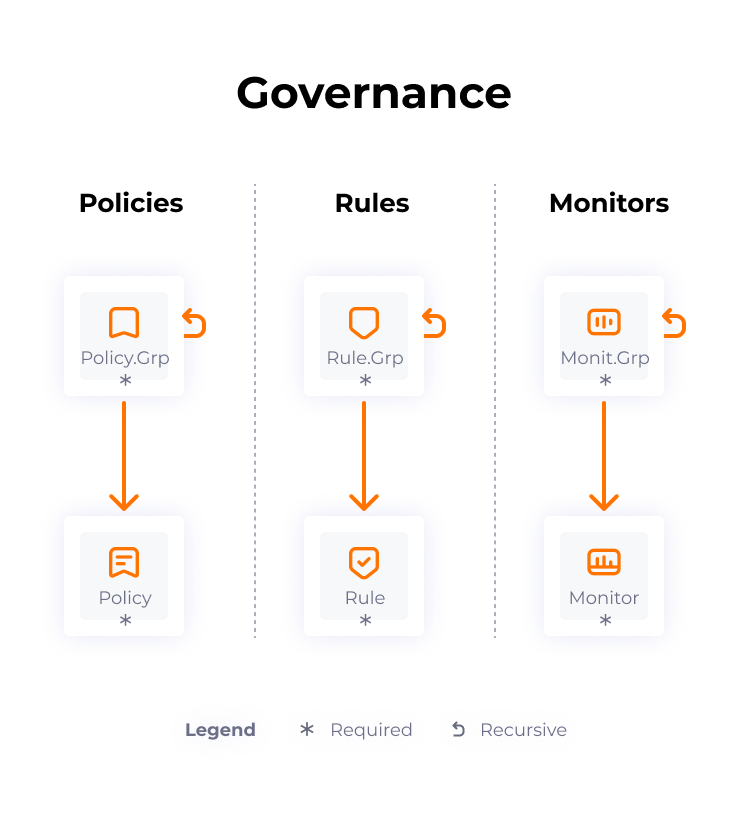
For more explanations on the role of each of these objects and their relationship, read Governance objects in detail
Product module objects
Available as an option — contact your account manager to activate it.
The product module objects allow you to define the company's data and artificial intelligence product catalogue.
The module has the following two objects: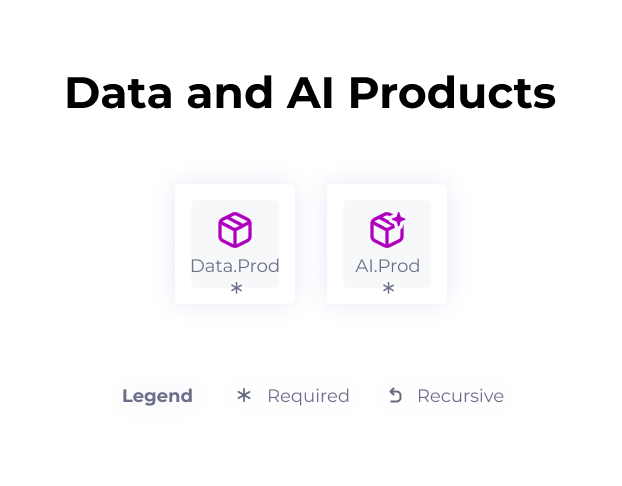
For more explanations on the role of each of these objects and their relationship, read Products Objects in detail