The purpose of this article is to explain how to export only the objects of your choice.
It is possible to export:
- All the objects of a module/source: [How to] Export modules/sources
- All the objetcs of a filtered view: [How to] Export filtered views
What is the purpose of exporting unitary objects?
You have the possibility to export the objects of your choice in a module. This allows you to export only the objects that interest you without being polluted by the rest of the module.
From which screens can I export unitary objects?
The unitary export is available in all modules from:
- The detail view
- The tabular view
How to export unitary objects?
1 - From the detail view
To export an object in a unitary way, you must :
- Go to the module of your choice
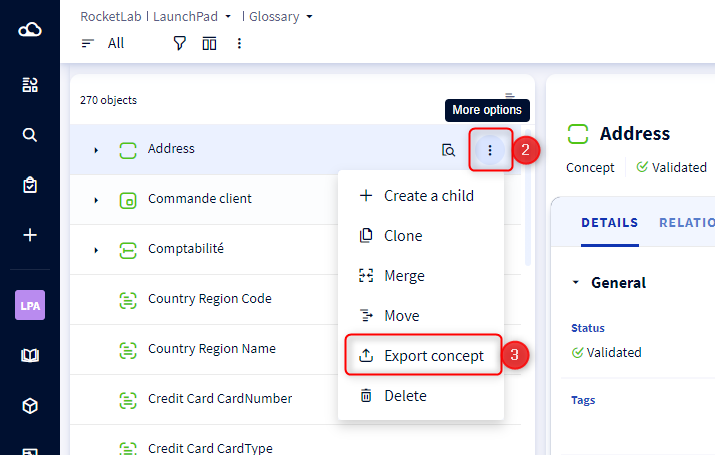
- Click on the menu of an object in the list
- Select Export in the drop-down list
- A modal opens
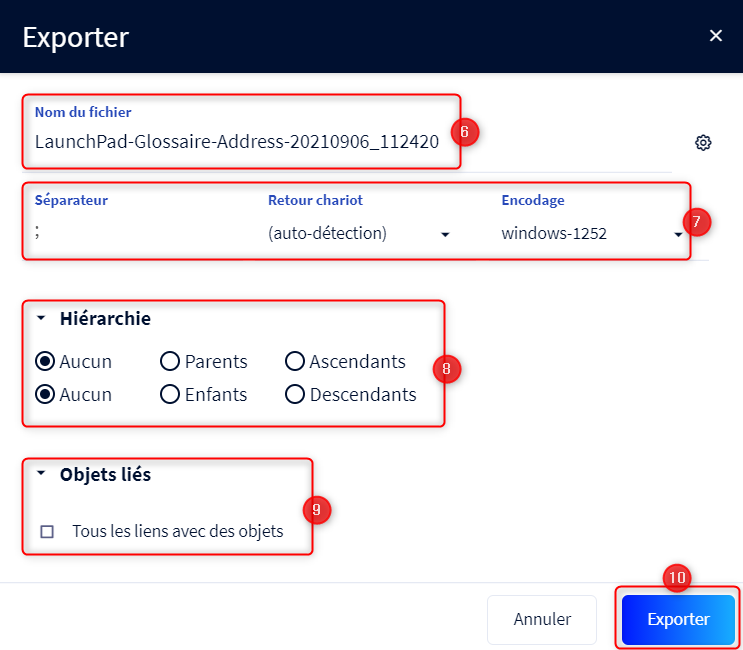
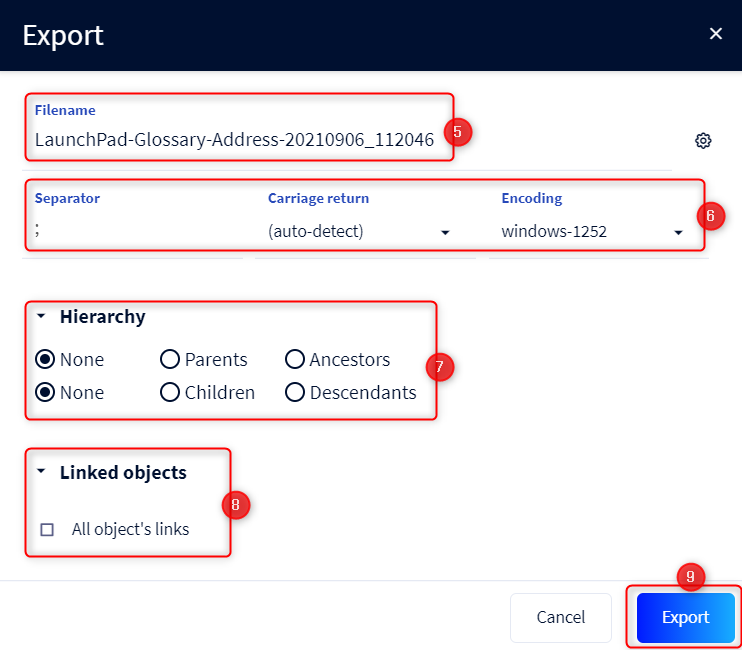
- Enter the name of the export ZIP file
- Click on the wheel icon on the right to open the separator, carriage return and encoding settings
- Choose to export also
- The parent of the object
- All the ascendants of the object
- The children of the object
- All the descendants of the object
- Check the box to export also the links of the exported objects
Check Export formatted text as plain text to export formatted text fields as plain text instead of HTML (default format) - Click on Export
2 - From the list view
To export objects in a unitary way you have to :
- Go to module of your choice
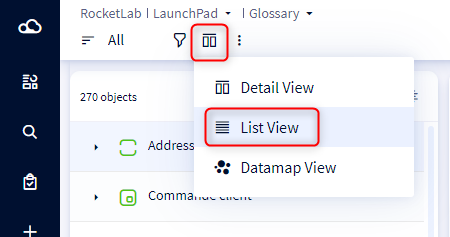
- Switch to the list view
- Select the objects of your choice
- Click on Export Selection
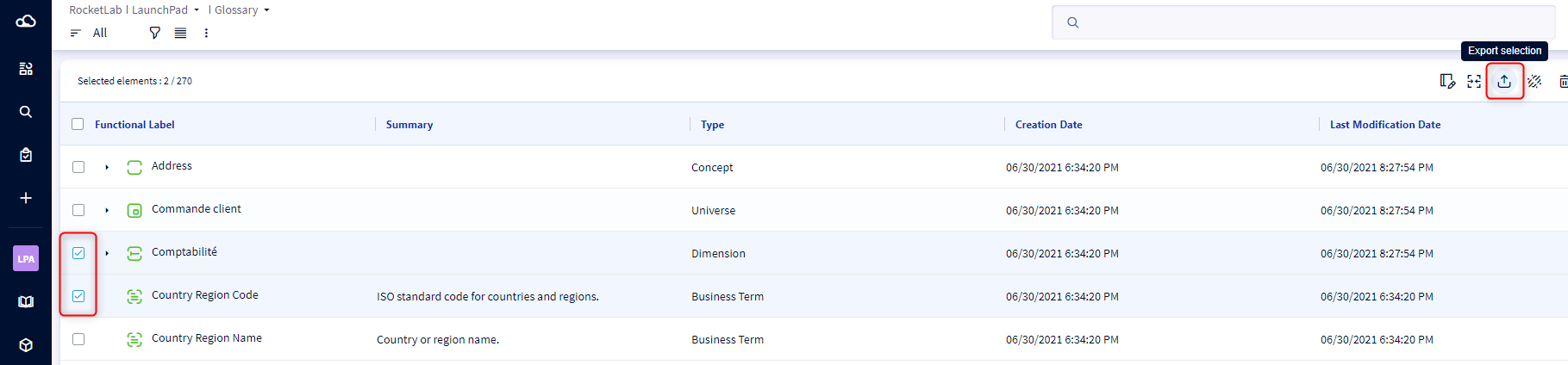
- A modal opens
- Enter the name of the export ZIP file
- Click on the wheel icon on the right to open the separator, carriage return and encoding settings
- Choose to export also
- The parent of the selected objects
- All the ascendants of the selected object
- The children of the selected object
- All descendants of the selected object
- Check the box to export also the links of the exported objects
Check Export formatted text as plain text to export formatted text fields as plain text instead of HTML (default format) - Click on Export