

Create your links more easily, manage your attributes, extract data from new tools...
— Easy link
Create links more easily
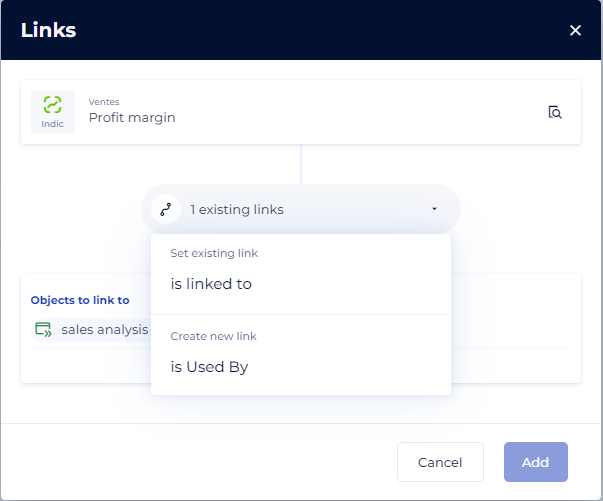
No need to know in advance the type of link to use between objects. Select the object(s) to be linked directly and then choose the type of link between those existing between those objects. Links creation is now more intuitive, with quick filters and multiple selection to create several links at once.
— Data Knowledge Studio
Managing links from free diagrams
Change the generic "Is linked to" links directly from the diagram, materialize the already existing links directly connecting the objects on the scene. The management of links in free diagrams has been simplified and completed!
— Object card
Templates for object card headers
Gain productivity when setting up your screens. Thanks to the object header templates, spread your headers to all the objects in a single click!
— Administration
Improved attributes management
We have increased the usability of the administration by harmonising the attribute, user, team, and technology management screens. Attribute details are displayed in a new, clearer side panel that's easier to navigate. Bonus: you can now filter and sort by attribute type.
— Connectors
New connectors
Import your notebooks from your Databricks catalogues.
Import all Hubspot metadata using the new connector : standard and custom objects will be imported as a relational source.
Improvements
Dashboard
The dashboards have been adapted to support the diagrams.
Import
A new option allows you to set attributes to blank via CSV import.
Diagrams
Physical diagrams now display the full paths of the objects they are referencing on the stage and in the asset panel.
Fixed the problem of tables appearing empty in physical diagrams.
The blockages (asset button not present, impossible movement), sometimes observed in the physical diagrams have been corrected.
Administration
The values of the "list of values" attributes can now be deactivated in the attribute administration.
The "list of values" attributes are now supported in the Header of the object card.