
In the next version 3.7 which will be released in April, we will implement a new home page to facilitate access to knowledge and simplify navigation.
1 - Where does the cloud button redirect?
In order to simplify the navigation between the different existing home pages, namely
- The homepage of the search
- The home page of the clientspace (only for multi-space clients)
- The workspace homepage
We have listened to your feedback and decided to merge them to have only one homepage, richer and more functional.
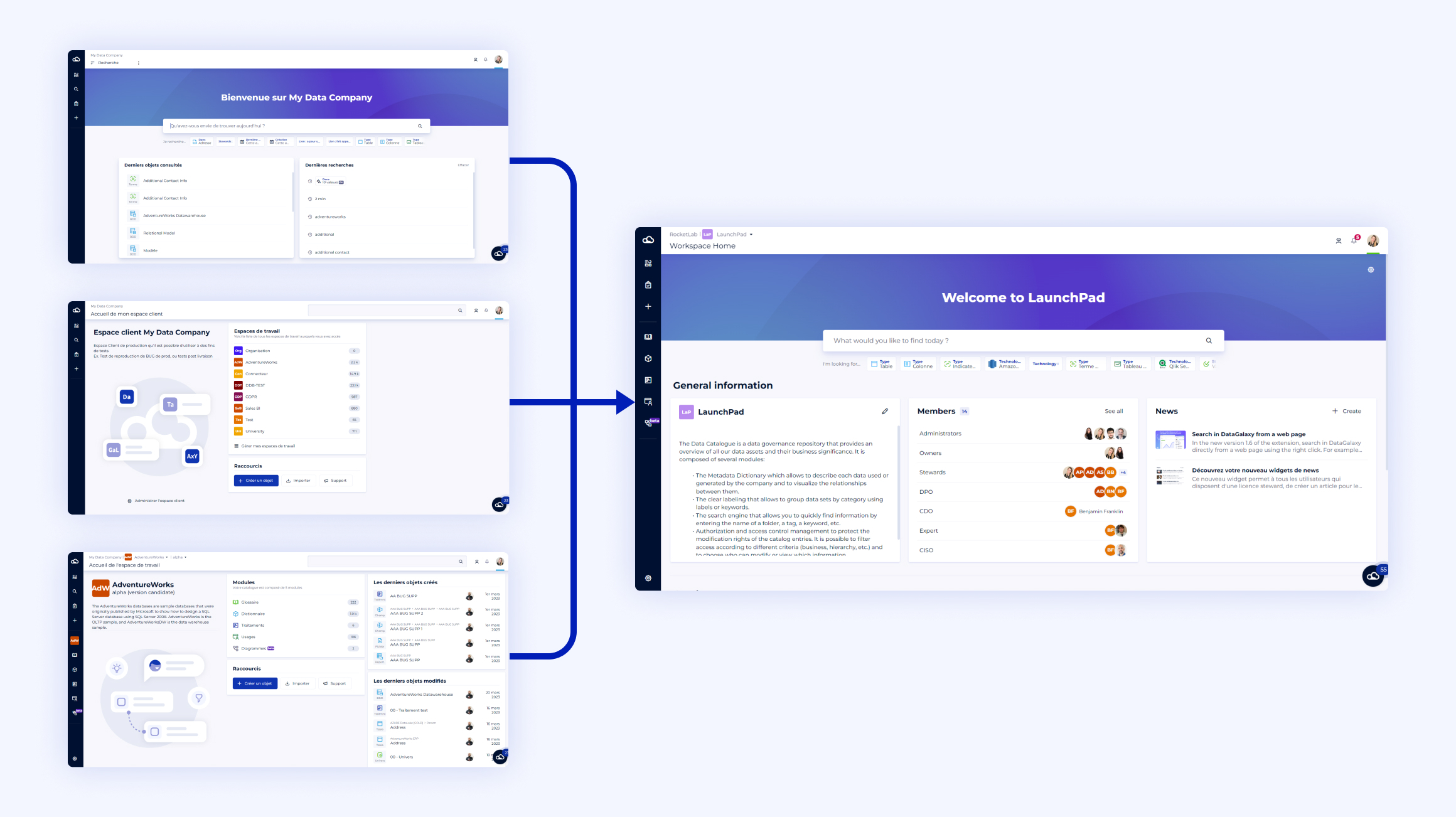
The cloud button at the top left of the screen becomes the shortcut to access :
- The search bar
- To the information of a workspace
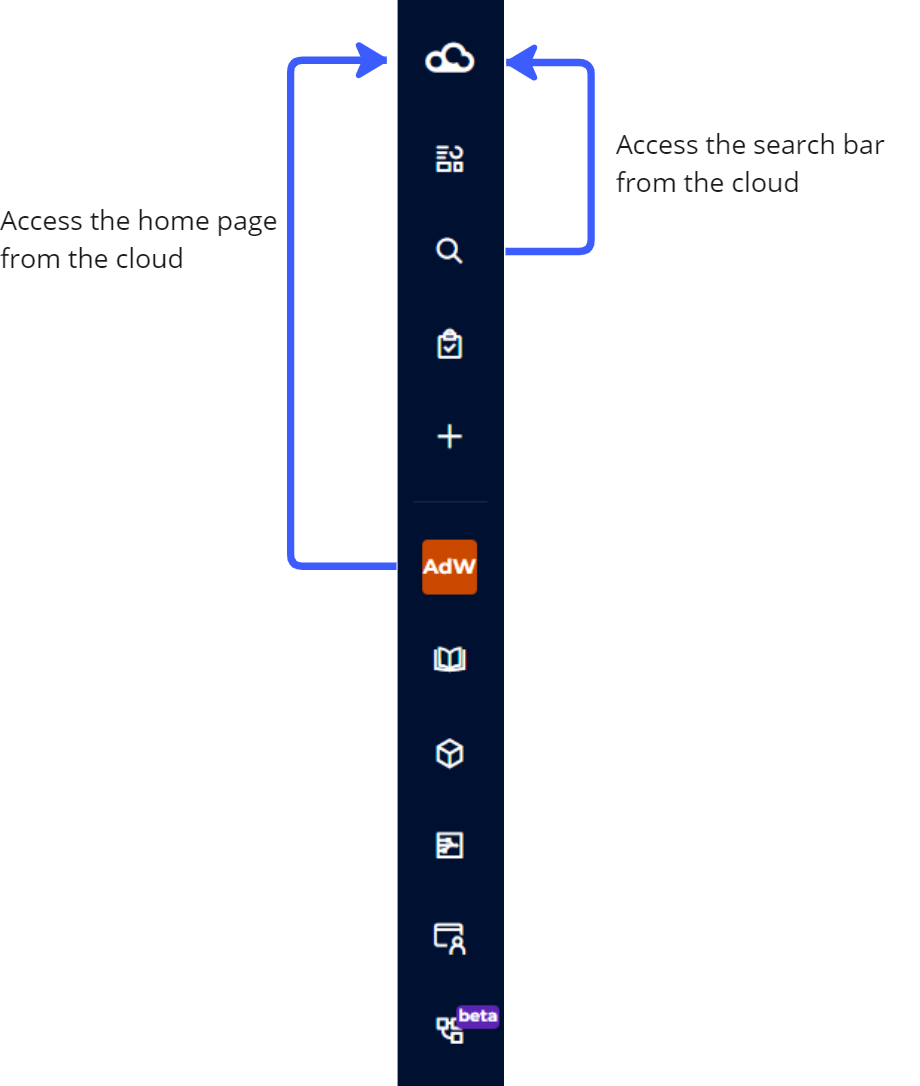
2 - What happened to the information on the search page?
a) The search bar
Your search bar and its quick filters that were in the search page, now appear in the new home page. When you click in the bar to start a search, a window opens showing recent searches and recently viewed items.
b) Filtered views
Regarding the cross-module filtered views that you used to access from the search page, we have designed a new widget that will be available on the new home page, and that will allow you to access all your filtered views of the space, those that are modules, and cross-modules. Even better.
c) The banner
Where can you find the banner you had defined for the search page? We have recovered it to display it in the brand new search page, so that you don't lose your customization.
3 - What happened to the information on the home page of the clientspace?
a) Navigate between spaces
The home page of the clientspace was mainly used to navigate between workspaces thanks to its widget that displayed the first 8 workspaces. This is now possible from the breadcrumb trail, and without any limitation of the number of workspaces. The workspace management page is also still accessible from the "All workspaces" button in the breadcrumb menu. 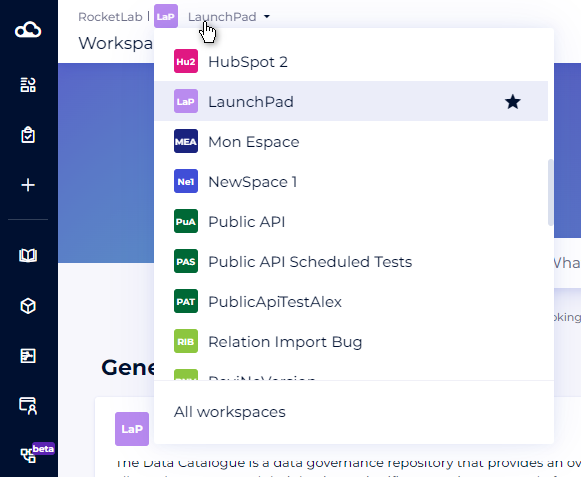
b) The buttons
Concerning the shortcut buttons, nothing has disappeared.
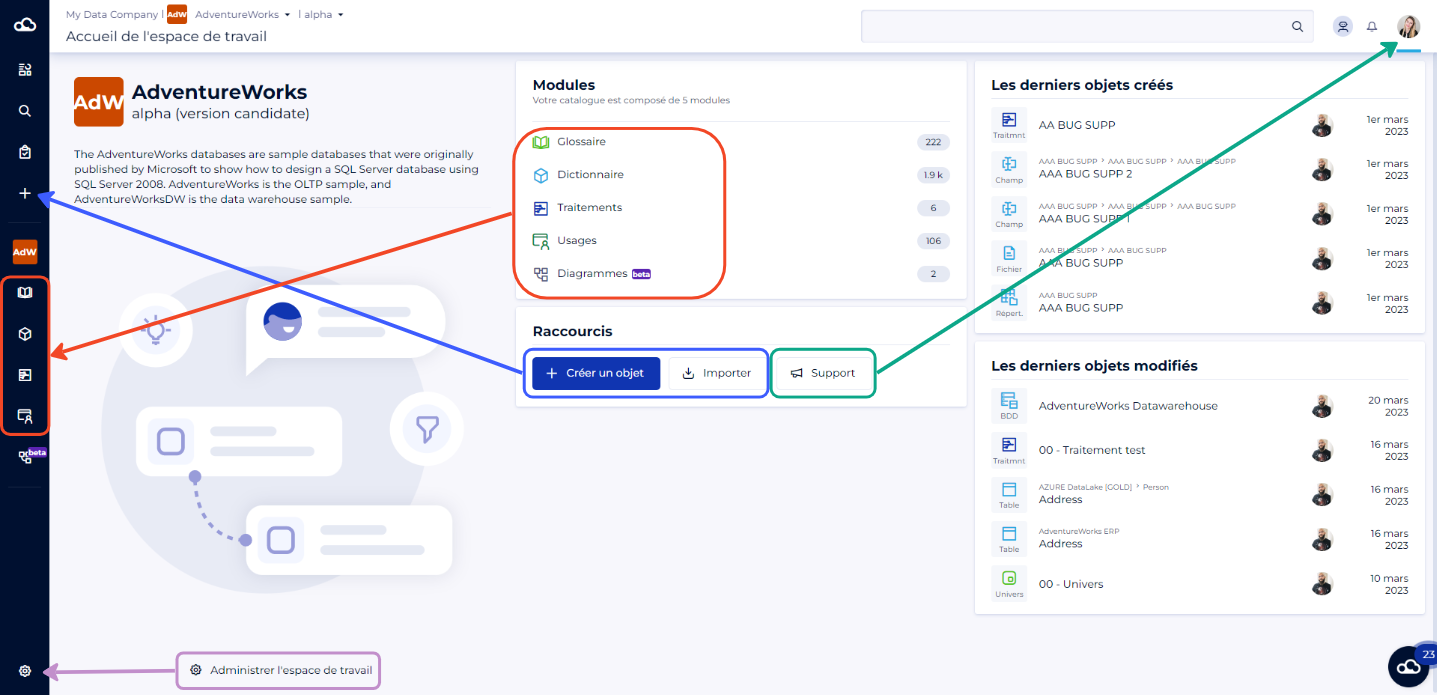
The "+" button in the side menu becomes the reference button for adding objects and includes the following actions:
- Create objects
- Import objects (CSV / Connectors)
The support button as well as the administration button of the customer area (visible only to administrators) are still available in the profile menu at the top right of the screen.
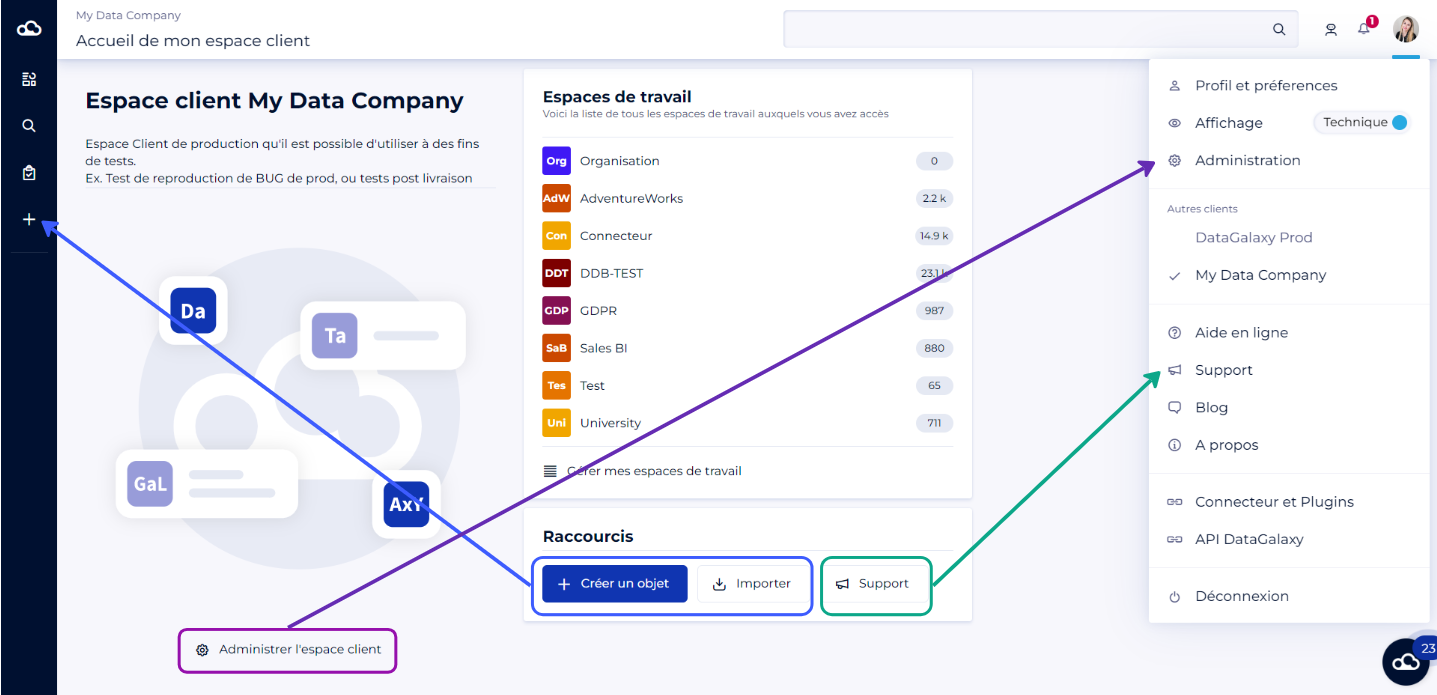
These buttons are therefore accessible from the new home page, but also from any page of the platform.
4 - What happened to the information on the home page of the workspace?
a) The widgets
Concerning the 2 widgets "Last created objects" and "Last modified objects", we have temporarily removed them, but don't panic, they will come back soon with a lot of new widgets, in a fully customizable homepage.
b) The buttons
From the home page of the workspace, you had a quick access to the modules. Don't worry, the modules are still accessible from the side menu.
The "+" button in the side menu becomes the reference button for adding objects and includes the following actions:
- Create objects
- Import objects (CSV / Connectors)
The support button is still available in the profile menu at the top right of the screen, and the workspace administration button is still available from the side menu at the bottom left.
5 - What happens to your browsing preferences?
Was your login page the search page? Don't worry, your new login page will now be the new home page, from which you can launch your future searches.
Was your login landing page the home page of the customer area? Your new login page will now be the new home page. The breadcrumb trail will remain available to you to navigate between workspaces.