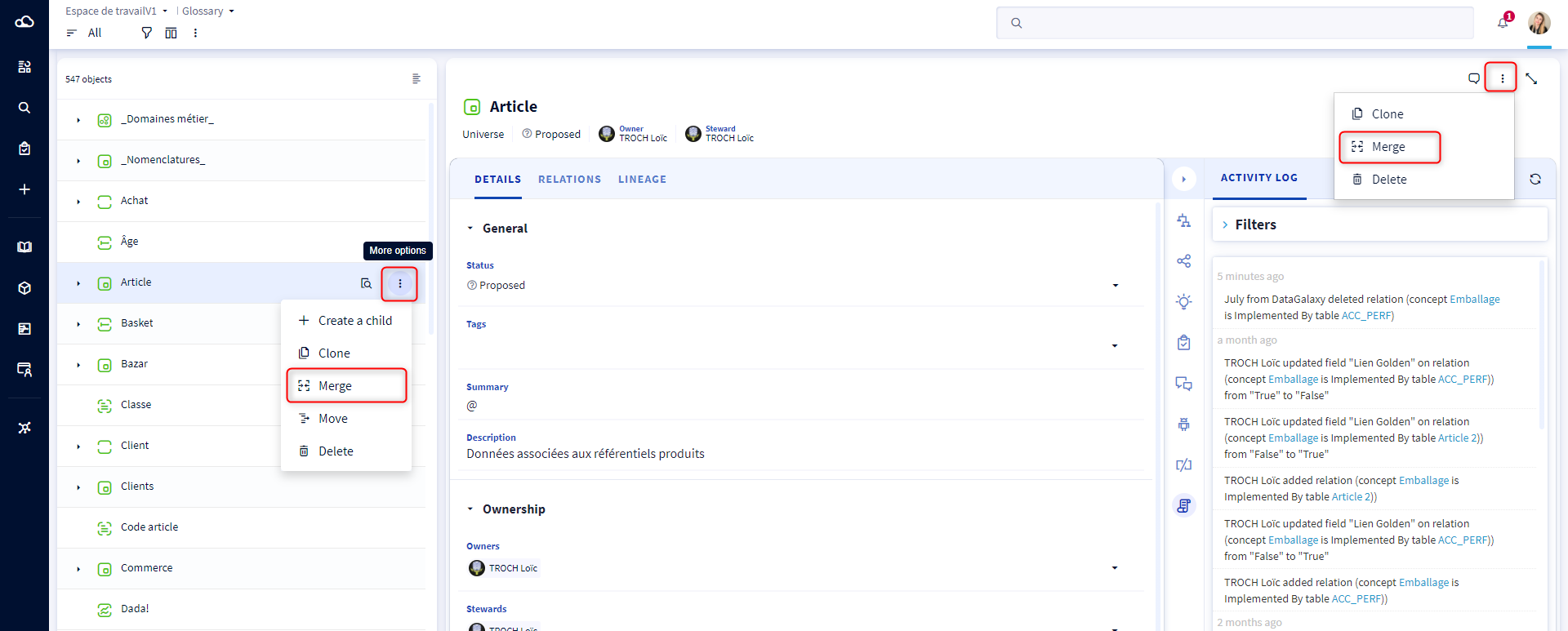
You can merge objects from Glossary. The source objects will be deleted and the target objet will inherit the selected elements.
- Open the "Glossary" module
- Click on the objet that wants to merge (source object)
- Click on the button "Merge"
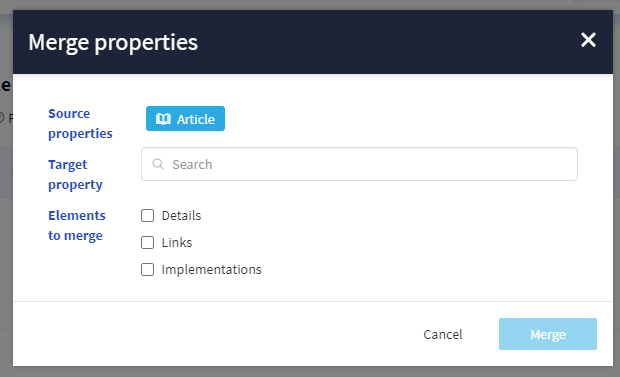
- In the new popup window, search for the target object
- Select elements you want to merge (at least one)
- Click on the button "Merge" to confirm your action
Note: To merge several objetct into a single one : Open the List view, select objects and then start the merger.