
The main purpose of this article is to introduce you to a Metabot feature: automatic glossary generation.
One of the goals of governance is to make data assets understandable and available to everyone. One way of achieving this is to create and maintain a glossary that will serve as a functional reference for the data.
An effective solution for quickly setting up a centralised reference base is to generate the glossary automatically from the technical data.
MetaBot uses text analysis and natural language processing techniques to extract terms and concepts from existing technical data in your dictionary or usages. It then classifies these terms according to their relevant domain or category.
This feature is available to all users with contribution rights to the glossary module.
Launch automatic generation
To start the automatic glossary generation, click on "Generate glossary" :
- From the top menu burger in the glossary, dictionary or usage module (not empty)
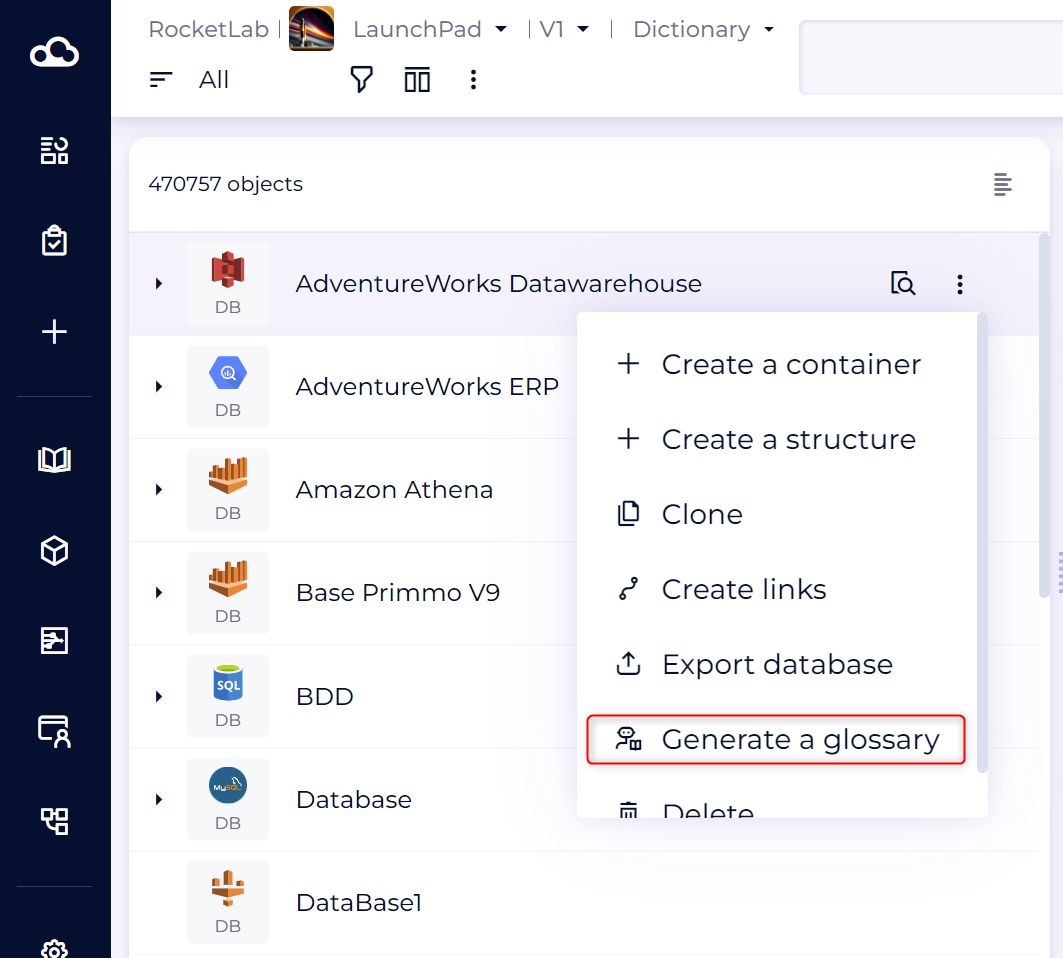
- From the burger menu of a data source in the dictionary
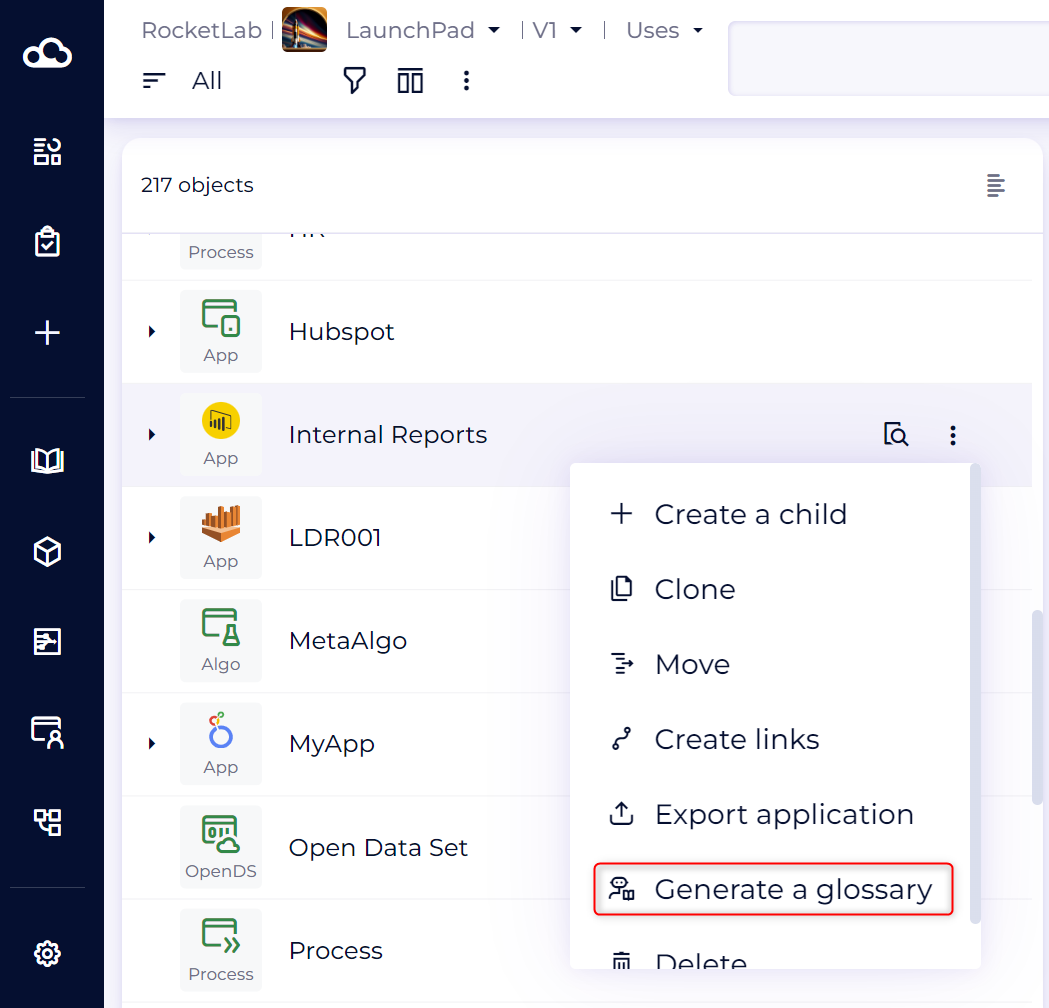
- From the burger menu of an application in the usages module
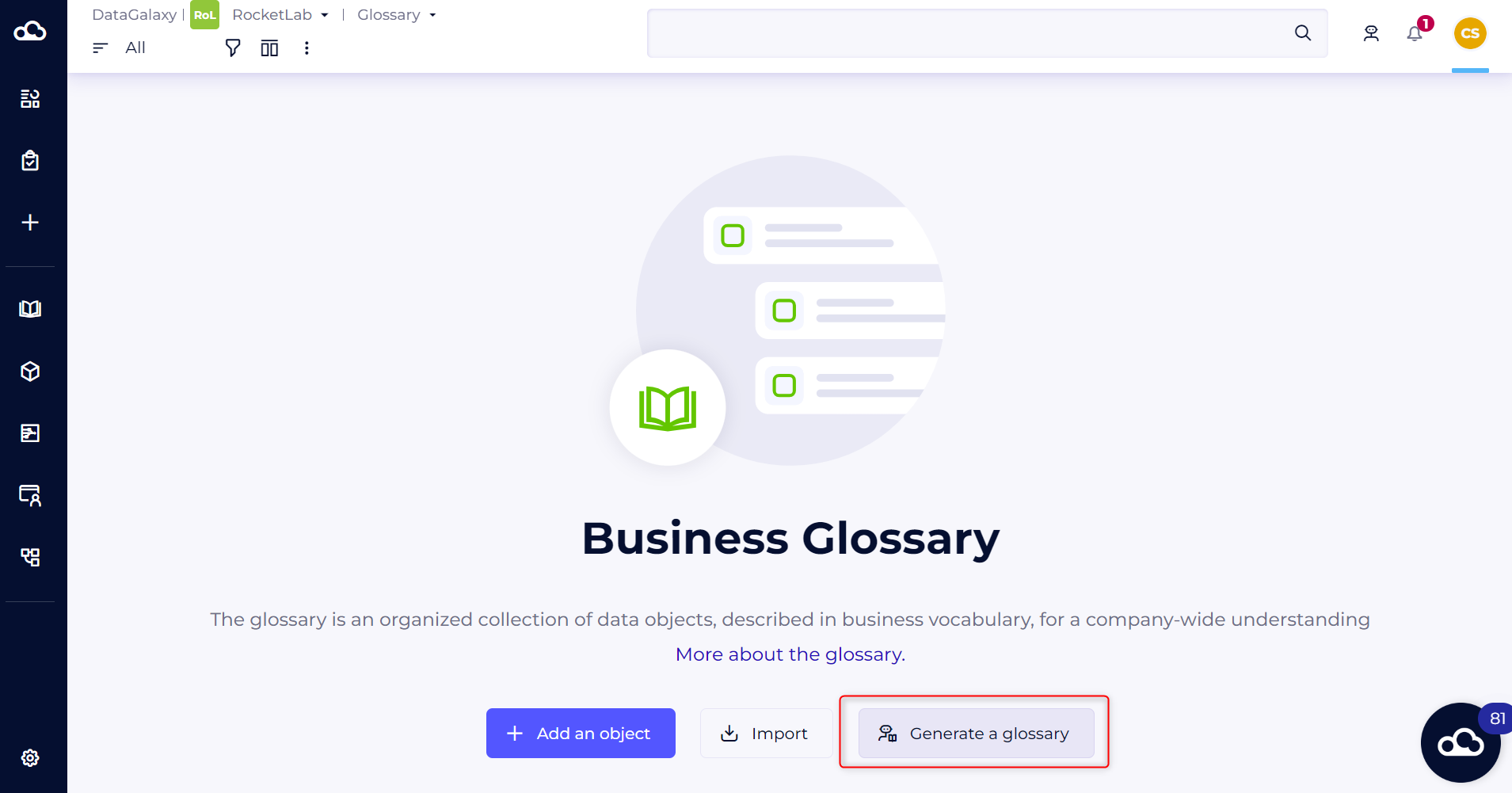
- From the empty glossary module
- From the glossary tab in the suggestions panel
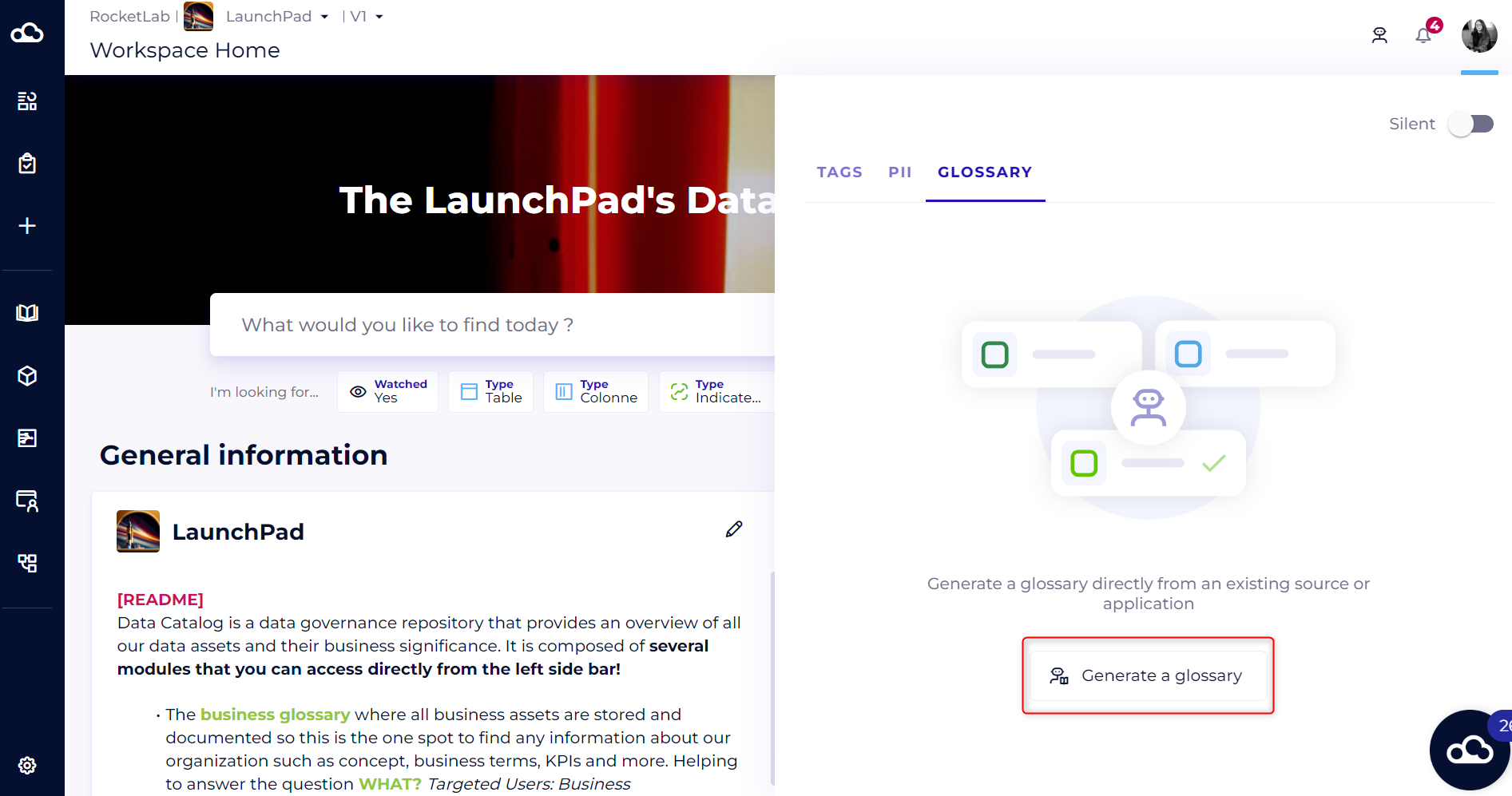
Steps in automatic glossary generation
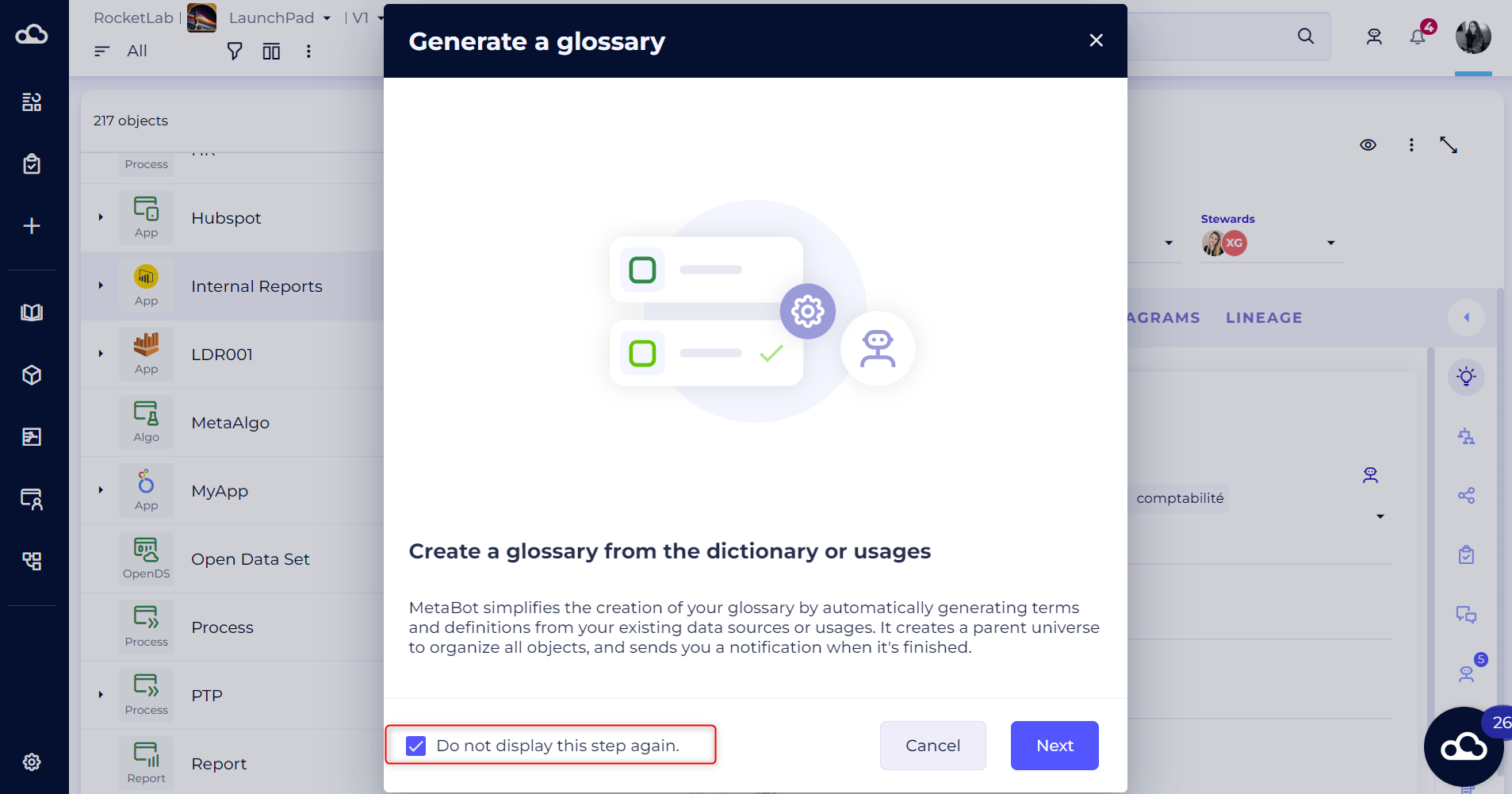
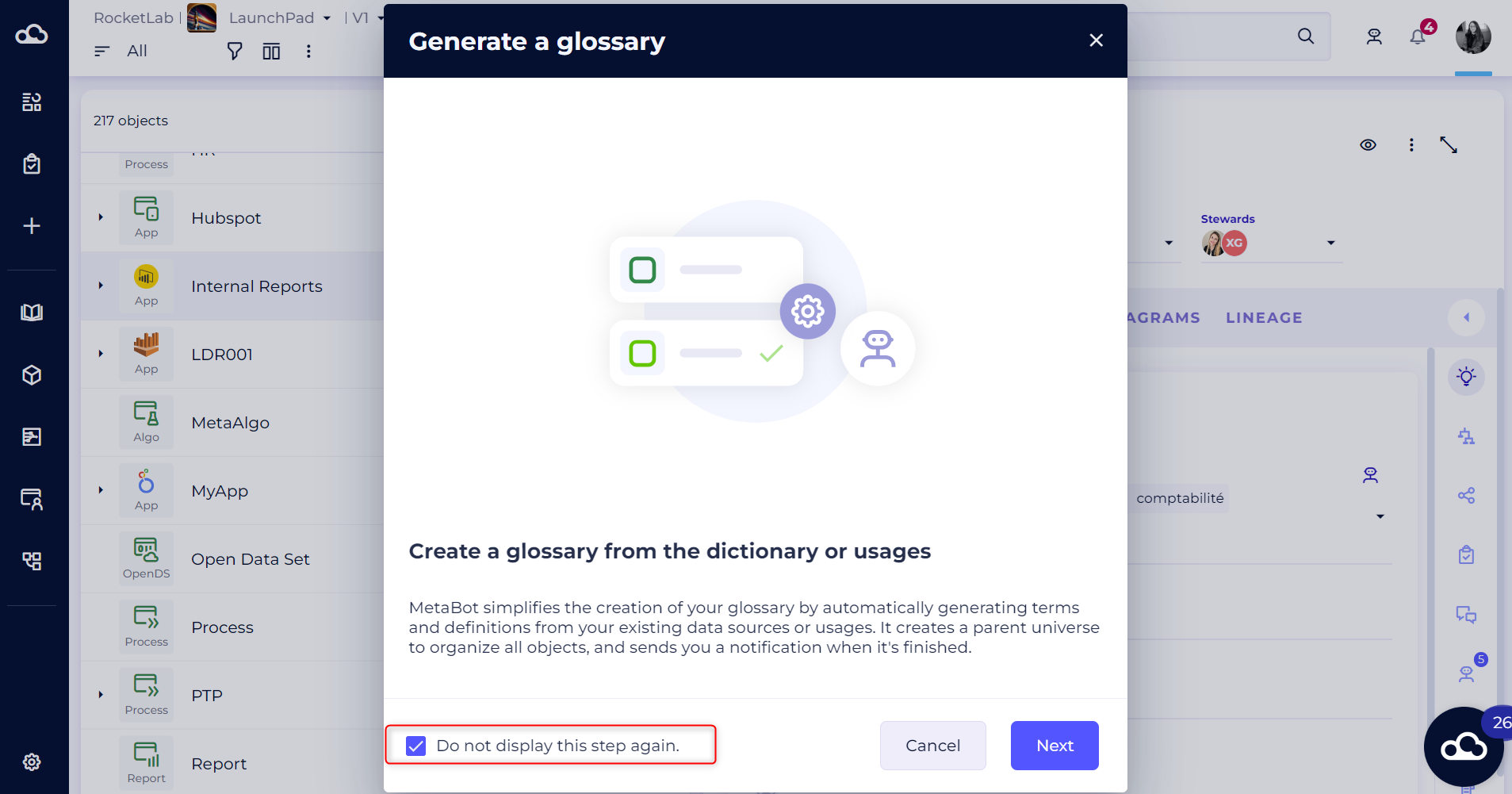
- Start the experience by clicking on "Generate glossary". This modal will open (regardless of where you access it) to explain the feature. You can tick this box if you don't want to see it next time.
- Choose the technical data module from which you want to generate your glossary.
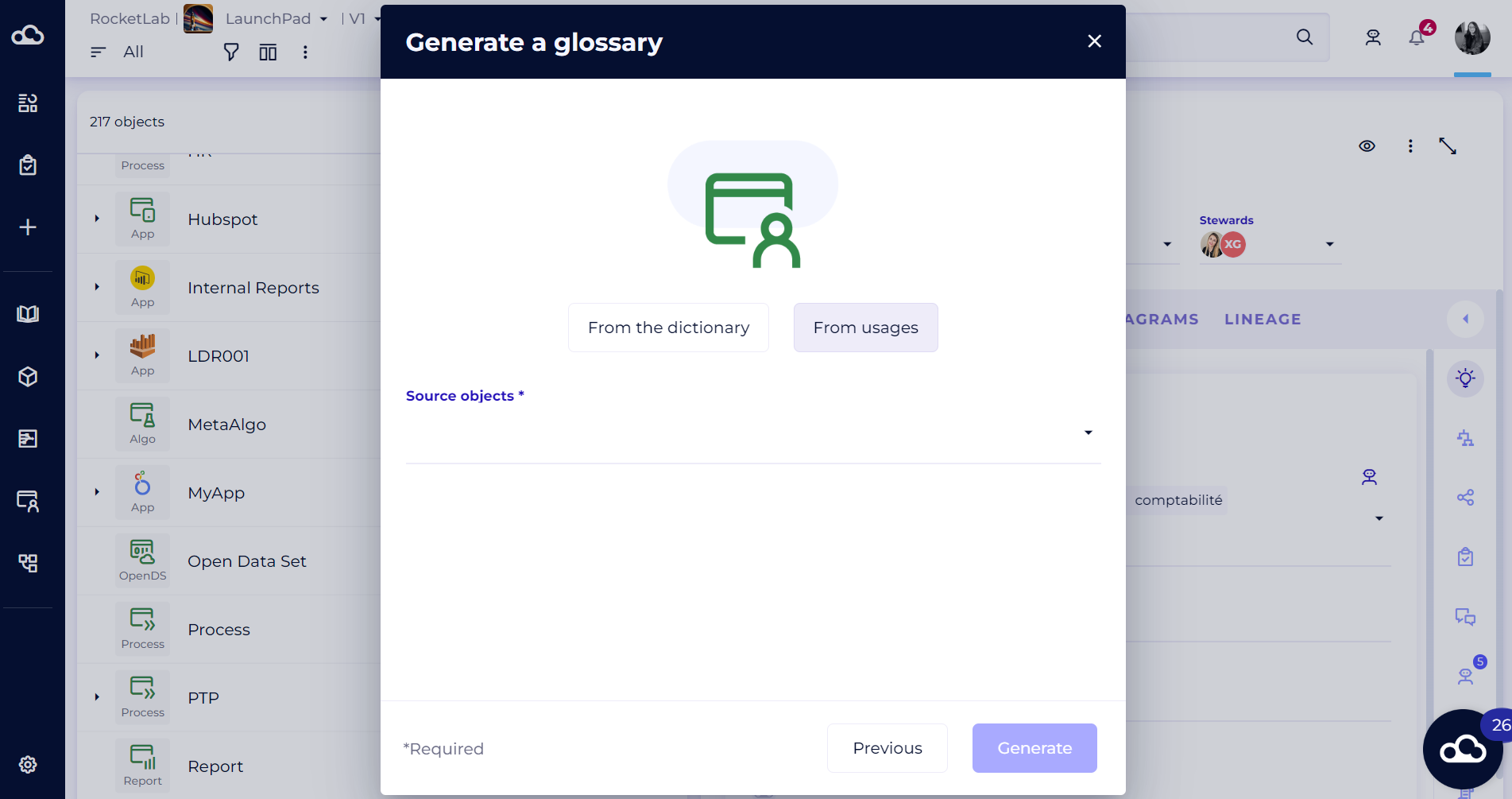
- Select the source technical objects. You can select several data sources (in the dictionary) or several applications (in the usages) at once. All selected objects and their descendants will be analysed.
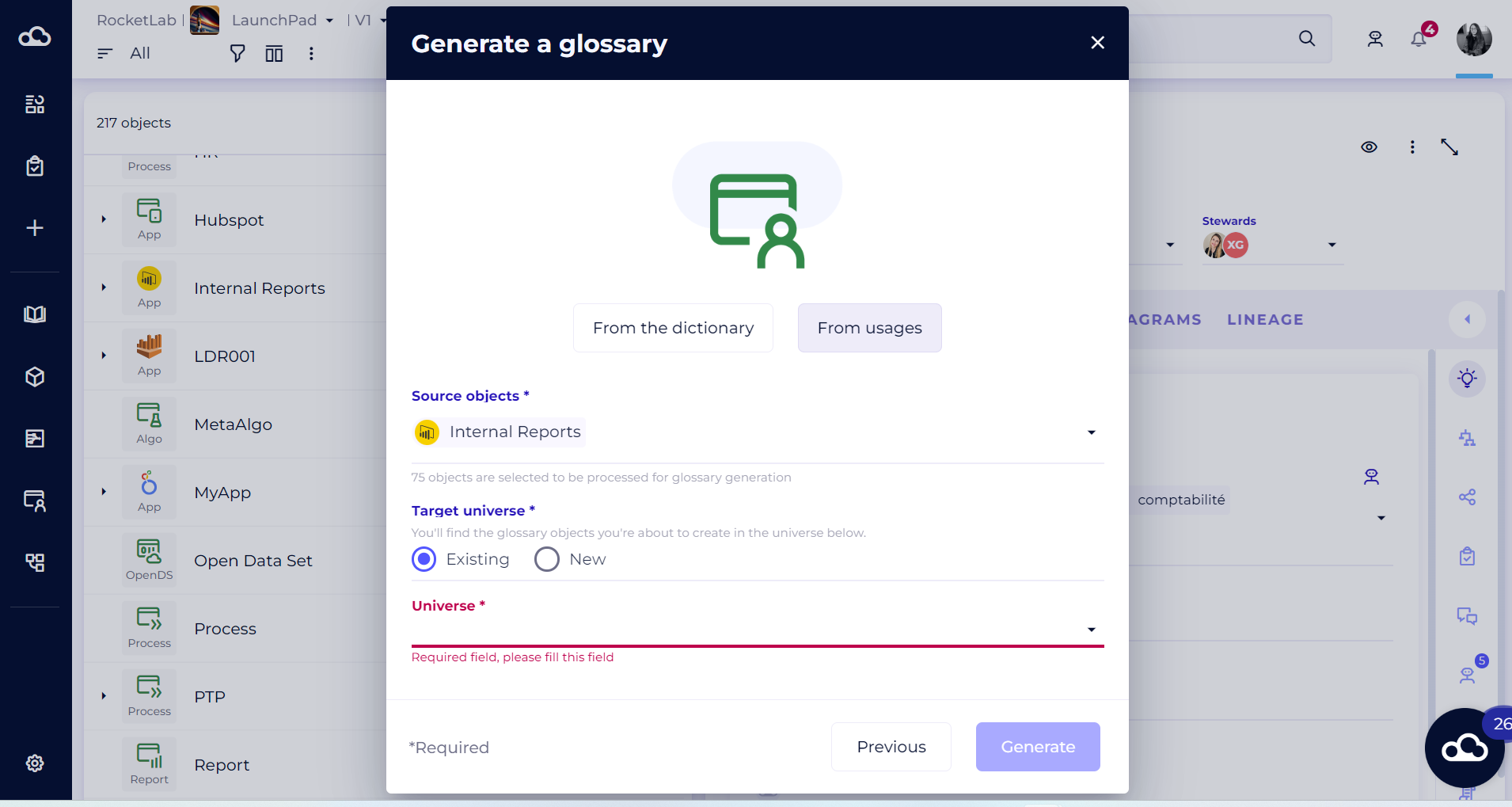
- Configure the creation of the objects that will be generated, by choosing to create them under an existing universe or to create them under a new universe.
- Click on "Generate" to start the glossary generation by Metabot.
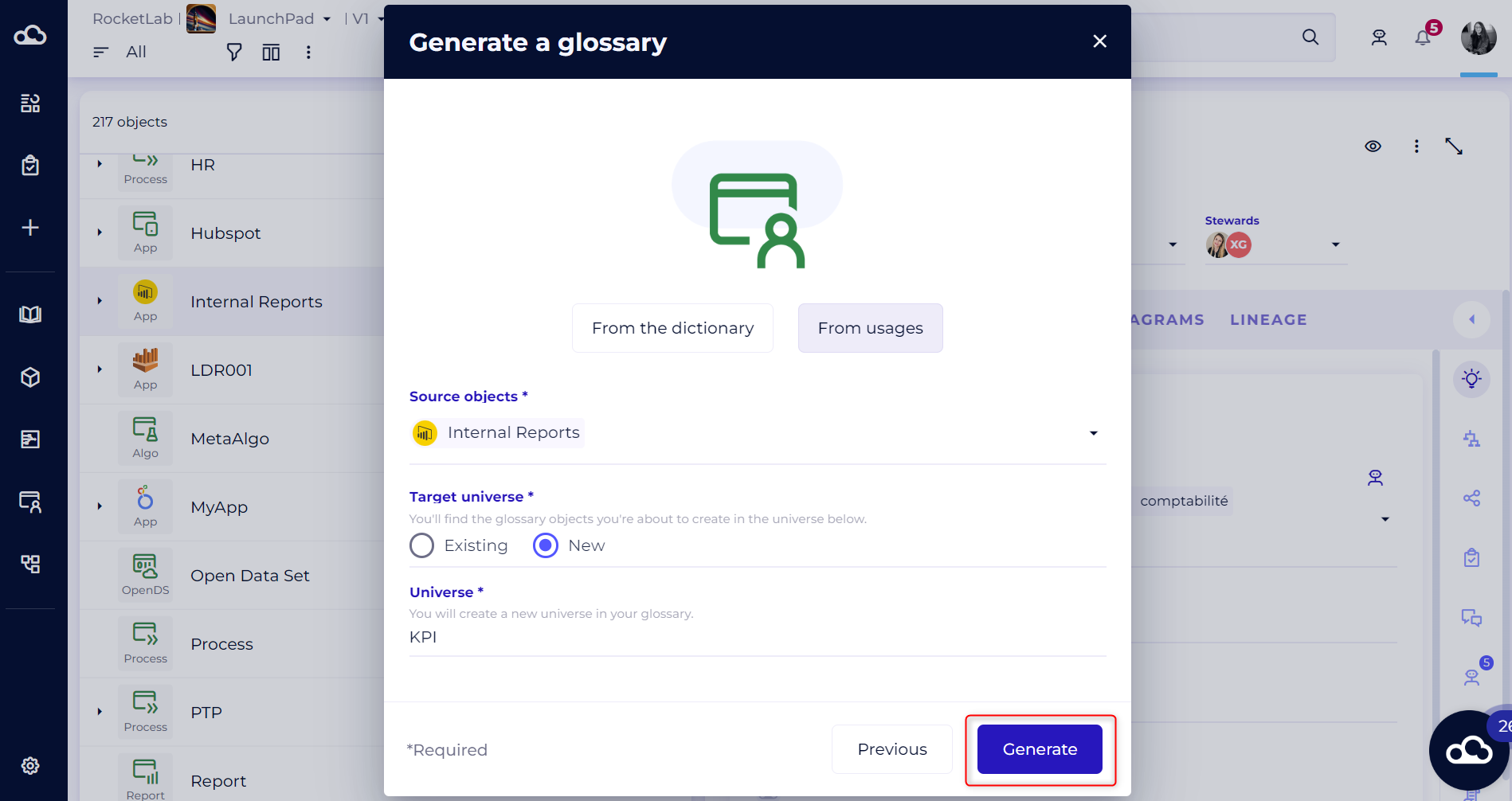
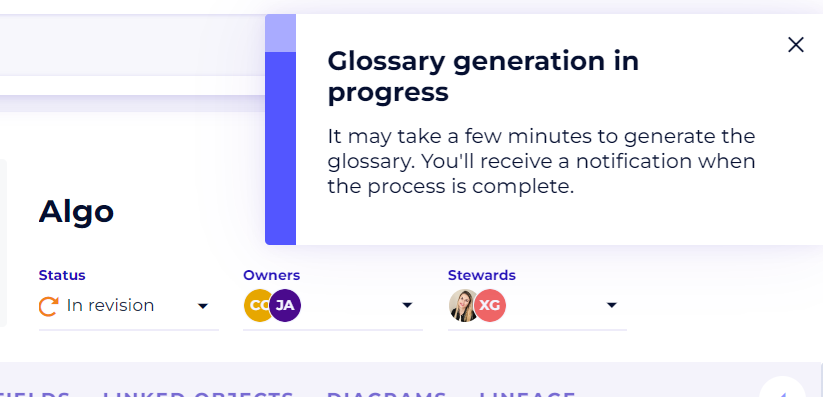
- Generating the glossary may take a few minutes, depending on the volume of data selected. You can continue browsing the platform.
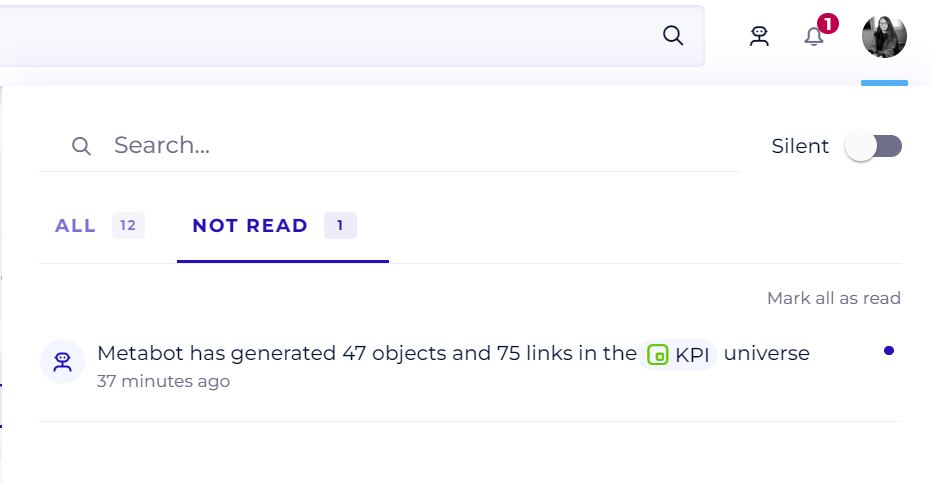
- Once the operation is complete, Metabot will send you a notification to inform you that the objects have been correctly created under the universe of your choice, in the glossary. You can click directly on the universe containing the objects created via the notification.
To easily find all the objects generated by Metabot, you can also use the "Create by" filter and select "Metabot".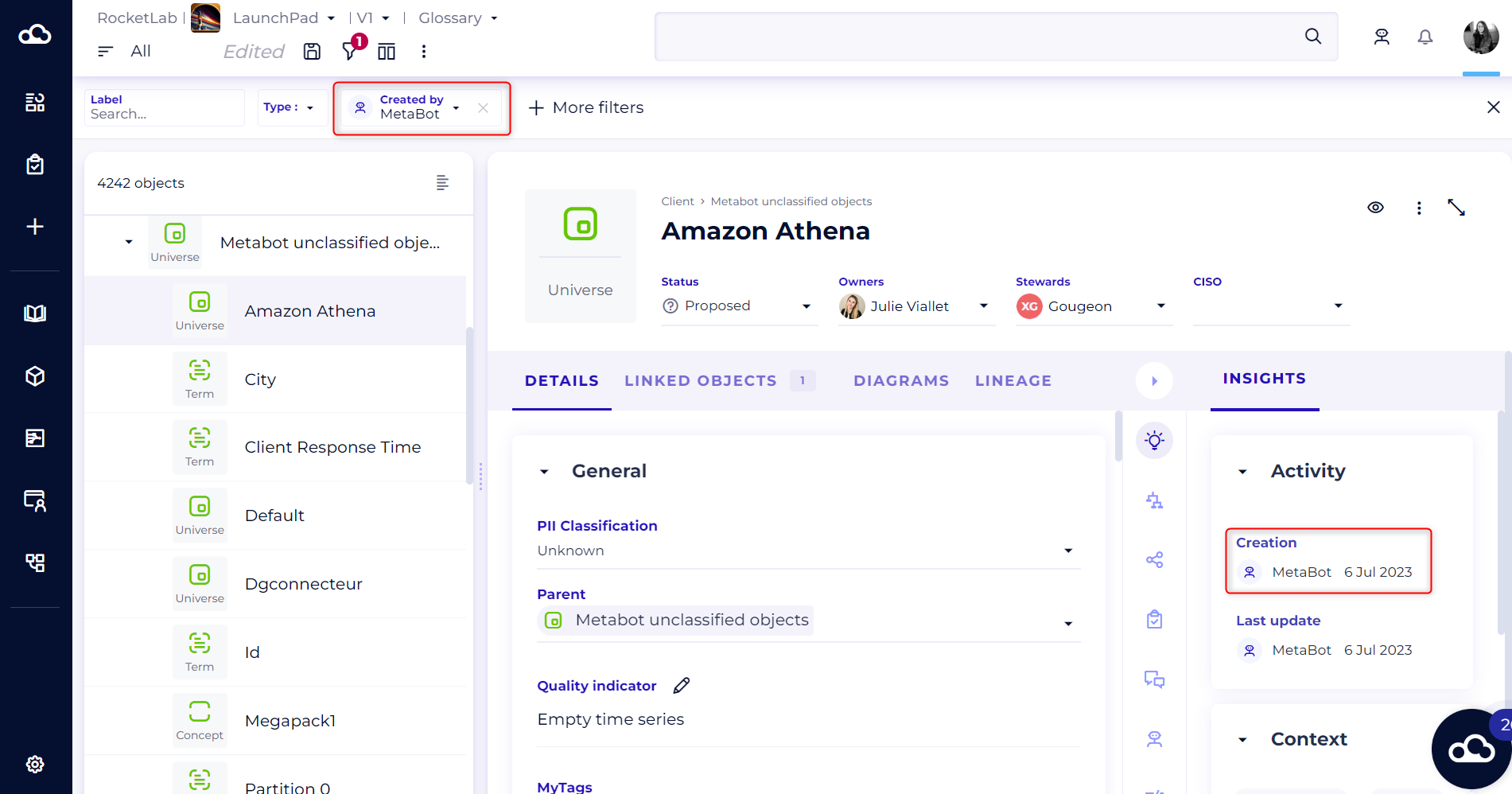
Automatic generation of the glossary is just the first step. Make sure you put in place regular maintenance and updating processes to ensure that the glossary remains up to date as new technical data is added or definitions evolve.
To find out more about refining your glossary, read this article: [Recipe] - Refining your glossary