
The purpose of this article is to explain how to create synonyms in DataGalaxy according to your needs.
On which objects?
It is possible to create synonyms on the following types of objects in the glossary:
- Universe
- Concept
- Business term
- Indicator
- Domain
- Dimension
Local or relationship?
According to your needs, you can create :
- A local synonym: The goal is to allow users to associate synonyms to a glossary object without creating a new object. For example, to list an acronym, a common word, a company jargon, etc.
- A synonym link: The objective is to link objects of the same type together via a relationship that will allow you to quickly access the linked object.
How to create synonyms?
From the detail tab of the object record
All objects that support synonyms have a synonym section consisting of an array that lists all the synonyms of the object. This section can be hidden via screen settings.
In this table, you have the possibility to :
- Create synonyms (local or relationships)

- Edit a local synonym

- Delete a local synonym

- Open the overview of an object linked by the synonymy link

- Delete a synonym link

From the relations tab of the object card
It is only possible to create synonymy links from this tab. 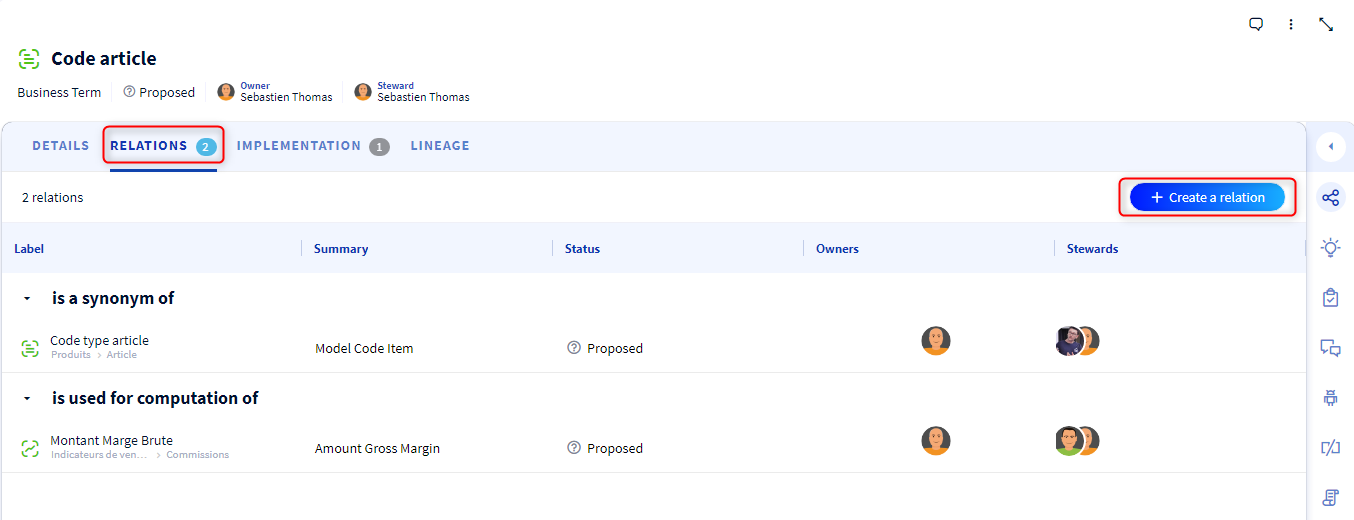
From the linked objects section of the docking panel
It is only possible to create synonymy links from this section. 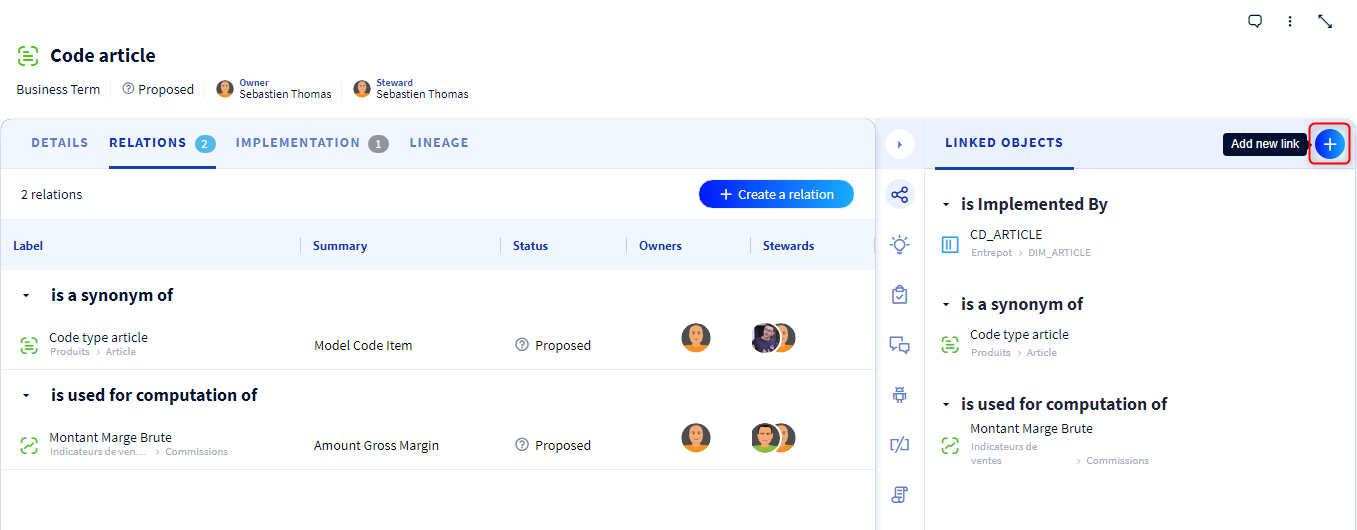
From the tabular view of the glossary
You can create mass synonymy links if you have a DataSteward license.
To do so, please refer to the following article: [How to] Bulk edit objects
Exploiting synonyms
You can use synonyms in searches to help you find an object without knowing its exact wording, using company jargon or known synonyms of the object.