
The new object page interface will be available starting May 20, 2025.
This article aims to:
Define the concept of the object sheet,
Present the tools associated with the object (Object Tools),
Explain the relationship between the screen and the object sheet,
Show the benefits of customizing object sheets based on the needs of your project.
What is the object card?
Each DataGalaxy module offers several types of objects. Each object type has a set of common attributes and specific attributes that can be customized from the Client Space administration.
All the attributes that can be associated with an object represent its object card. These attributes are made available to the user via the screen of an object. These screens are configurable by workspace to display all or a subset of the attributes of the object's card.
Tips
The object file can be very large, but all the attributes are not to be considered with the same priority of curation. It is the responsibility of the scope manager to organize and manage the curation of the object file.
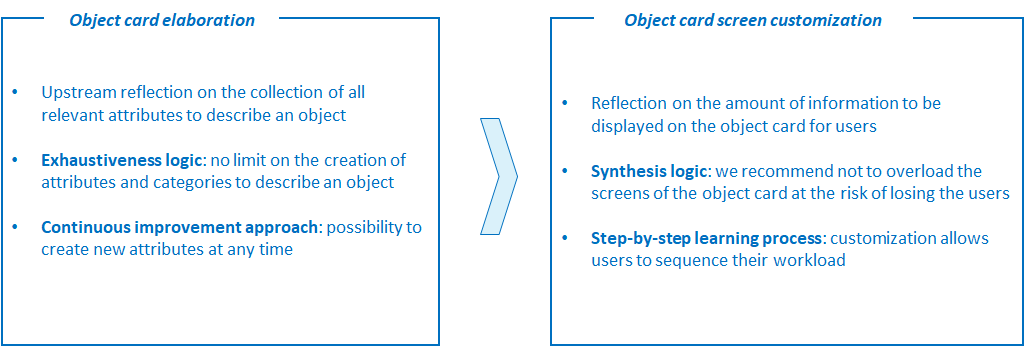
The first step in building object cards is to list all the relevant attributes to describe a given object. The objective is to contextualize knowledge around an object as much as possible. There are no limits to the creation of attributes.
To make the object card reading easier, the attributes are grouped into categories. The objective is to create a logical structure of information around an object for users.
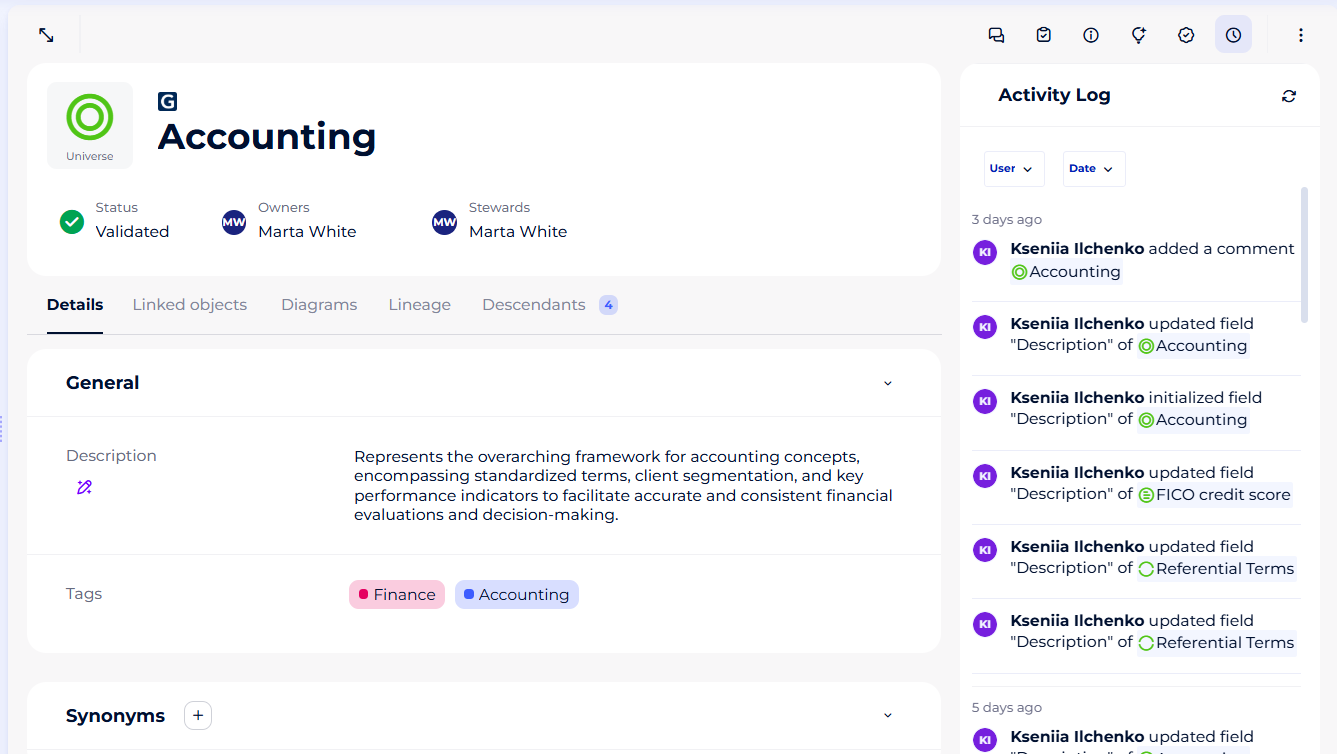
It is possible that an object has many attributes. In this case, it is not mandatory to display all of them on the object card screen in question.
Indeed, it is important to distinguish the notion of object card, which exhaustively groups attributes, from the notion of the screen. It is, therefore, possible that the object card screen shows only a few attributes to the user.
The objective of this approach is to show the user a reasonable amount of attributes and categories and to sequence the workload if necessary.
The diagram below shows the distinction between the process of creating an object card and the process of customizing screens.
The object card attributes
There are two types of attributes:
1- The "system" attributes, proposed by DataGalaxy (not modifiable).
2- The "custom" attributes, also called "Custom Data Properties (CDP)" that the administrators of the client space can create, manage and display in the different categories of the screens objects.
The screenshot below shows the "Contains personal data" field, which is of the Boolean type and is part of the common attributes.
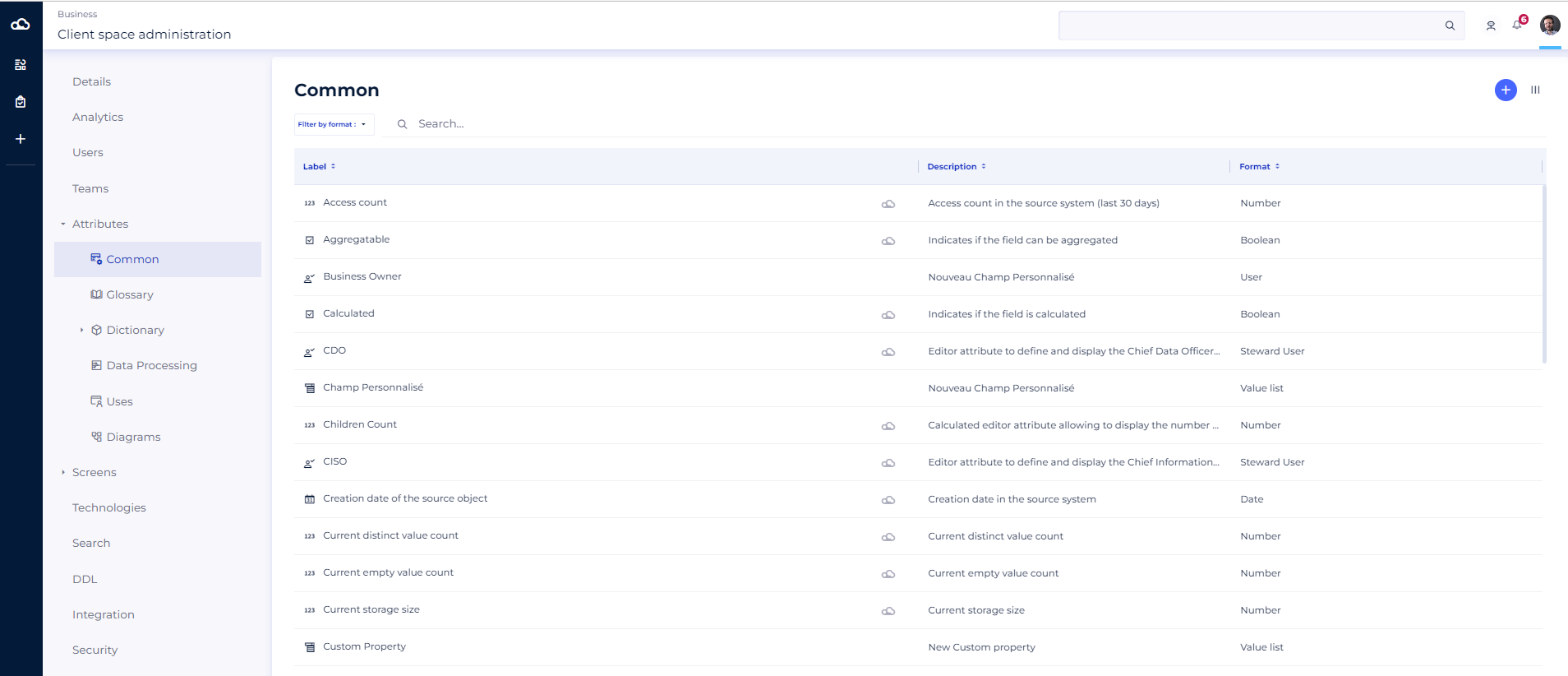
Clientspace and workspace administrators are able to create and manage the customized categories display.
The object card screen categories
The object card is divided into several sections :
- The header of the object master record:
- Object path
- Object Label
- The micros data
- The contextual actions of the object
- The body of the object card
- It is composed of different tabs depending on the module and the type of the object, in order to detail the primary information of the object concerned (its attributes, its relations, its lineage, etc).
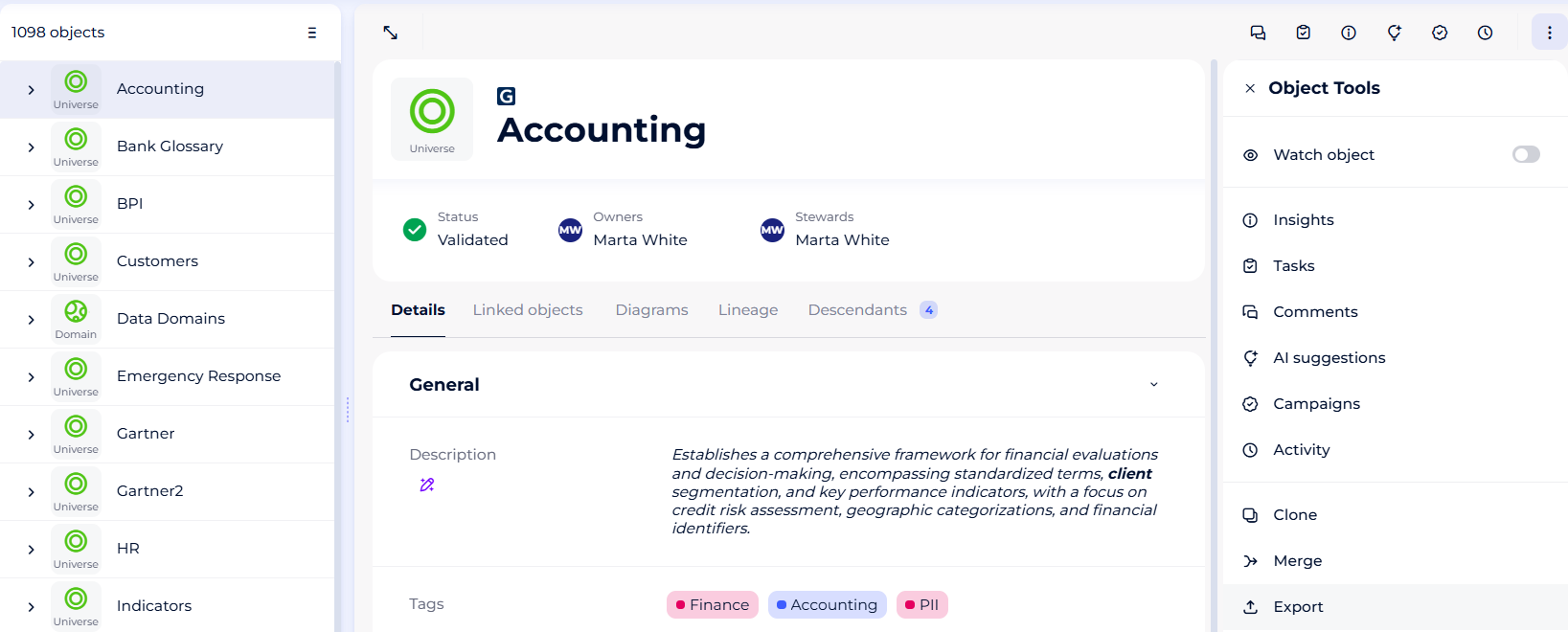
- The Object Tools
- It is composed of different sections depending on the type of object, in order to detail secondary information of the object concerned (tasks, comments, etc.).
- [Tips] Use the Object Tools