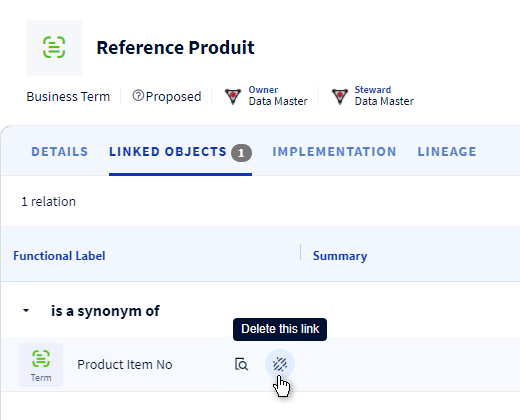
The purpose of relationships is to create/modify/delete relationships between objects in the glossary. The objective is to be able to materialize any type of relationship (link, semantics, calculation,...) between the data.
This function allows you to track and document the simple or complex relationships that exist between data to structure understanding and share knowledge.
- The relationship exists between two distinct objects in the glossary.
- The relationship is valid between one or more types of data in the glossary.
- A relationship is part of a category of relationship: Semantics, Taxonomy, Calculation, etc.
- A relationship can be mono or bi-directional. In the latter case: a master sense that defines the relationship between the current object and the object to be selected, a corollary sense that defines the relationship between the selected object and the current object.
Description of the relationships between objects in the glossary
The table below shows the different relationships between the objects in the glossary.
Subordinate object > | Domain | Universe | Concept | Business term | Indicator | Nomenclature | Dimension | Dimension group | Indicator group | Value |
Master object \/ | ||||||||||
Domain |
| is the domain of | is the domain of | is the domain of | is the domain of | is the domain of | is the domain of | is the domain of | is the domain of | is the domain of |
Universe | has for domain |
|
|
|
|
| is the universe of | is the universe of |
|
|
Concept | has for domain |
| is a synonym of is needed by |
|
|
| is part of the dimension |
|
|
|
Business term | has for domain |
|
| is a synonym of | is used for computation of | has for reference data | is part of the dimension |
|
|
|
Indicator | has for domain |
|
| is computed by | is a synonym of is used for computation of is computed by |
| is declined according to the dimension |
|
|
|
Nomenclature | has for domain |
|
| lists values for |
|
|
|
|
|
|
Dimension | has for domain | has for universe | regroups | regroups | declines |
| is a synonym of |
|
|
|
Dimension group | has for domain | has for universe |
|
|
|
|
|
|
|
|
Indicateur group | has for domain |
|
|
|
|
|
|
|
|
|
Value | has for domain |
|
|
|
|
|
|
|
| transcode |
Import relationships
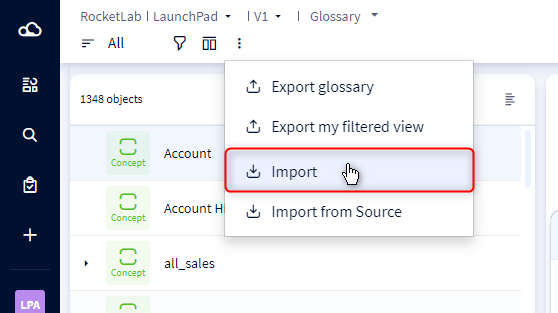
- Go to the "Glossary"
- Open the menu with the 3 dots and click on "Import"
- Drop your file in the dedicated section
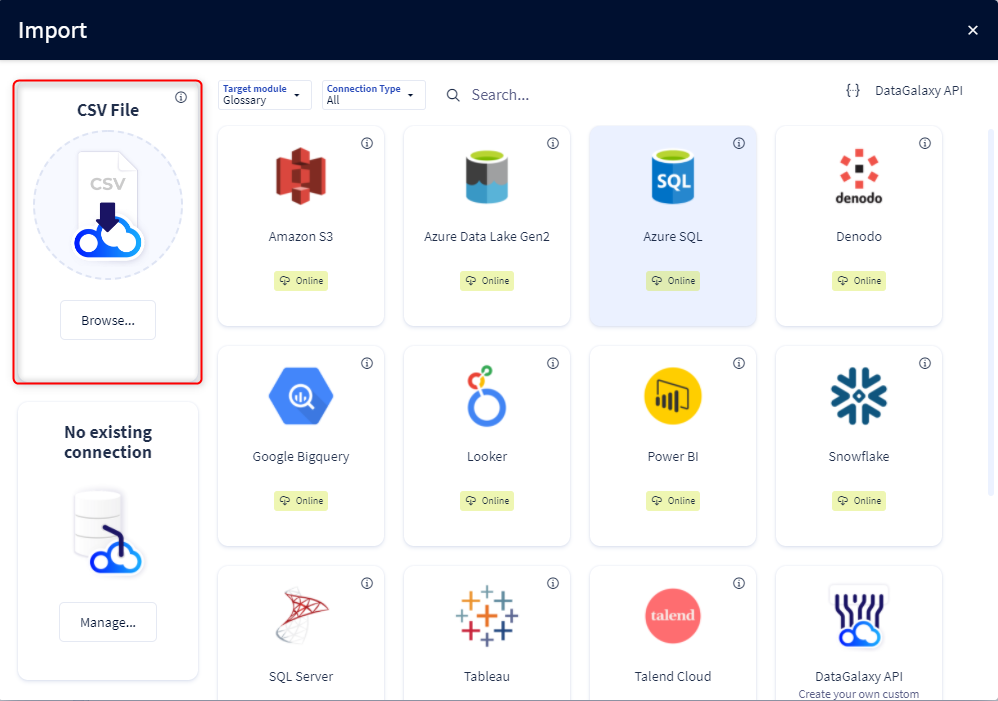
- Click on "Start import"
- Choose "Linked objects" as items to import
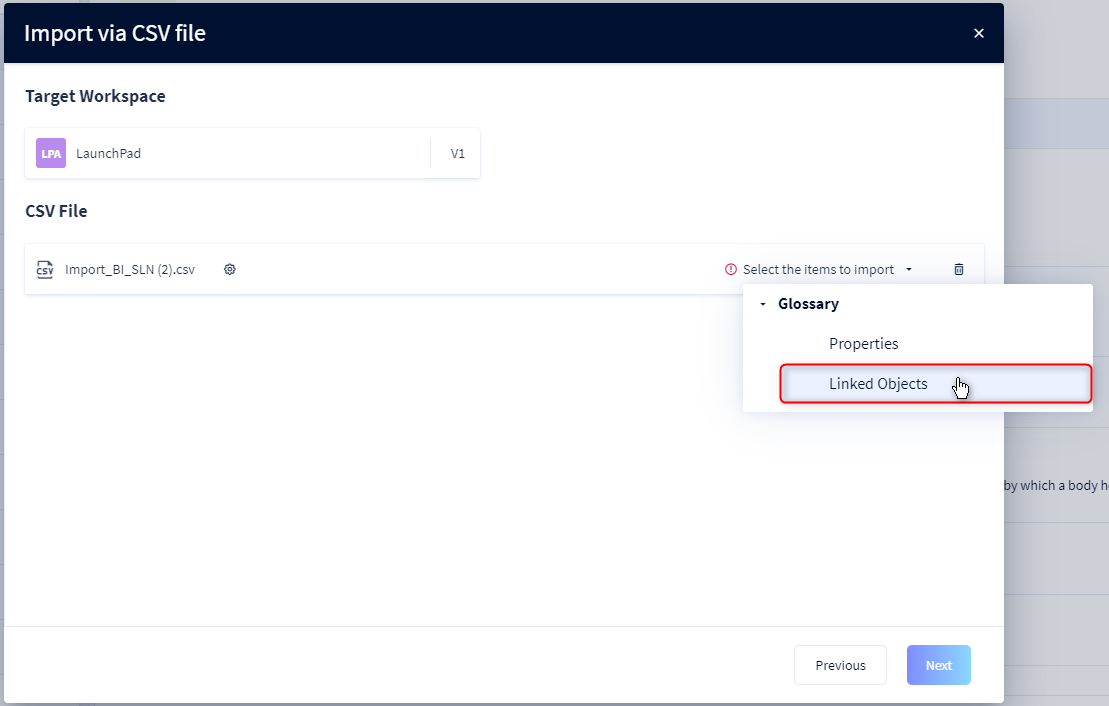
- Once the file is selected, check the accuracy of the fields
- Click on the "Import" button to start the import
Delete a relationship between two objects
You have the option of deleting a relationship between several objects:
- Click on the object for which you want to delete the relationship
- Click on the "Linked objects" tab
- Existing relationships are displayed in a table
- Click on this icon to delete the relationship