
This article describes how DataGalaxy JSON Schema connector works.
This connector is available in the following modes:
| Desktop mode ✅ | SaaS Online mode ❌ |
What is a JSON Schema ?
A JSON Schema file allows to describe the metadata and define rules on the structure of another JSON file. A JSON Schema file can for example be used to describe and control the content of a Kafka topic.
The syntax of a JSON Schema is defined by the specification published here : https://json-schema.org/specification.html .
For example, to specify the format of the following file :
{
  "productId": 1,
  "productName": "A green door",
  "price": 12.50,
  "tags": [ "home", "green" ]
}
The following JSON Schema could be used :
{
  "$schema": "https://json-schema.org/draft/2020-12/schema",
  "$id": "https://example.com/product.schema.json",
  "title": "Product",
  "description": "A product from Acme's catalog",
  "type": "object",
  "properties": {
    "productId": {
      "description": "The unique identifier for a product",
      "type": "integer"
    },
    "productName": {
      "description": "Name of the product",
      "type": "string"
    },
    "price": {
      "description": "The price of the product",
      "type": "number",
      "exclusiveMinimum": 0
    },
    "tags": {
      "description": "Tags for the product",
      "type": "array",
      "items": {
        "type": "string"
      },
      "minItems": 1,
      "uniqueItems": true
    }
  },
  "required": [ "productId", "productName", "price" ]
}
For more examples, you can check the following tutorial : https://json-schema.org/learn/getting-started-step-by-step.html .
Connector Overview
⚠ The connector is not capable of automatically determining the schema of any JSON file. The JSON files to be scanned by this connector must conform to the JSON Schema specification described above.
Connector allows you to import objects into a NoSQL source from one or more JSON Schema files (default .json file) stored in a directory accessible by the connector.
The extracted objects and their correspondences are detailed in the following table:
JSON Schema Object | DataGalaxy Object | Comments |
| Object | Document | Object defined by the JSON Schema file |
| Properties | Field / SubStructure | Object properties If the property is a complex object containing child properties, a sub structure will be created in DataGalaxy. |
| Object ref | SubStructure | Object references are resolved and represented using a substructure. The properties of the referenced object are represented as children of this substructure. |
Step 1 : Installation
- Download DataGalaxy connector from the portal (see here)
- Extract the connector archive in the directory of your choice
- Download the JSON Schema plug-in from the portal and copy it into the /lib directory of the connector
Step 2 : Run JSON Schema connector
- After starting the connector, access to Dictionary connectors:
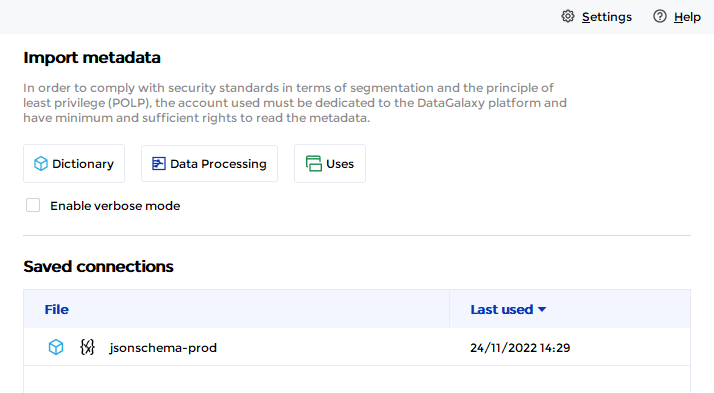
- If it has been correctly installed, the JSON Schema plug-in appears in the list
- The following information is requested:
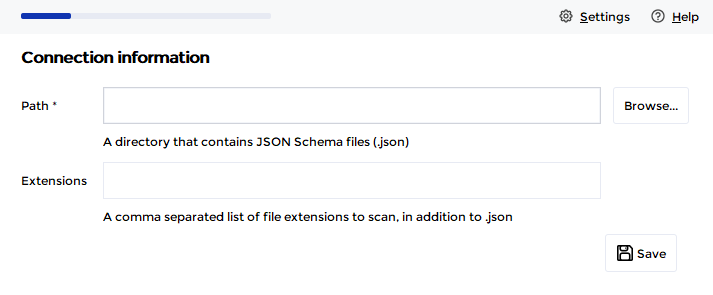
Parameter | Mandatory | Description |
| Path | Yes | Path of the directory that contains the JSON Schema files |
| Extensions | No | Comma-separated list of extensions to be detected by the connector in addition to the default .json extension. For example: json-schema, jsonschema |
Once these information filled, you can test the connection and start the import.
Technical information
Link to JSON Schema documentation: https://json-schema.org/
Releases
| Date | Plugin Version | DataGalaxy release | Desktop connector version (minimum) | Description |
| 26/07/2024 | 3.0.0 | v3.62.0 | 5.0.3 | Migrated from java 11 to java 17 |