The purpose of this article to define the concept of golden links, and how to use them.
What is a golden link in DataGalaxy?
When implementing a 360 Datacatalog, it often happens that glossary objects (concepts, business terms) are physically implemented in several places within the dictionary. The golden link allows you to specify which of all these implementation links is the trusted one
This means the golden link visually identifies the preferred source of information amongst all available.
A glossary object can have several golden links among all its implementation links. Dictionary objects can also have several golden links pointing to many glossary objects
Who can create golden links?
All users with write access to the objects can create golden links. No additional permission is required.
Golden links in the screens
1 - From the implementation tab
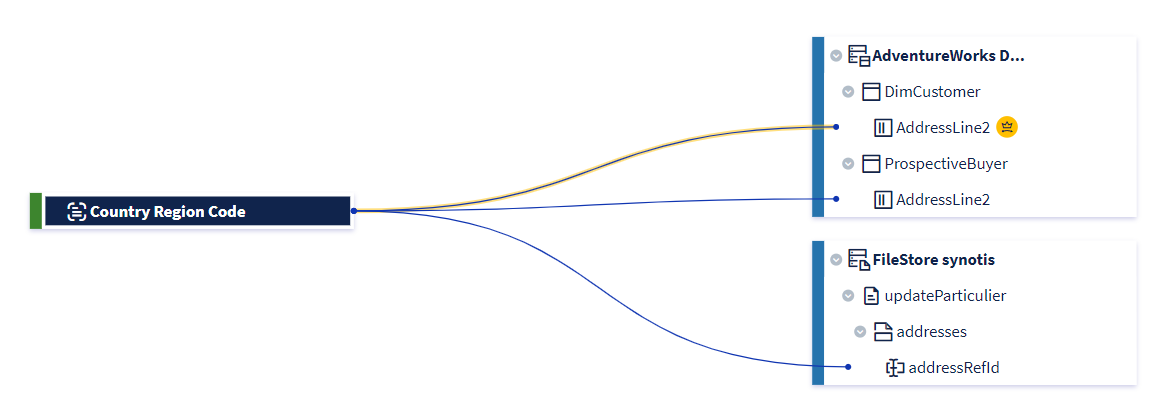
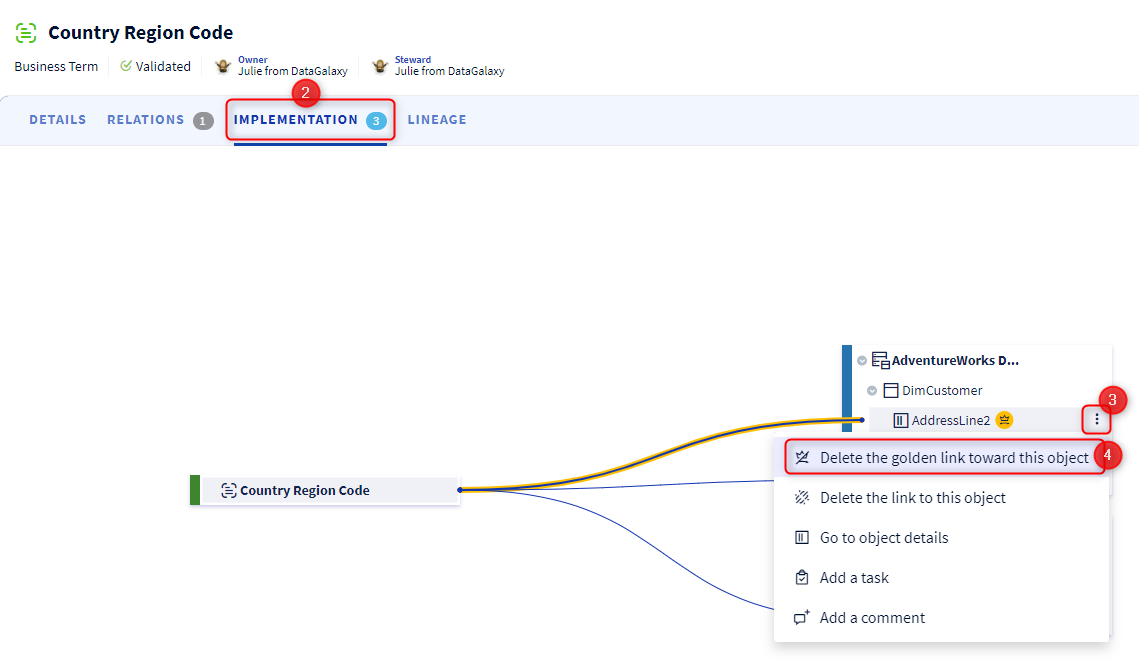
The implementation link identified as golden link is represented with a yellow line, and the dictionary object associated with this golden implementation link is marked with a yellow dot on the right of its label.
2 - From the lineage
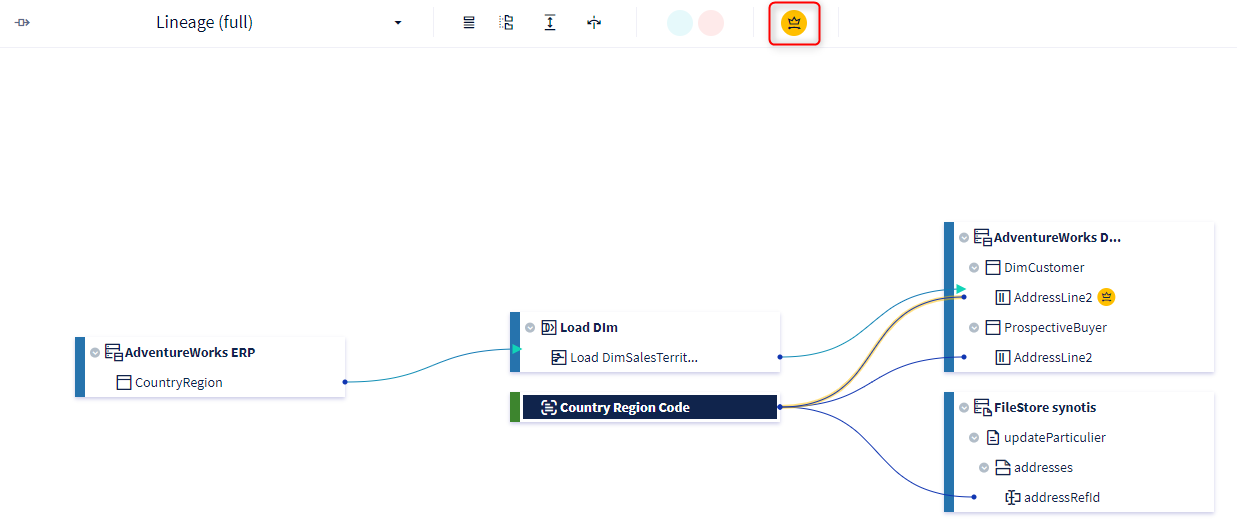
In the same way as in the implementations tab, the implementation link identified as a golden link is represented with a yellow line, and the dictionary object associated with this golden implementation link is marked with a yellow dot to the right of its label.
If you don't want to see the golden links displayed in the lineage, you can disable this representation by clicking on the yellow icon to the right of the path tracker feature, at the top of the screen. You will then have a view of the classic lineage.
3 - From the docking panel and the preview
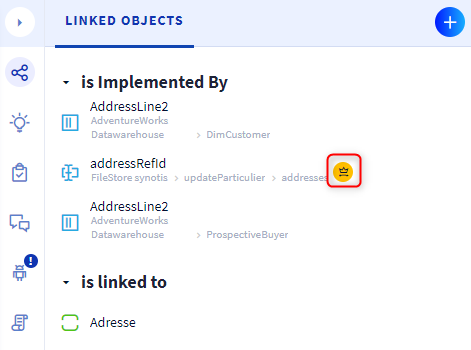
In the Linked objects section of the docking panel and the preview object, golden links are identified by an icon with a yellow dot.
How to manage golden links?
1 - Creating a golden link
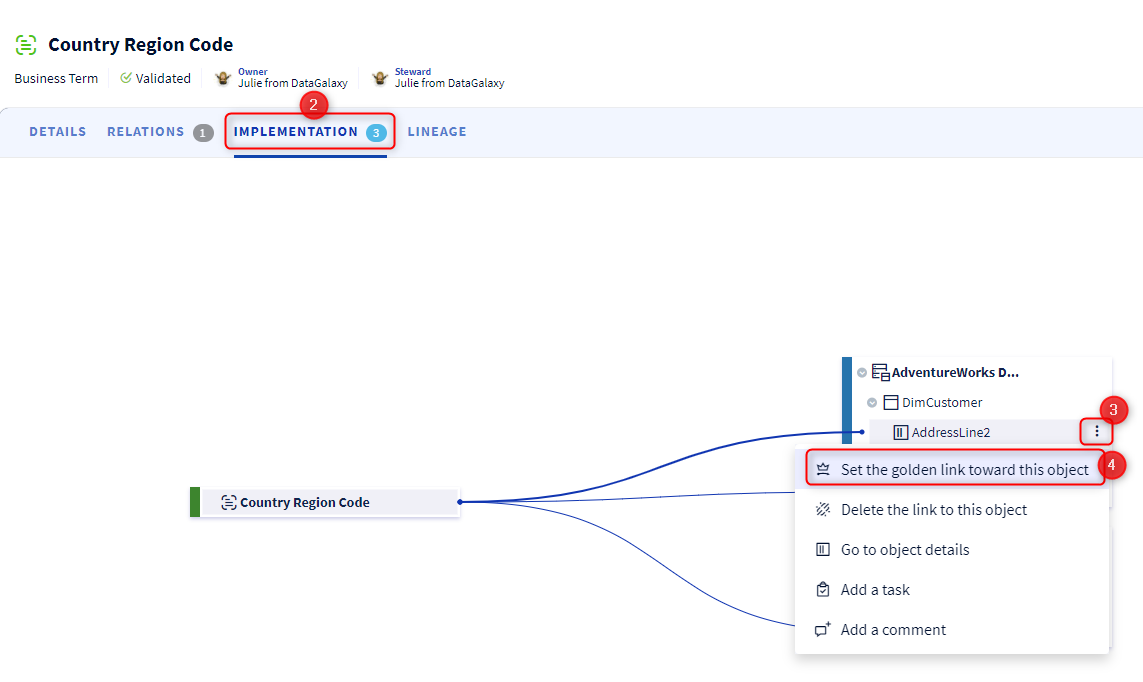
The identification of a golden link can only be applied to an existing implementation link. All the implementation links whatever their reference objects are eligible. This action is performed from the "Implementation" screen of the glossary module, from the burger menu of the dictionary object linked to the glossary object:
- Go to the object card of the glossary object on which you want to create the golden link
- Click on the Implementation tab
- Open the burger menu of the dictionary object on which you want to create the golden link
- Choose the option Set the golden link toward this object
2 - Removing a golden link
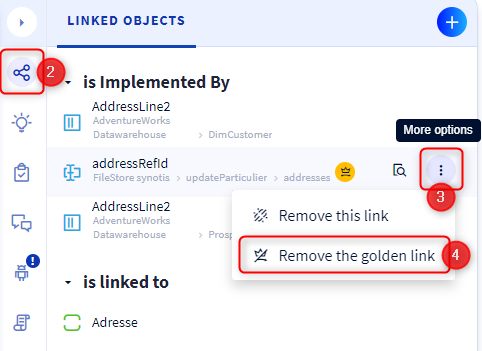
We talk here about "removing" a golden link, that is to say, that we remove the "Golden" characteristic of a link but we do not remove the implementation link. There are 2 ways to remove a golden link:
Via the Implementation tab:
- Access the object card of the glossary object on which you want to remove the golden link
- Click on the Implementation tab
- Open the burger menu of the dictionary object on which you want to remove the golden link
- Choose the option Remove the golden link toward this object
Via the service panel and the overview:
- Access the docking panel or the preview of one of the two objects on which you want to remove the golden link
- Open the Linked objects section
- Click on the burger menu of the linked object on which you want to remove the golden link
- Choose the option Remove the golden link