
The purpose of this article is to explain how to use your search history.
What kind of history is available?
There are 2 types of history:
- Recently viewed objects: it is the last 4 objects you have consulted (object card or object preview).
- Recent searches: it is the last 4 searches you have done from the search bar (spotlight).
How to use the history ?
1 - From the home page
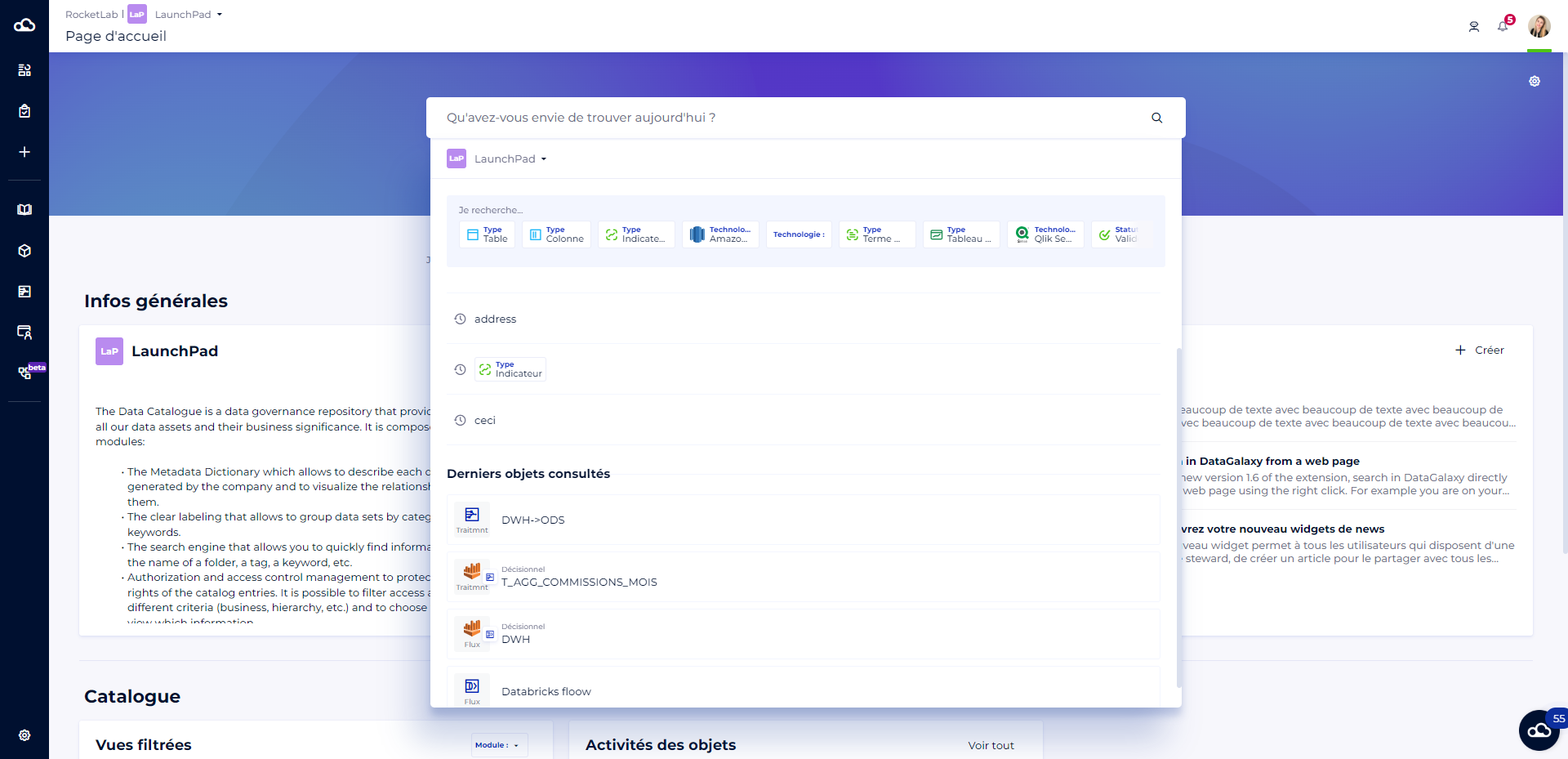
The home page is accessible by clicking on the cloud in the side navigation bar.
By clicking on the search bar, a window opens to help you launch your search by offering you:
- Quick filters
- The last 4 searches you have done
- The last 4 objects you have consulted
2 - From the spotlight
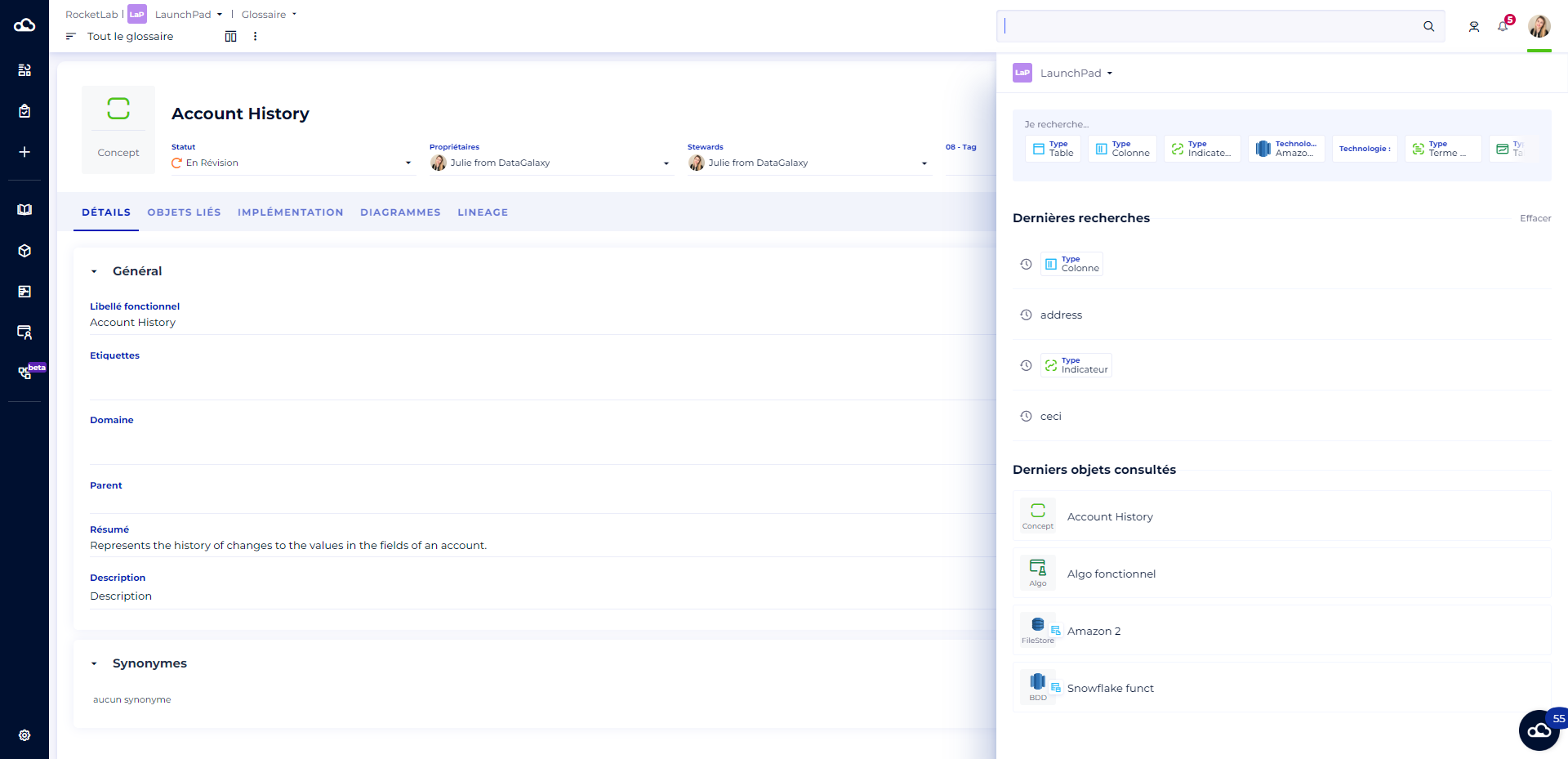
Exactly the same way as in the home page, when you click in the spotlight, available from any page of the platform (or home page), a window opens to help you launch your search by offering you :
- Quick filters
- The last 4 searches you have done
- The last 4 items you have viewed