This article focuses on the Insights tab in the Service Panel.
What are Insights?
The Insights tab allows you to summarize the first level information of the current object. When you open the service panel, you are taken directly to this tab.
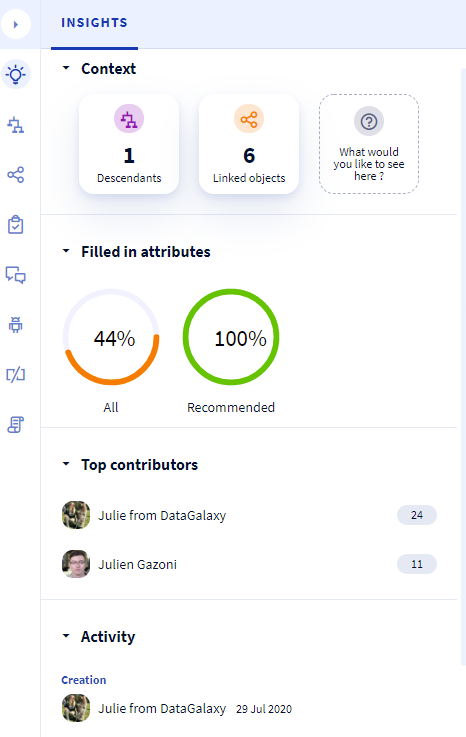
The Insights tab has 4 main sections:
1 - Context
At the context, there are two clickable widgets:
- Descendants: this widget displays the total number of descendants of the current object. The descendants are its children, the children of its children and so on. The widget is clickable and redirects you to the "Descendants" tab of the service panel. If the current object cannot have children, the "Descendants" widget is not displayed.
- Linked objects: This widget displays the total number of objects that are linked to the current object. The widget is clickable and redirects you to the "Linked Objects" tab of the service panel.
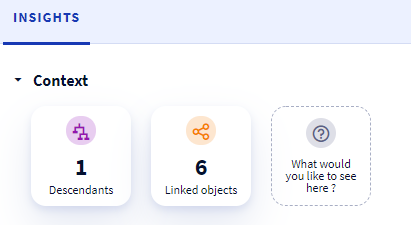
If you have any suggestion for widgets you would like us to add to the existing ones, please let us know via the last feedback widget !
2 - Attributes filled in
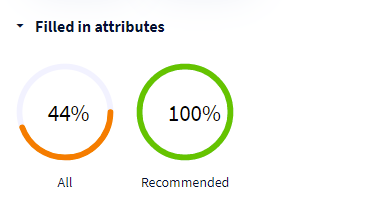
In this section, we provide you with two key indicators relating to the filling in of attributes and the completeness of the object card :
- All: this donut indicates the percentage of the number of attributes filled in compared to the total number of attributes presented in the object form.
- Recommended: this donut indicates the percentage of the number of attributes filled in out of the total number of attributes presented in the card of an object for which the "recommended" box is checked in the attributes manager in the administration.
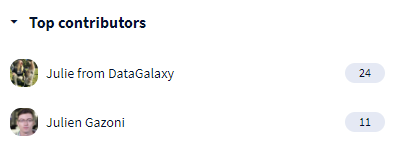
3 - Top contributors
In this section, we display the users who have contributed the most to enrich this object. This involves filling in the object card and filling in the attributes, adding comments and creating tasks and links.
4 - Activity
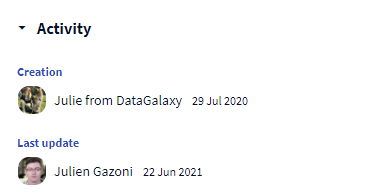
This is where we find information about the creation date of the current object and the user who created it, as well as the date of the last modification and the user who made it.