
This article describes the Azure Data Factory connector for DataGalaxy.
This connector is available in preview, you can open a request through a support ticket if you want to test it. The Preview mode means that the connector has not been tested in a real environment, representative of what our customers use, so we offer the possibility to test it to get feedbacks and bring adjustments if necessary before its general availability.
Presentation of the connector
ADF connector aims to get lineage around ADF factories. In this preview, the activities supported are the Data flows and the file copy activities. Depending on how those activities are used, the lineage can be retrieved at table or column level.
This connector leverages the URN mode, meaning it will create or link objects in the dictionary in their own technology, without the Dataset abstraction layer offered by ADF. Only the objects of the Data Processing module will be created with the ADF technology in DataGalaxy.
This table describes the objects and attributes retrieved and their mapping in the DataGalaxy metamodel:
| Objet ADF | Module DataGalaxy | Objet DataGalaxy | Attributs DataGalaxy | Commentaires |
| Factory | Data Processing | Data flow | ||
| Data flow | Data Processing | Data processing | ||
| Copy activity | Data Processing | Data processing | ||
| Table/View | Dictionary | Table/View | In its own technology | |
| Column | Dictionary | Column | In its own technology | |
| Folder | Dictionary | Folder | In its own technology | |
| File | Dictionary | File | In its own technology |
Known limitations of the preview version
Supported technologies
The technologies of data storage currently supported in this preview are:
- Azure Data Lake Gen2
- Azure SQL
- MySQL
If you use other technologies than those ones, it will require evolutions on the connector.
Parsing of ADF components
- Datasets defined in Legacy mode (using a connection string) are not supported.
Known issues of the preview version
If you have some datasets on Azure Data Lake Gen2, you might encounter an issue during the import. The current workaround is to create a new technology in your DataGalaxy platform, with the code adls2.
Step 1: Installation
- Download DataGalaxy connector from the portal (see here)
- Extract the connector archive in the directory of your choice
- Copy the ADF plugin into the /lib directory of the connector
Step 2: Execution of ADF connector
- After starting the connector, access Dictionary or Processing type connectors
- If it has been correctly installed, the ADF plug-in appears in the list
- The following information is requested:
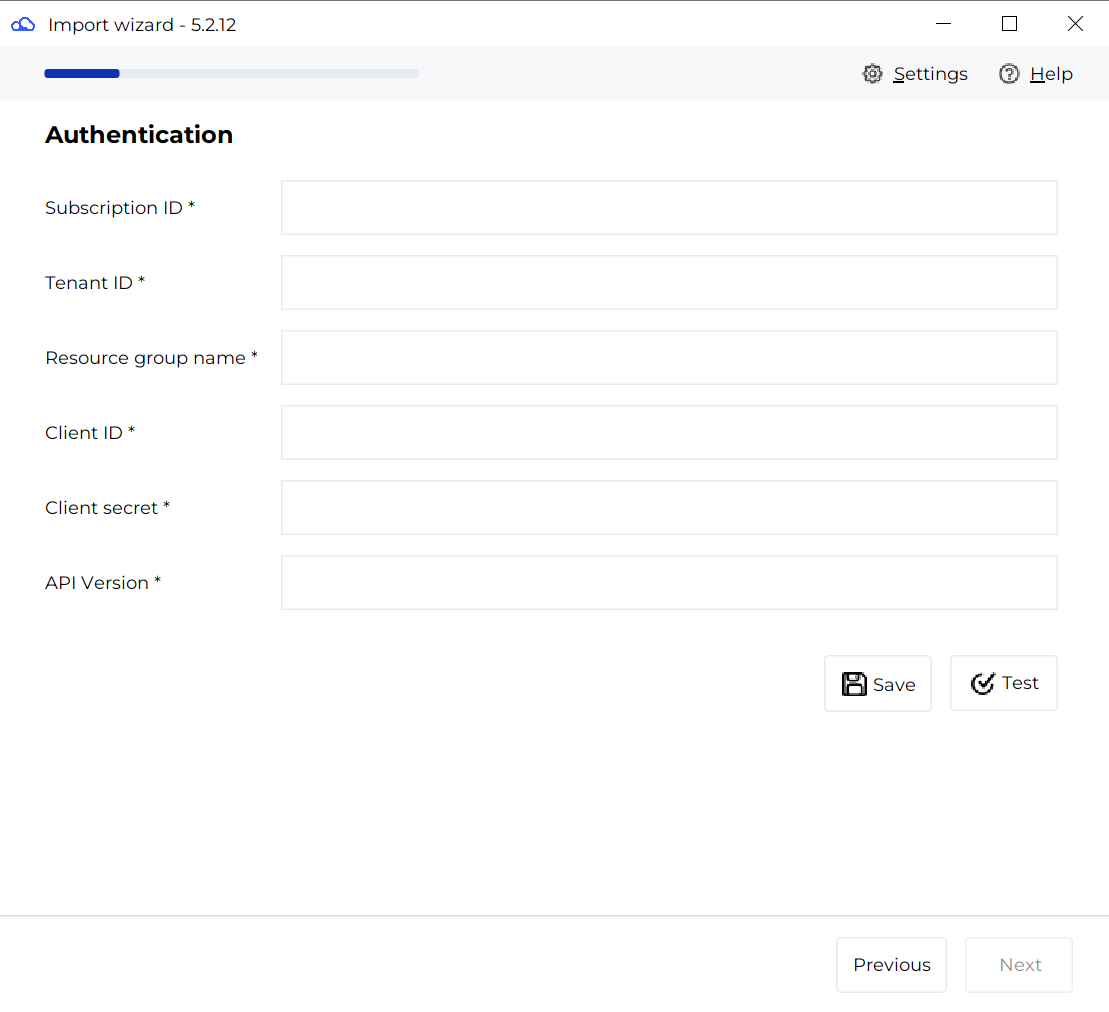
| Paramètre | Obligatoire | Description |
| Subscription ID | Oui | Azure subscription |
| Tenant ID | Oui | Entra ID Tenant |
| Resource group name | Oui | Name of resource group containing factories |
| Client ID | Oui | Entra ID Client |
| Client secret | Oui | Entra ID Client Secret |
| API Version | Oui | Currently 2018-06-01 |
Technical informations
ADF connector is built on Azure REST API.
Releases
| Date | Plugin Version | DataGalaxy release | Desktop Connector version (minimum) | Description |
| 15/11/2024 | 0.0.1a9 preview | N/A | 5.0.4 | Adding support of Copy activities |
| 30/07/2024 | 0.0.1a9 preview | N/A | 5.0.4 | First preview version |