
The purpose of the article is to explain what the general information of a clientspace is and how to modify it.
Who can access it?
To access the general information of the clientspace, you should be client space administrator. To check if you have these rights, go to your profile and click on the drop-down menu, "Administration" option should be present. If not, you are not an administrator.
How do I access it?
The general information can be found in the administration Details section. To access it you should:
- Click on your icon at the top right of the screen
- Select Administration from the drop-down menu
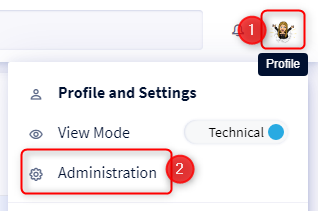
- You will be automatically positioned on the Details section
What is the general information of the clientspace?
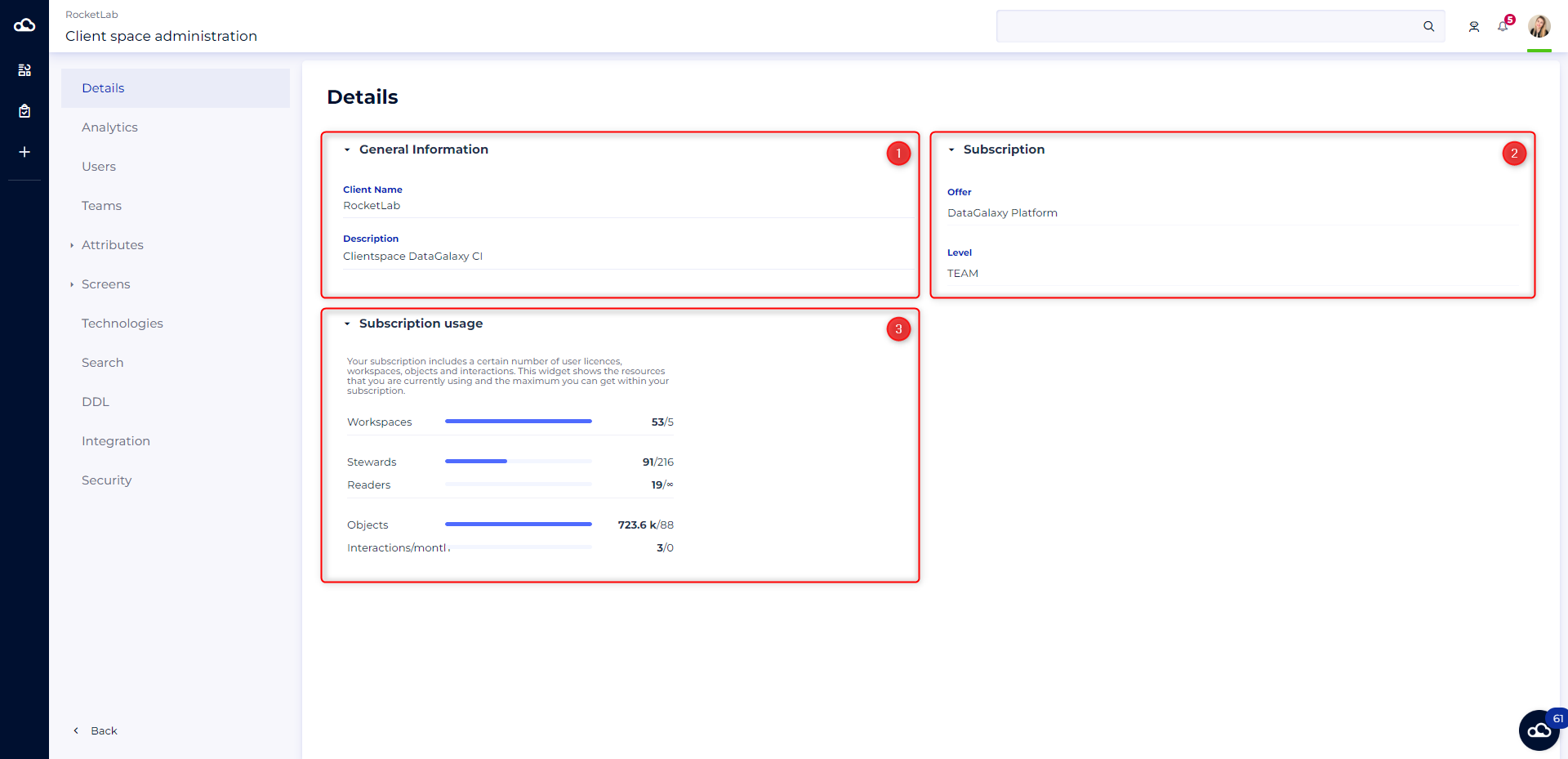
The details page of the clientspace consists of 3 categories:
1 - General information (only available for multiworkspaces clients)
In this category, you have the possibility to consult and modify:
- The name of the client
- The description of the clientspace
You can find this information on the home page of the clientspace, which is available by clicking on the datagalaxy cloud at the top left of your screen for multiworkspaces client.
2 - The subscription
This category allows you to consult:
- The offer to which you have subscribed
- The level of your offer
3 - Subscription usage
In this category, you can analyze several statistics:
- The number of workspaces created out of the available number
- The number of DataSteward licenses used out of the total number available
- The number of DataExplorer (legacy) licenses used out of the total number available
- The number of DataReader licenses used out of the total number available
- The number of objects created out of the number available
- The number of interactions/month performed by DataReaders out of the total number available