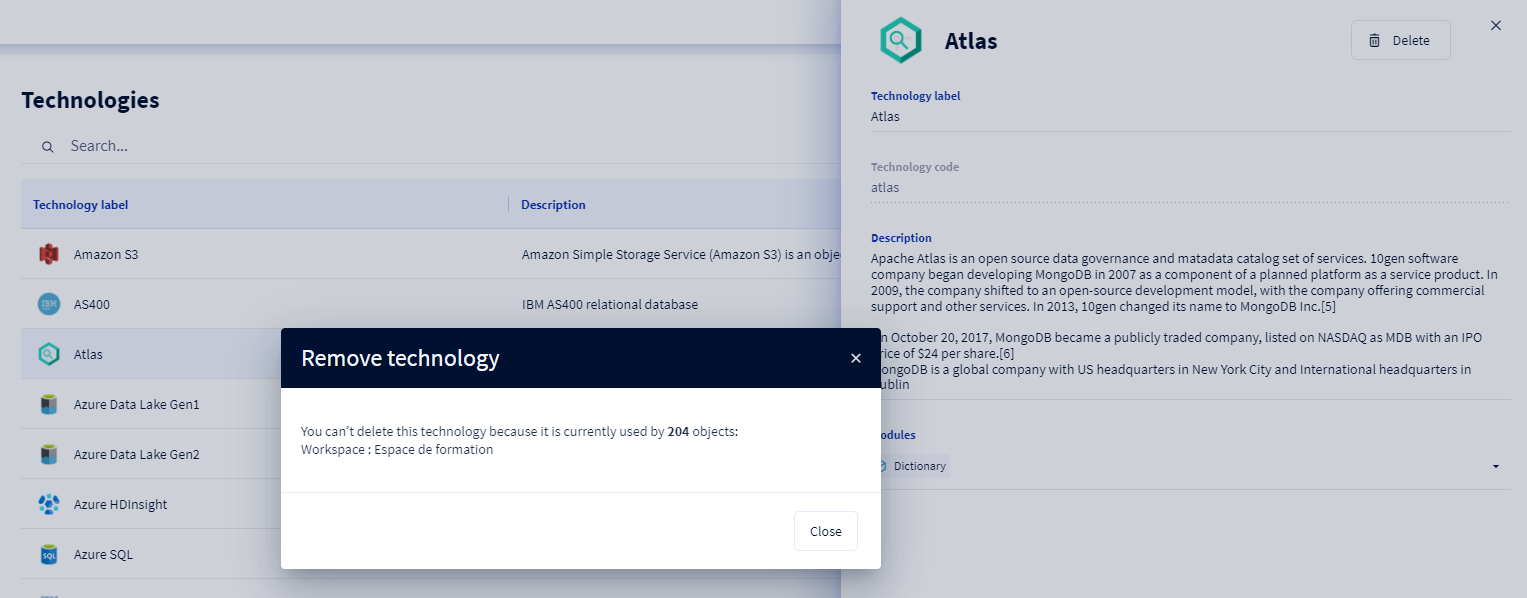
This article focuses on the management of technologies at the administration. To learn more about the concept of Technology, you can consult this article: [Basics] Technologies overview
Who can manage technologies?
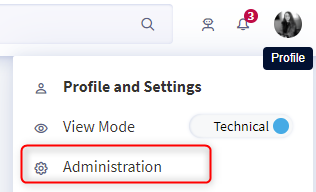
To manage technologies, you need to be an administrator of the client space. To check if you have these rights, go to your profile and when clicking on the drop-down menu, the "Administration" option should appear. If it does not appear, you are not an administrator.
To learn more about the administrator profile and how the permissions and licenses provided by DataGalaxy operate, you can read this article.
How to access the technology management page?To navigate to the technology management page, you need to
1. Click on the icon at the top right of the screen
2. Click on Administration in the drop-down list
3. Click on the Technologies section in the menu on the left of the screen
4. Once on the page listing the technologies, you can search for the technology you would like to review, edit or delete. 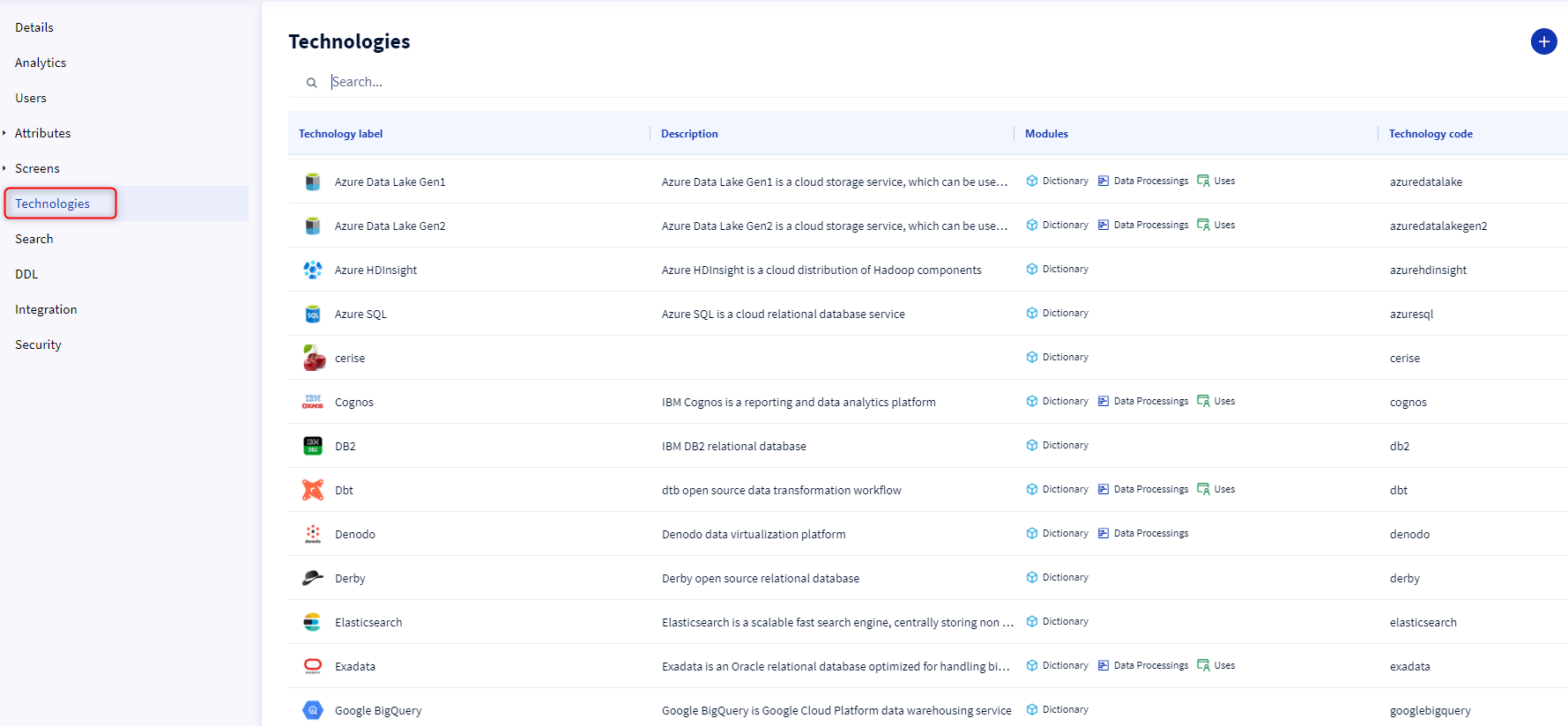
How to manage technologies?
1 - Creating a new technology
To create a new technology, you need to :
1. Click on the Create button at the top right of the screen
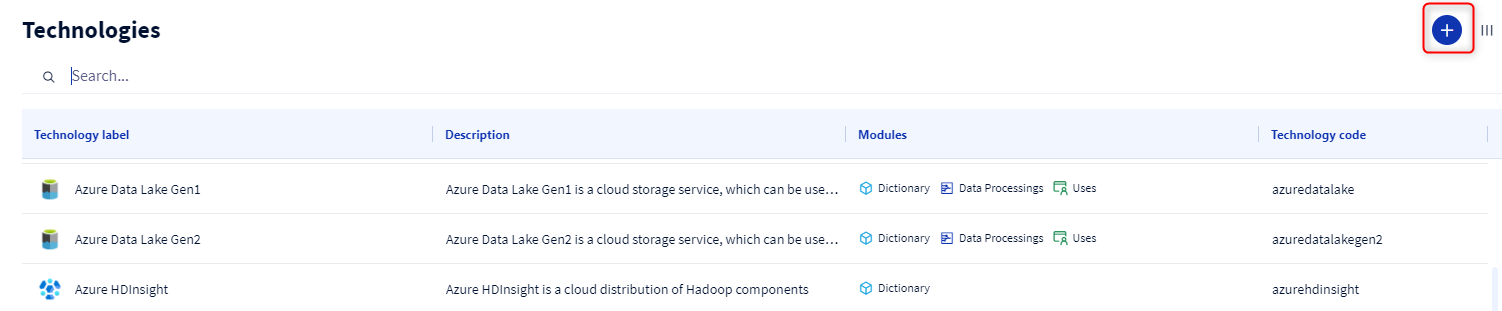
2. A form pops up, fill in all the fields and click on Create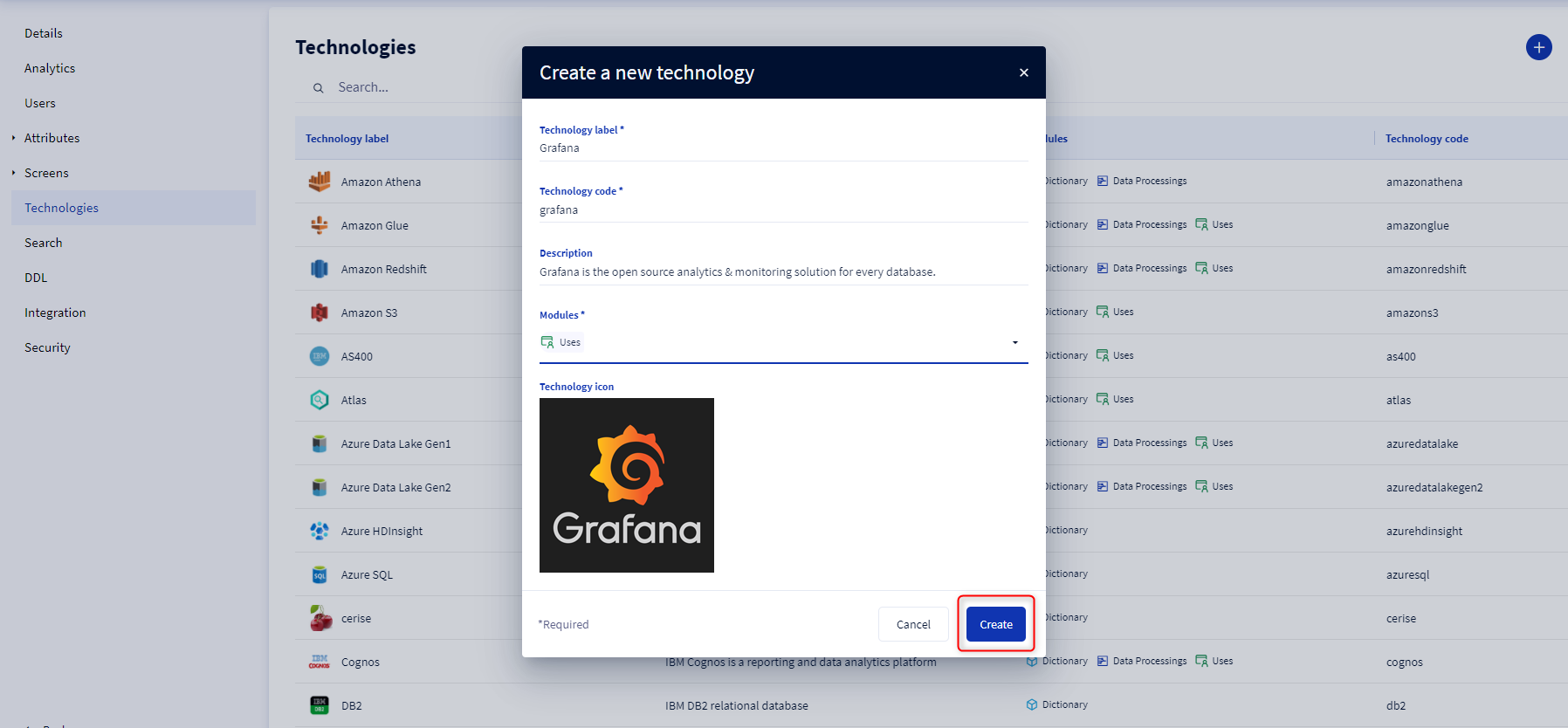
The technology code is generated automatically based on the technology label typed in. You can only edit it when creating the technology.
2 - Editing a technology
To edit a technology, you need to :
1. Go to the technology preview card that you would like to edit
2. Modify the attribute(s) of the technology card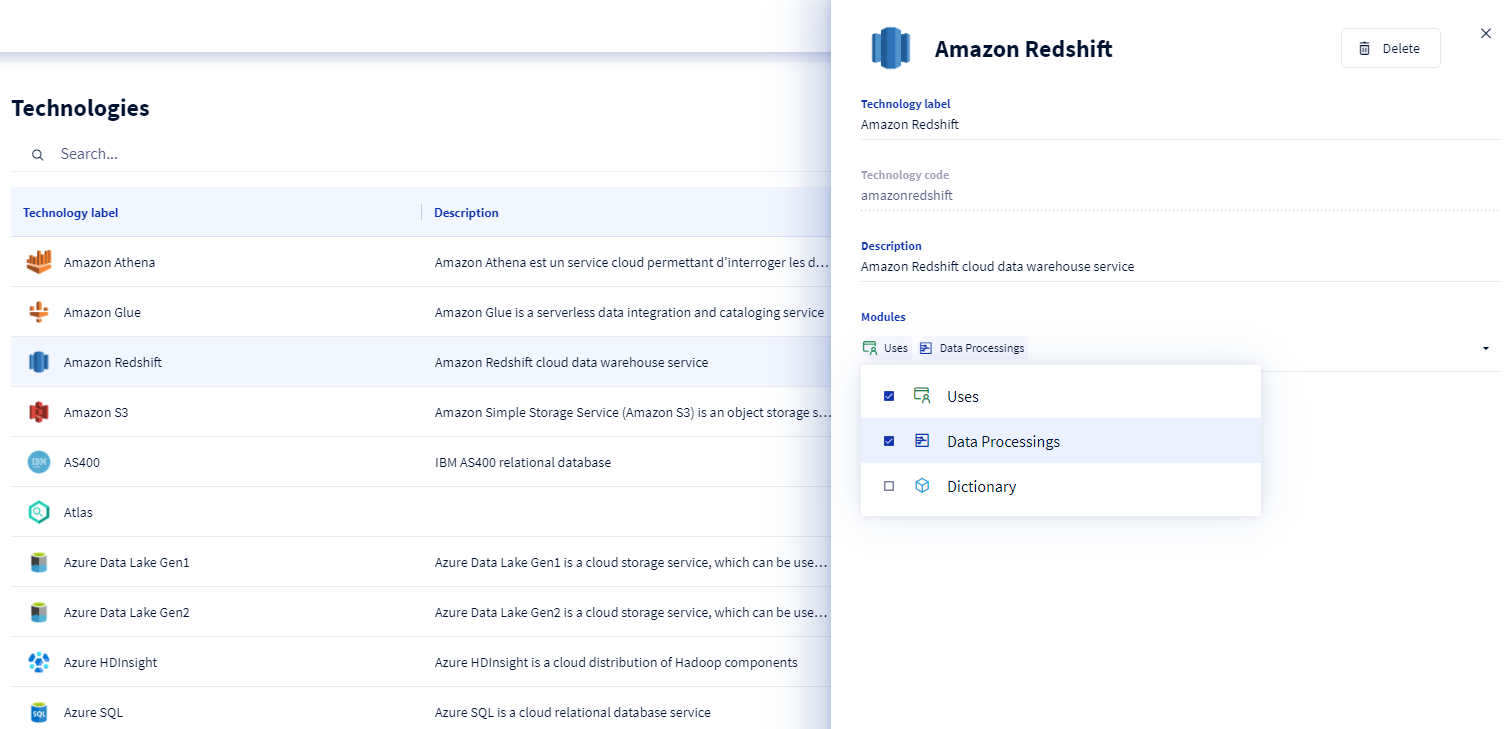
You are not able to change the code of the technology. Only the technology name, description, module(s) and icon can be edited. We also do not allow you to retrieve a module in which a technology is defined in the technology attribute of its object cards.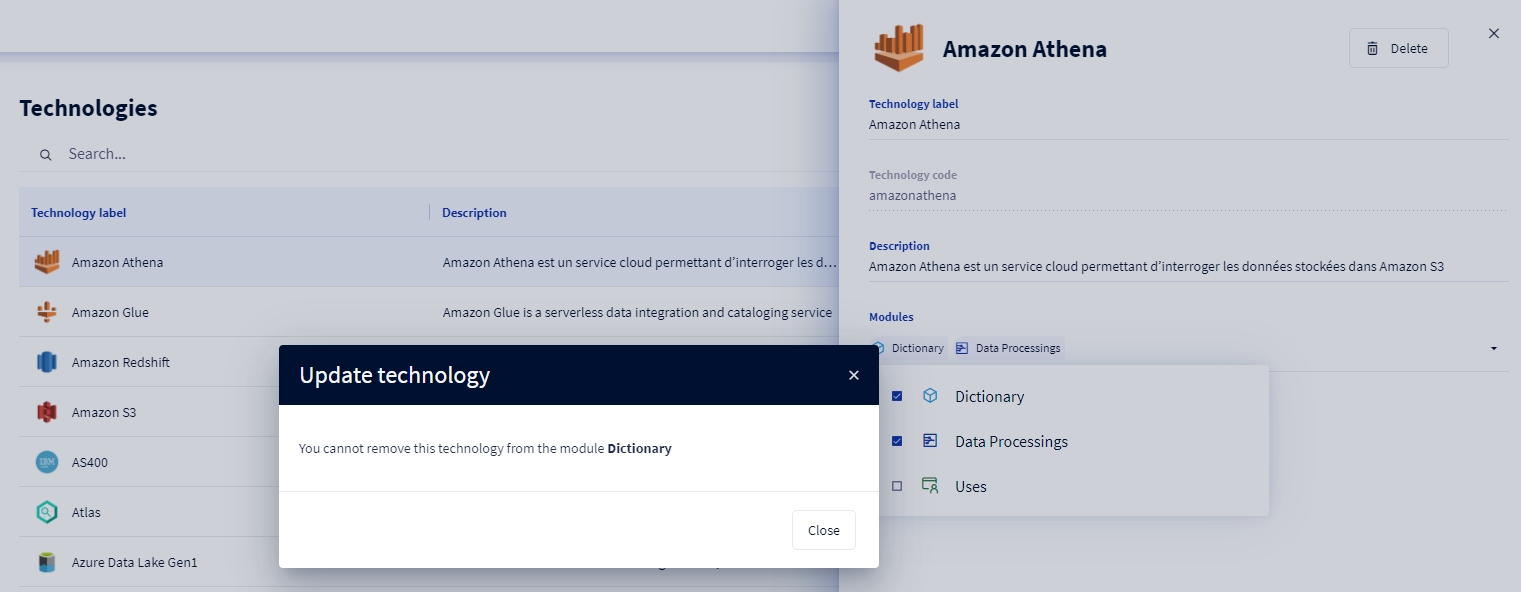
3 - Deleting a technology
To delete a technology, you need to :
1. Go to the technology card that you would like to delete
2. Click on the Delete button at the top right of the screen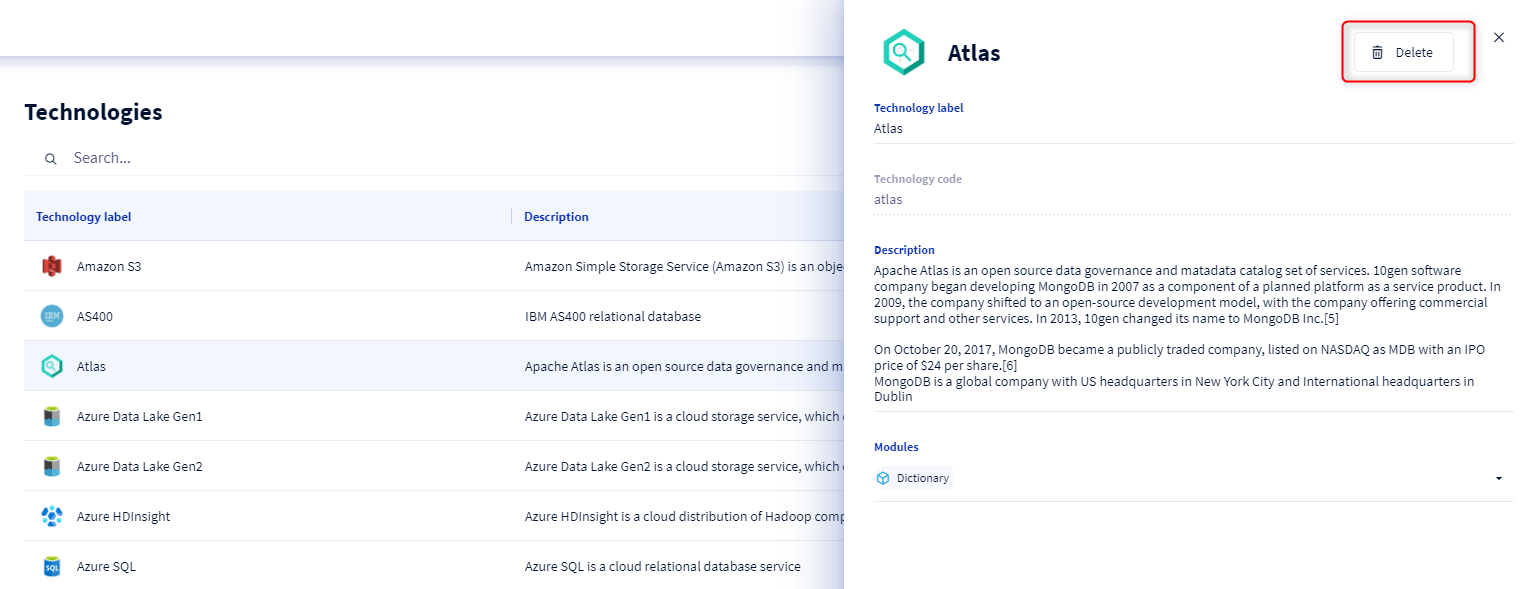
You cannot delete a technology if it is used by one or more objects.