
This article describes how XSD connector works.
This connector is available in the following modes:
| Desktop mode ✅ | SaaS Online mode ❌ |
Connector scope
An XSD file describes the structure and metadata of an XML file.
The connector allows you to import objects into a NoSQL source from one or more XSD files (.xsd file) stored in a directory accessible by the connector.
The extracted objects and their correspondences are detailed in the following table:
XSD Object | DataGalaxy Object | Comments |
| Schema | Document | Schema defined by the XSD file or the file name |
| Element / Attribute | Field | Object properties If the property is a complex object containing child properties, a Sub-Structure will be created in DataGalaxy |
Step 1 : Installation
- Download DataGalaxy connector from the portal (see here)
- Extract the connector archive in the directory of your choice
- Download the XSD plug-in from the portal and copy it into the /lib directory of the connector
Step 2 : Run XSD connector
- After starting the connector, access to Dictionary connectors:
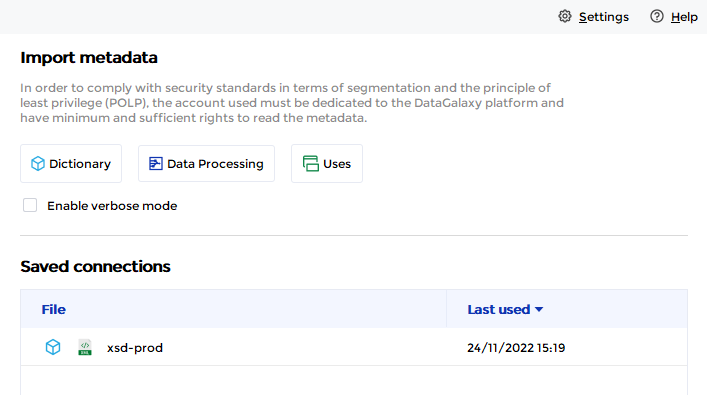
- If it has been correctly installed, the XSD plug-in appears in the list
- The following information is requested:
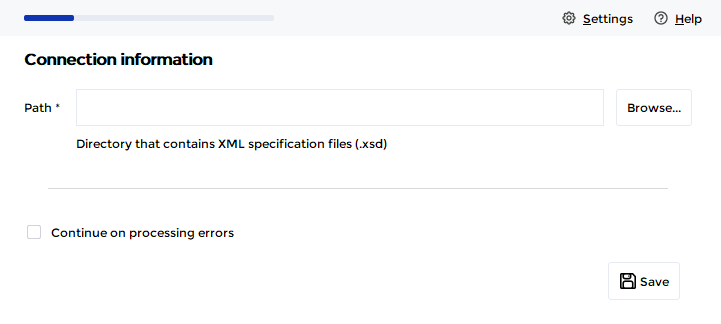
| Parameter | Mandatory | Description |
| Path | Yes | Path to the directory that contains the XSD files (.xsd files) |
| Ignore errors | No | Option to ignore the presence of bad structured files or files that cannot be interpreted, in order to continue processing when an error is detected. When unchecked, the presence of an error file blocks the import process (default operation). |
Once these information filled, you can test the connection and start the import.
Technical information
Link to XSD documentation: https://www.w3.org/TR/xmlschema11-1/
Releases
Date | Plugin | DataGalaxy | Desktop Connector | Description |
16/07/2024 | 4.0.0 | v3.59.0 | 5.0.1 | Migrated from java 11 to java 17 |