
The objective of this article is to present user management by the client space: who should be able to configure the Clientspace? What authorizations are available?
Who can set up the Clientspace?
Only users with a Data Steward license are eligible for Clientspace administrator privilege.
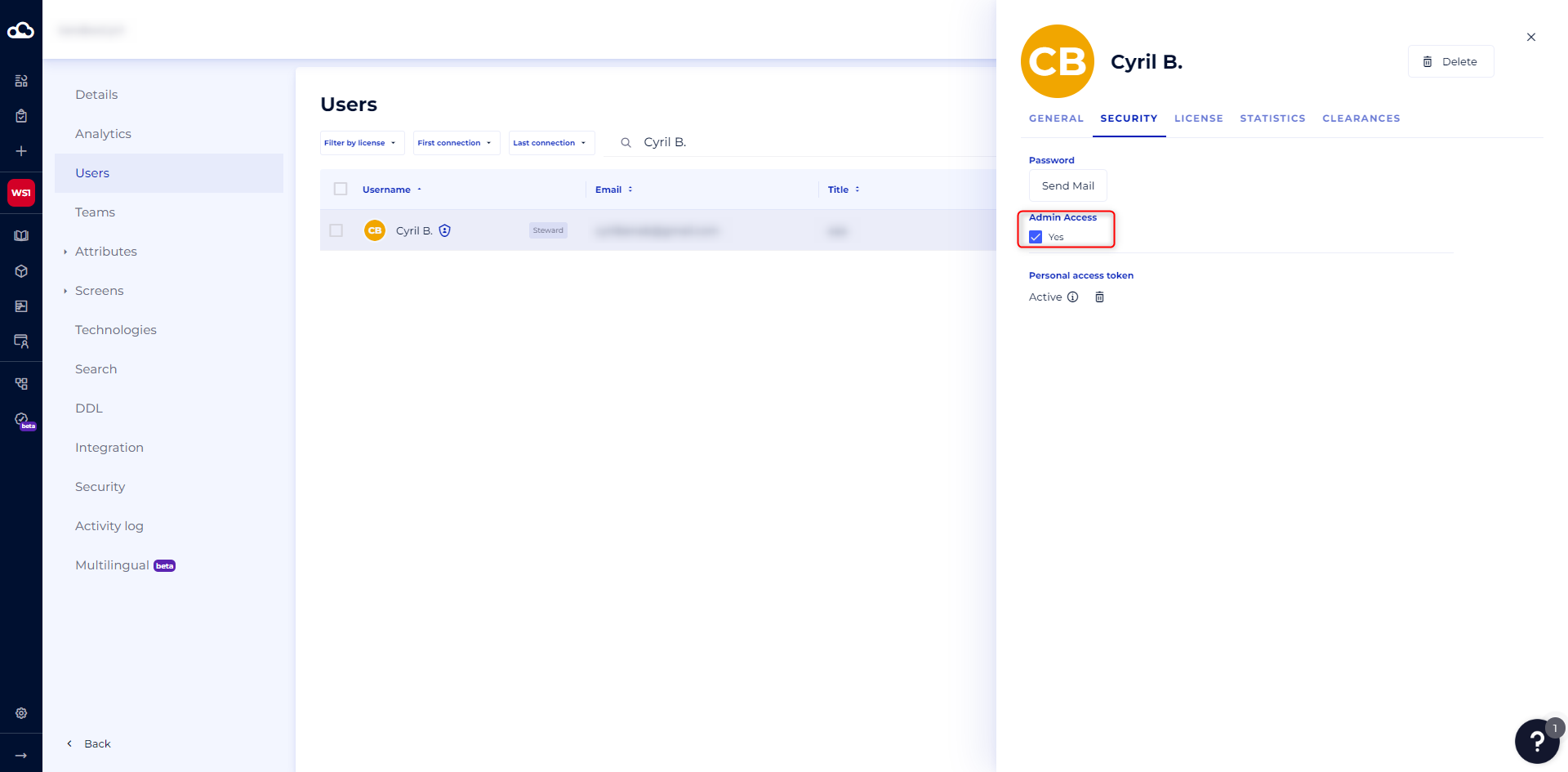
It should be noted that the administrators defined here will have a role throughout the platform. This includes master workspace and workspace with the possibility of modifying many parameters including default screens, attributes (including value lists) … So it is necessary to choose them with discernment by asking yourself the following questions:
Will the platform be used across the organization?
Which profiles will be affected by the platform?
What is the maturity level of the organization?
Does governance already exist on the data?
....
According to the answers to these questions, here are some elements to reduce the list of profiles:
The ability to lead and promote the platform and its use.
The understanding of both functional and technical data management issues.
A minimum knowledge of data management to assist users on specific topics: connector deployment, modeling, technology management.
The legitimacy in order to be integrated into the reflections on the solution of the different departments: use, deployment, evolution ...
Be able to identify the impacts of change requests.
The ability to arbitrate conflicting requests for change.
As for the number of administrators, it should be limited to 2 or 3 users (DataGalaxy does not impose administrator limits).
What authorizations are available at the Client Space level?
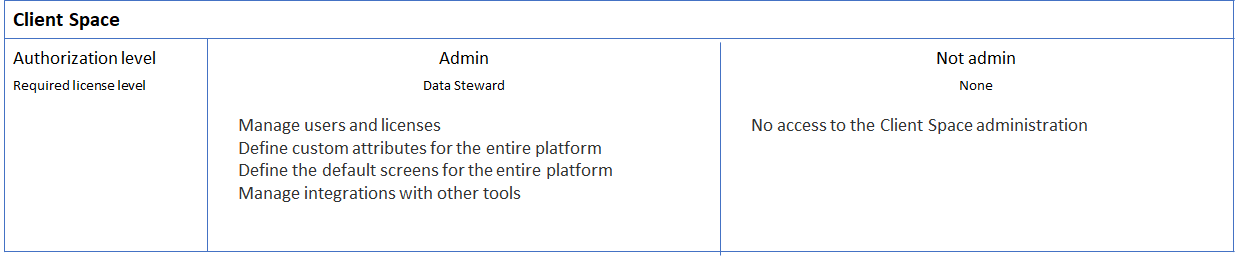
Authorizations at the Client Space level are therefore limited to whether or not the status of the Administrator is granted.
Being an administrator of the Client Space allows the user to:
Manage users and licenses,
Define custom attributes for the entire platform,
Define the default screens for the entire platform,
Manage integrations with other tools (e.g., by creating Service/Token accounts).
Being an administrator of the Client Space is reserved for users with a Data Steward level license.
For more details on how to manage users, see this article
To find out which licenses DataGalaxy offers, see the article Overview of License Management.