This article aims to explain how to choose your notification preferences.
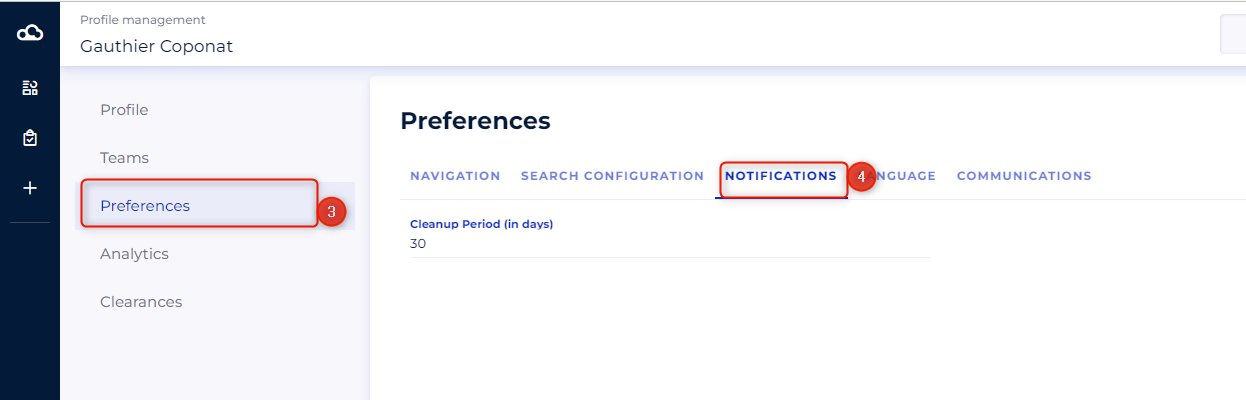
Notification preferences allow you to choose how long your notifications are kept. After this time, notifications will be permanently deleted. The duration is indicated in a number of days
To access these preferences:
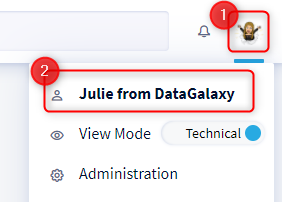
- Access your profile by clicking on your icon at the top right of the screen
- Click on your name in the drop-down menu
- Select the Preferences tab
- Scroll down the "Notifications" section and indicate the duration of your choice