
The purpose of this article is to explain how it is possible to choose your search parameters.
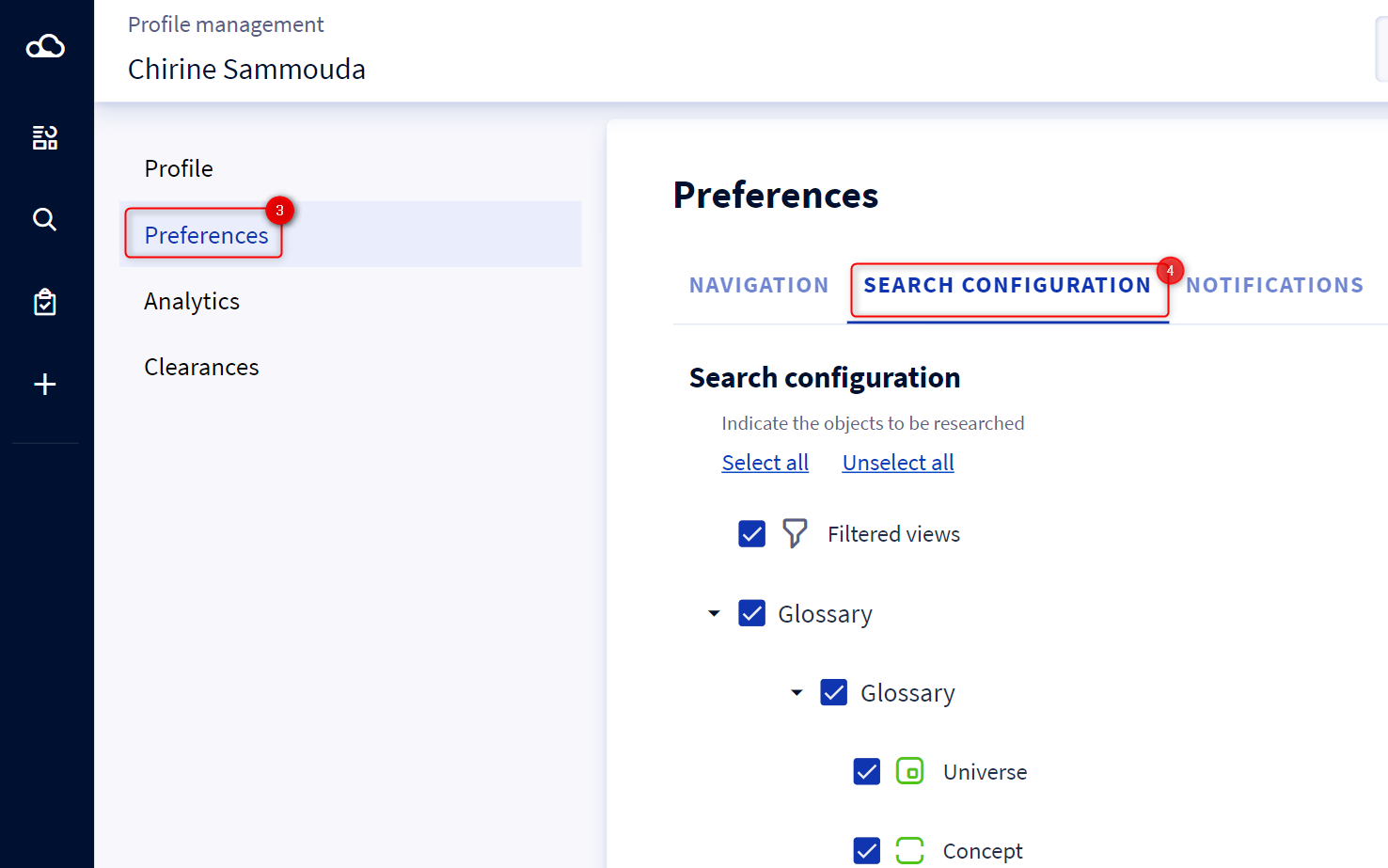
In the configuration of your search preferences, you have the possibility to choose the types of objects you want to see in your search results. The objects are classified by type and subtype.
Simply check an object type to see it appear in the results, and uncheck it so that it does not appear in the results.
You also have the possibility to choose the order in which your results appear thanks to the drag&drop of the sections.
There are 2 ways to access your preferences.
From the profile
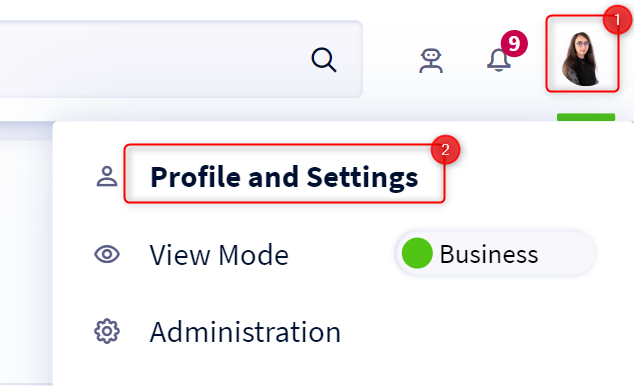
- Access your profile by clicking on your icon at the top right of the screen.
- Click on your name in the drop-down menu
- Select the Preferences tab
- Select the object types of your choice
From the search results table page
- Start a search
- When you are on the page of the search results table, click on the 3 small dots in the header of the page
- In the drop-down menu, click on Search Preferences
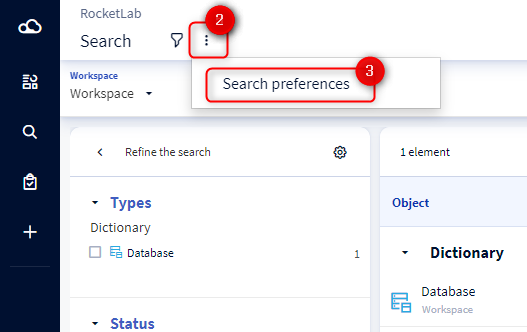
- You will be automatically redirected to the search preferences page.