
This article explains how the Cognos connector for DataGalaxy works.
This connector is available in the following modes:
| Desktop mode ✅ | SaaS Online mode ❌ |
Connector scope
The connector allows to retrieve metadata from a Cognos framework definition file (model.xml file).
By default, the following attributes are populated for the entire scope:
- Functional and technical labels
- Description
Additional attributes are also filled in depending on the technology and by type of object. To make them appear in DataGalaxy screens, it may be necessary to adapt the screens of the concerned objects. See this article to learn more about screen customization.
The following table details the objects and attributes retrieved, and their correspondences in DataGalaxy :
| Cognos object | DataGalaxy Object | DataGalaxy attributes | Comments |
|---|---|---|---|
| Project | Application | Cognos project is imported as an application, within a root application (to be named during configuration) in the Usage module. | |
Namespace Folder Query >Query Item Folder | Data Set | Query | A tree structure conforming to the one defined in Cognos is represented in DataGalaxy. All the views declared in Cognos are integrated in the target module. |
Query Item Calculation | Usage Field | Expression, Technical type | |
| Shortcut | Data Set Usage Field | Technical type | The shortcut is resolved and the target object will be duplicated in the tree where the shortcut is declared with a link to the target object. |
Step 1: Installation
- Download DataGalaxy connector from the portal (see here)
- Extract the connector archive in the directory of your choice
- Download the Cognos plug-in from the portal and copy it into the /lib directory of the connector
Step 2: Running the Cognos connector
- After starting the connector, access Software type connectors
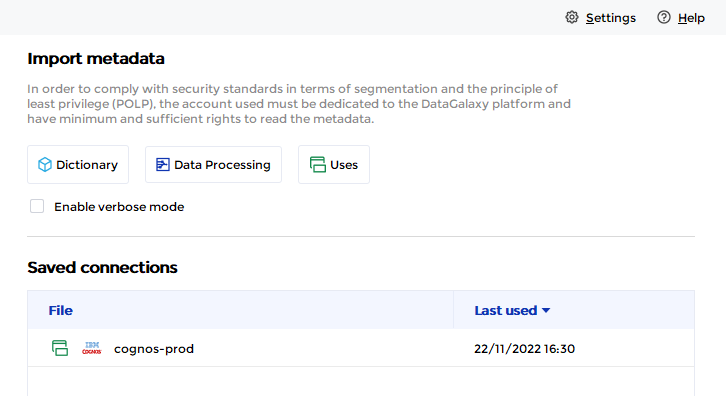
- If it has been correctly installed, the Cognos plug-in appears in the list
- The following information is requested:
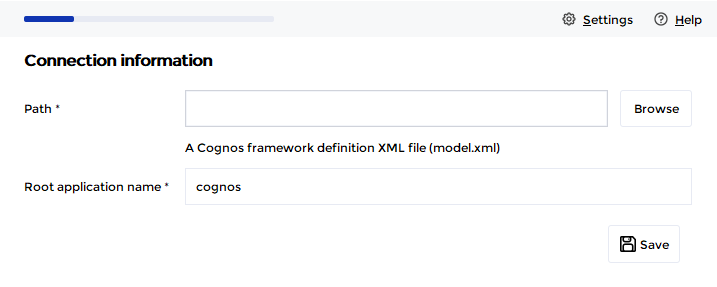
| Parameter | Mandatory | Description |
Path | Yes | Path to the model.xml file containing the definition of the Cognos framework to import. ⚠ The necessary model.xml file is located at the root of the Cognos project. |
| Root application name | Yes | Name of the "parent" application in the DataGalaxy Usage module, which will be used to store all views of the Cognos tool.If the application does not exist, it will be created during the import. |
Releases
| Date | Plugin Version | DataGalaxy release | Desktop Connector version (minimum) | Description |
| 06/08/2024 | 5.0.0 | v3.65.0 | 5.0.5 | Migrated from java 11 to java 17 + CVE fixes |