
This article explains how the Looker connector for DataGalaxy works.
This connector is available in the following modes:
| Desktop mode ✅ | SaaS Online mode ✅ |
Connector scope
The connector allows you to import the following metadata from Looker :
The set of projects, workbooks and shared data sources of a given site
The content of a workbook: worksheet, dashboards, stories and embedded data sources
Fields in shared and embedded data sources
Links between dashboards and worksheets, between shared and embedded data sources and between worksheets and data source fields
By default, the following attributes are populated for the entire scope:
- Functional and technical labels
Description
Data Owner of folders, boards, dashboards and looks (if the e-mail address is present in the DataGalaxy platform)
Additional attributes are also filled in depending on the technology and by type of object. To make them appear in DataGalaxy screens, it may be necessary to adapt the screens of the concerned objects. See this article to learn more about screen customization.
The following table details the objects and attributes retrieved, and their correspondences in DataGalaxy :
| Looker object | DataGalaxy object | DataGalaxy attributes | Comments |
| Folder | Application | Each folder shared in the Looker tool is imported as an application, within a root application (to be named during configuration) in the Usage module. | |
| Boards | Screen | Each Board is imported as a screen into a parent application named "Boards". | |
| Section des Board | Usage compoment | ||
| Dashboard | Dashboard | URL | |
| Look | Report | URL | |
| Vizualisation & Filter | Usage compoment | ||
| Project | Application | URL | Each project is imported as an application into a parent application named "Explore". |
| Explore | Data Set | URL | |
| Dimension / Measure | Field | URL, Technical type, Query | Each dimension and measure are imported into parent Data Sets named "Dimensions" and "Measures". Dimension groups are also imported as parent data sets. |
Configuration of a connection
The connector uses version 4.0 of the Looker REST API
The following information is required to set up a connection:
| Parameter | Mandatory | Description |
API Host URL | Yes | API URL as configured in the Looker tool. The following Looker documentation details the configuration options for this URL Admin Settings - API |
| Client ID | Yes | Following Looker documentation explains how to generate an API key to obtain a user's ID and secret : Users (Paragraphe : API3 Keys). The user associated with this key must have at least the User right for the connector to be able to retrieve the expected scope of informations. |
| Client secret | Yes | |
| Root application name | Yes | Name of the "parent" application in the DataGalaxy Usage module, which will be used to store all reports and dashboards of the Looker tool. If the application does not exist, it will be created during the import. |
Execution of the connector
To create a connection to Looker via the Online connector, the entry points are as follows:
From the Import button of the "Shortcuts" widget on the home screen of a client space or workspace
From the Import button of one of the modules when it is empty
From the Import button in the contextual menu of one of the modules, on the right side of the filtered views
From the Add a connection button in the Connector tab available in the workspace setup screen
You can optionally filter (by module, connector type or by using the search bar), then click on the desired technology: 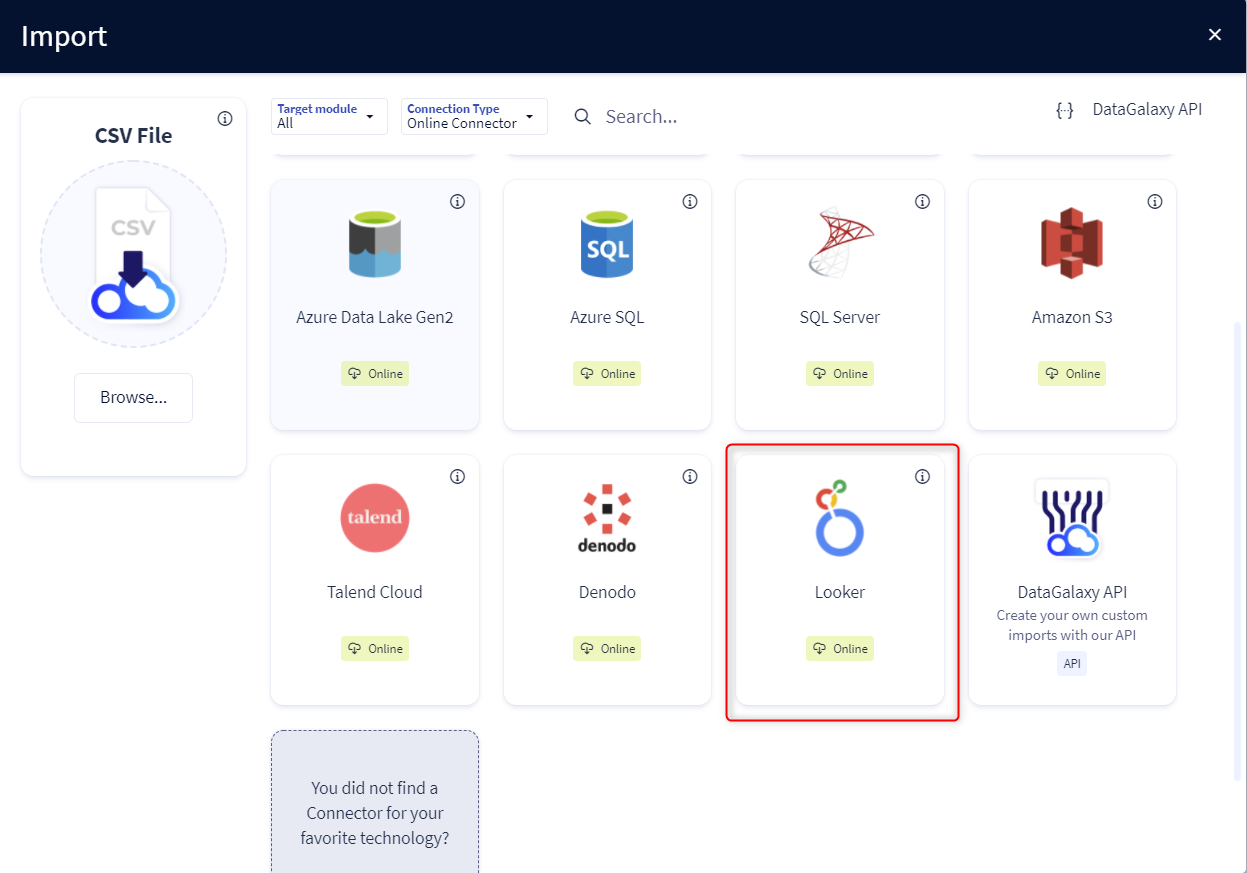
You then need to complete the login form using the login information described above to perform an import. For more details on the steps involved in running the Online connector, you can consult the following article: [HowTo] Running the Online Connector.
This technology is also available via the Desktop Connector, you can find more information on the procedure here: [How to] How to use the connector.
Releases
| Date | Plugin Version | DataGalaxy release | Desktop connector version (minimum) | Description |
| 23/08/2024 | 6.0.1 | v3.69.0 | 5.2.3 | Updated the logger to show more information when using verbose mode |
| 26/07/2024 | 6.0.0 | v3.62.0 | 5.0.3 | Migrated from java 11 to java 17 |